PRINTER OPTIONS 10 February 2005
1-54
1.15.4 IEEE 1284 (B679)
Installation Procedure
!CAUTION
Disconnect the main machine’s power cord before you start this procedure.
NOTE: You can only install one of these network interfaces at the same time: IEEE
802.11b (Wireless LAN), IEEE1284 (Parallel/Centronics), IEEE1394
(FireWire), Bluetooth.
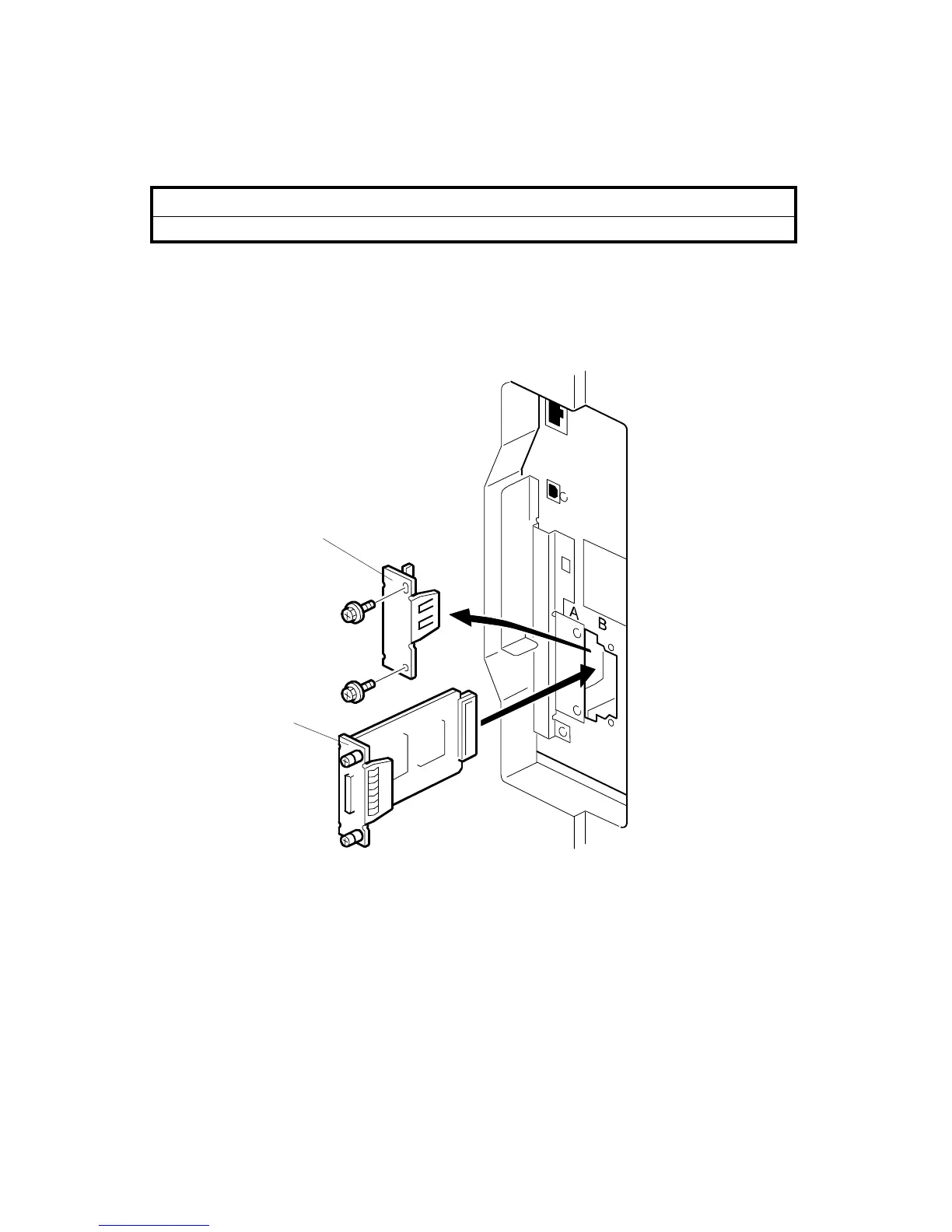
1. Remove the slot cover [A] from I/F Card Slot B (! x 2).
2. Install the interface board [B] (Knob-screw x 2).
NOTE: Use a screwdriver when you tighten the knob-screws. Do not tighten
them manually. It can cause this board to disconnect from the machine.
B679I001.WMF
[A]
[B]



 To Next Page