10 February 2005
1-25
Installation
1.6.2 INSTALLATION PROCEDURE
!CAUTION
Unplug the copier power cord before starting the following procedure.
1. Remove all tapes.
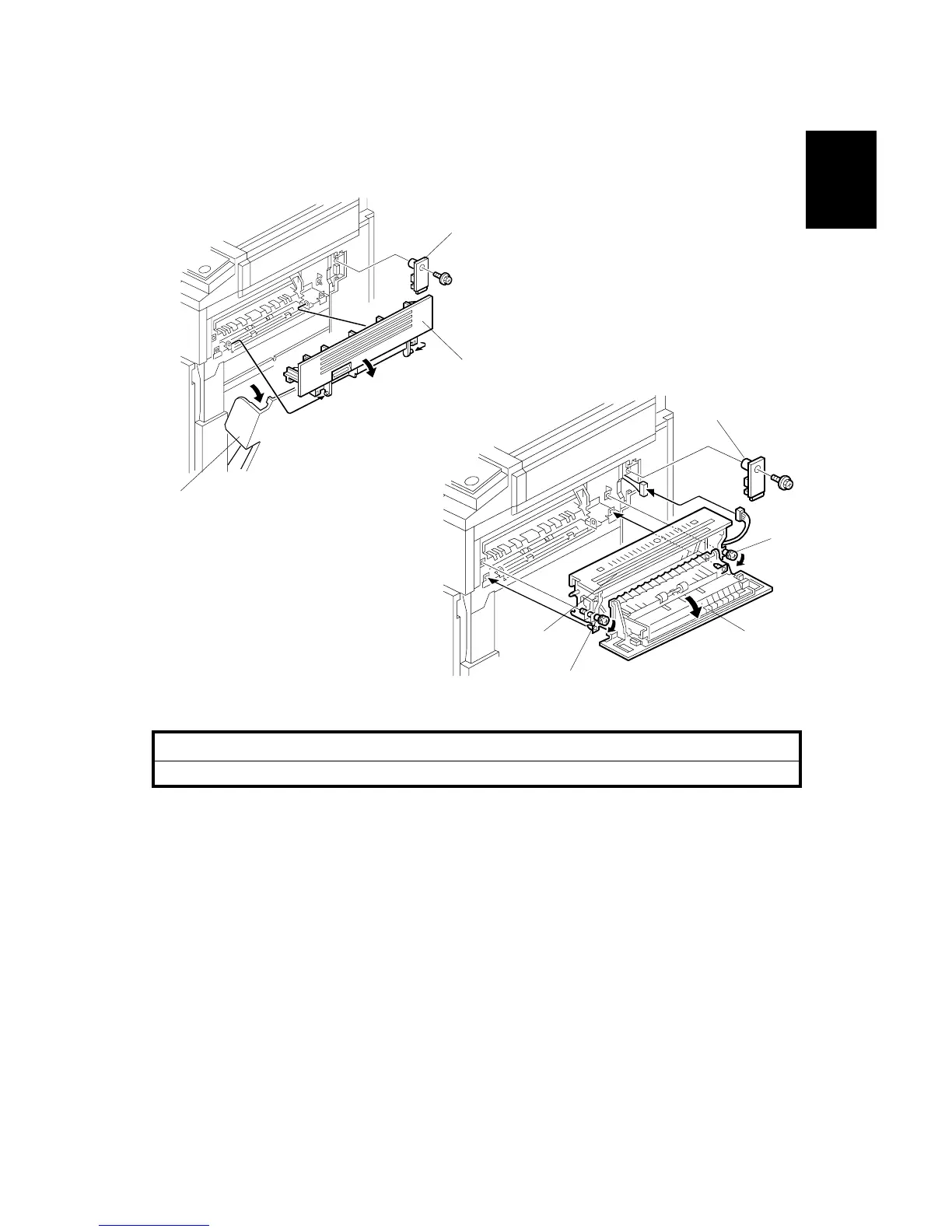
2. Open the right cover [A] of the copier.
3. Open cover [B] and remove it.
4. Remove the connector cover [C] (! x1).
5. Open the cover [D] of the interchange unit.
6. Install the interchange unit [E] (" x1).
NOTE: Take care not to pinch the harness at the front side.
7. Secure the interchange unit with the knob screws [F].
8. Reinstall the connector cover [G] which was removed in step 4 (! x 1).
B481I103.WMF
B481I102.WMF
[A]
[B]
[C]
[D][E]
[F]
[F]
[G]



 To Next Page