PHOTOCONDUCTOR UNIT (PCU) 10 February 2005
6-36
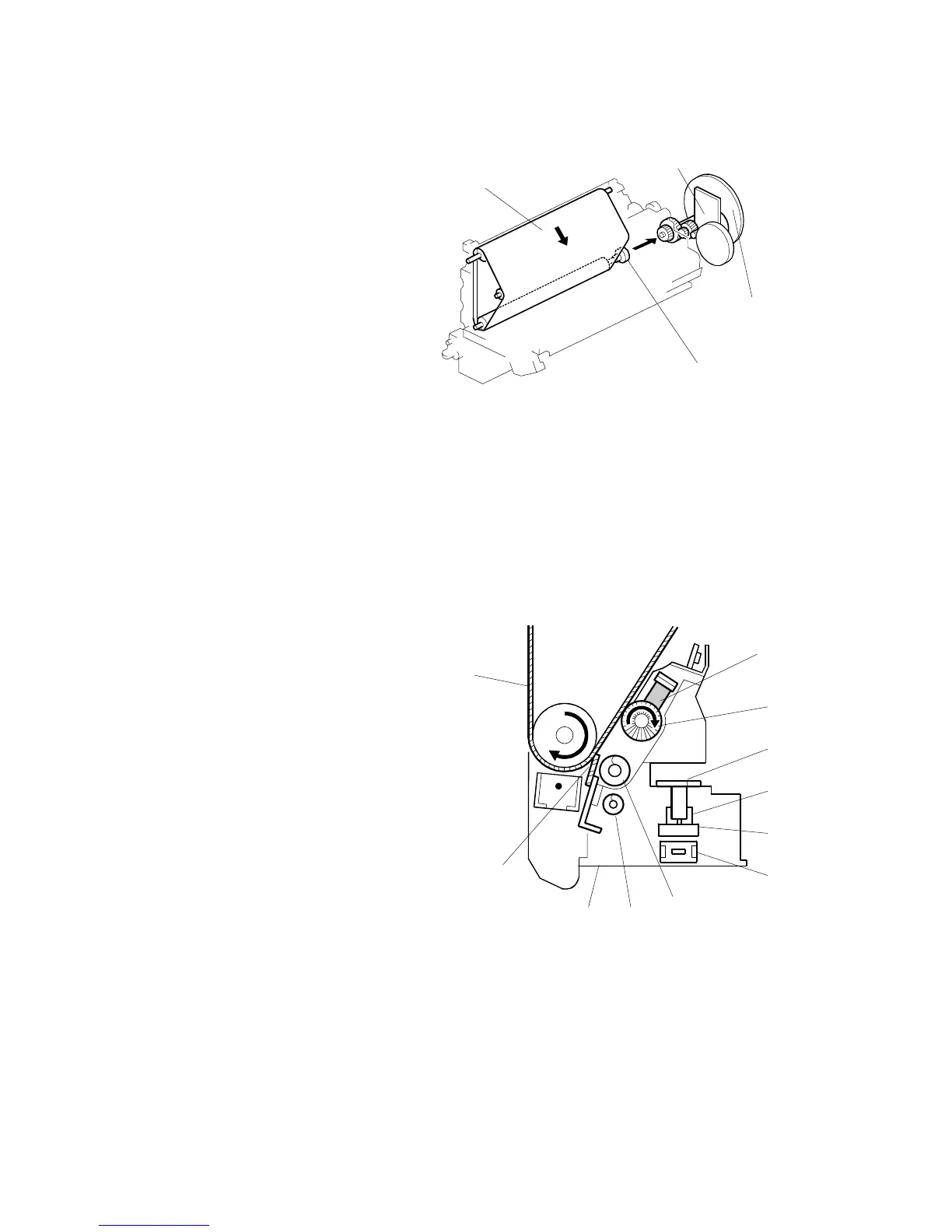
6.7.3 OPC BELT DRIVE
[A]: OPC belt
[B]: Main motor
[C]: Fly wheels
[D]: Bottom shaft
Main motor [B] " Gear " Bottom shaft [D] " OPC belt [A]
The flywheels [C] ensure that the OPC belt moves smoothly.
NOTE: The OPC belt and transfer belt contact each other. If you wish to inspect
the OPC belt by turning it, you must also turn the transfer belt at the same
time to avoid damaging the surfaces of the belts.
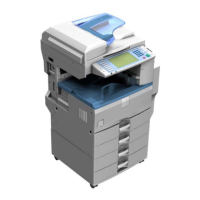
6.7.4 OPC BELT CLEANING UNIT
[A]: Lubricant bar
[B]: Cleaning brush
[C]: Feeler link (on the frame)
[D]: Waste toner bottle full sensor
(on the frame)
[E]: Waste toner feeler
[F]: Waste toner bottle switch
(on the frame)
[G]: Toner collection auger 1
[H]: Toner collection auger 2
[I]: Waste toner bottle
[J]: Cleaning blade
[K]: OPC belt
Bottle Detection
The waste toner bottle switch [F] is on the frame, behind the OPC belt cleaning unit.
When the unit is installed, it pushes the switch, which indicates the bottle is in place.
B156D309.WMF
B156D029.WMF
[A]
[B]
[C]
[D]
[H]
[A]
[B]
[C]
[D]
[F]
[G]
[I]
[J]
[E]
[K]



 To Next Page