PAPER FEED AND TRANSPORT 10 February 2005
3-42
3.9.2 REGISTRATION SENSOR
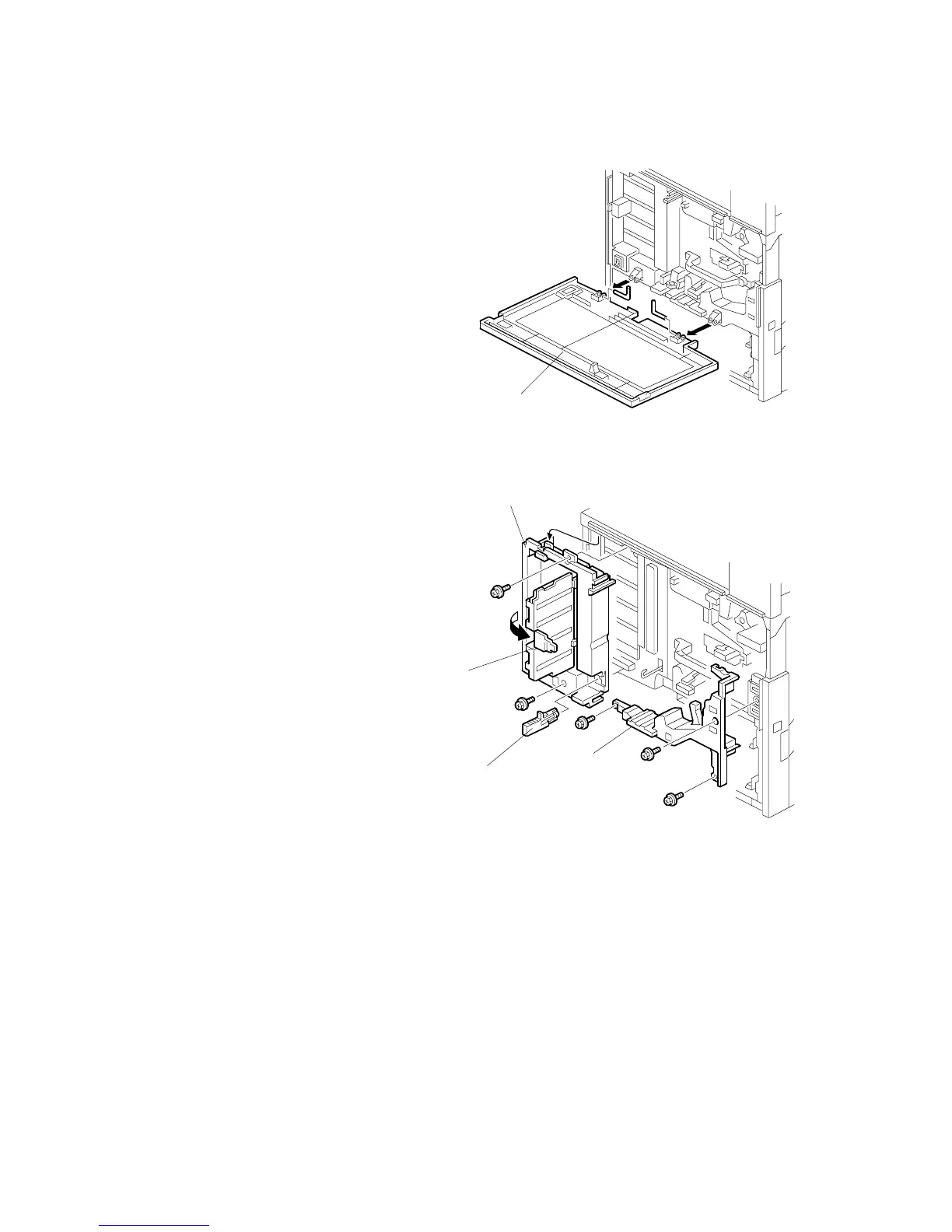
1. Front cover [A] (L-shaped pin x 2)
2. Remove the upper tray.
3. Rear cover, lower rear cover, and
lower left cover ( 3.4.2)
4. Right cover ( 3.7.1)
5. Paper exit tray ( 3.8.14)
6. Charge corona unit ( 3.6.3)
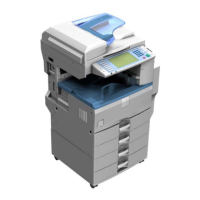
7. Dust shield glass cleaning lever [B]
8. Open the left inner cover door [C].
9. Left inner cover [D] ( x 2)
10. Right inner cover [E] ( x 3)
NOTE: Pull out the PCU when
removing the right inner
cover.
B156R278.WMF
B156R279.WMF
[A]
[C]
[D]
[E]
[B]



 To Next Page