TRAY HEATER (OPTIONAL PAPER TRAY UNIT) 10 February 2005
1-70
1.20 TRAY HEATER (OPTIONAL PAPER TRAY UNIT)
!CAUTION
Unplug the main machine power cord before starting the following
procedure.
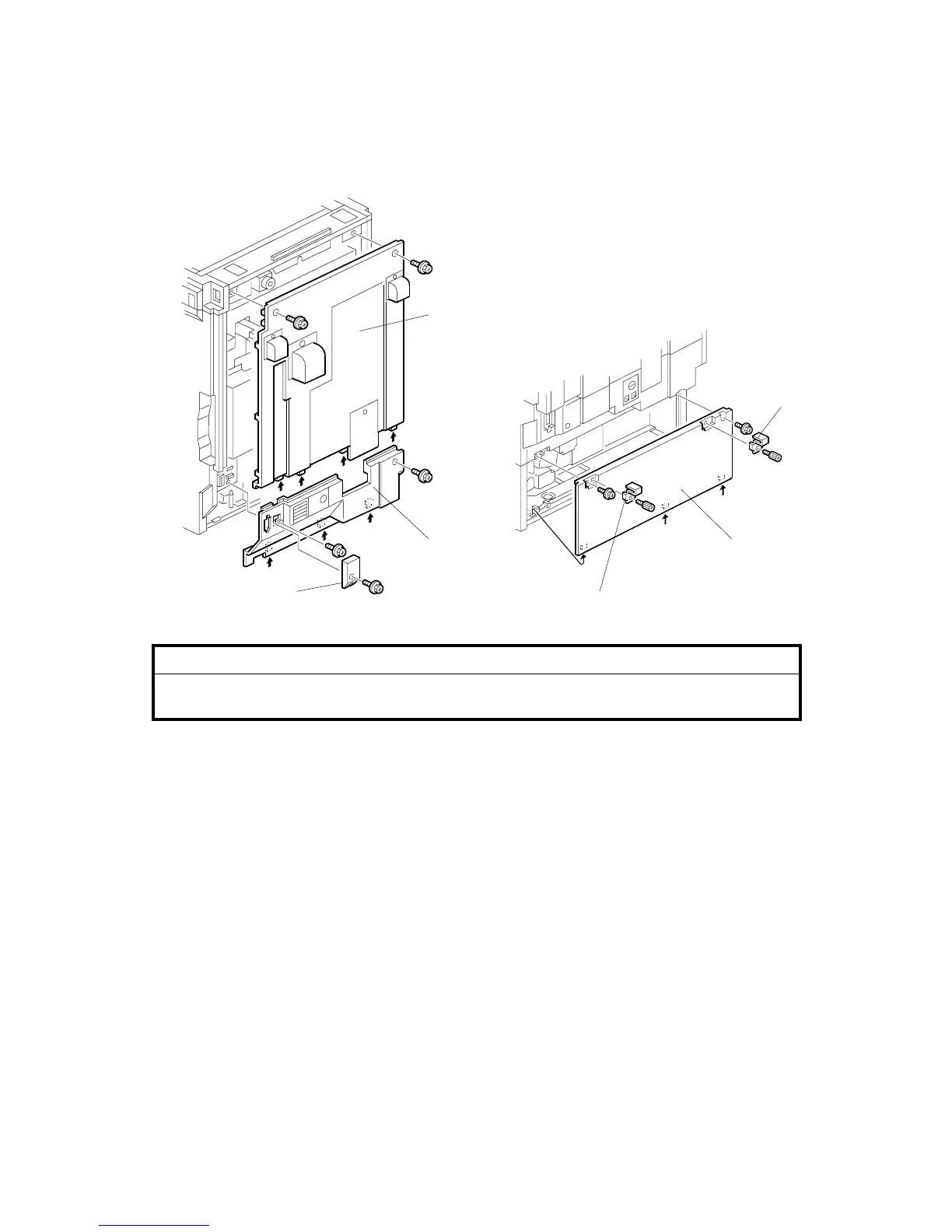
1. Remove the connector cover [A] (! x 1).
2. Remove the rear cover for the main machine [B] (! x 2).
3. Remove the lower rear cover [C] (! x 2).
4. Remove the joint brackets [D] (! x 1 each).
5. Remove the rear cover for the optional paper tray unit [E] (! x 2).
6. Slide out the paper trays from the optional paper tray unit.
B456I620.WMF
B456I502.WMF
[B]
[E]
[D]
[D][A]
[C]



 To Next Page