LASER EXPOSURE 10 February 2005
6-46
Operation Panel Display and Switch Mechanism
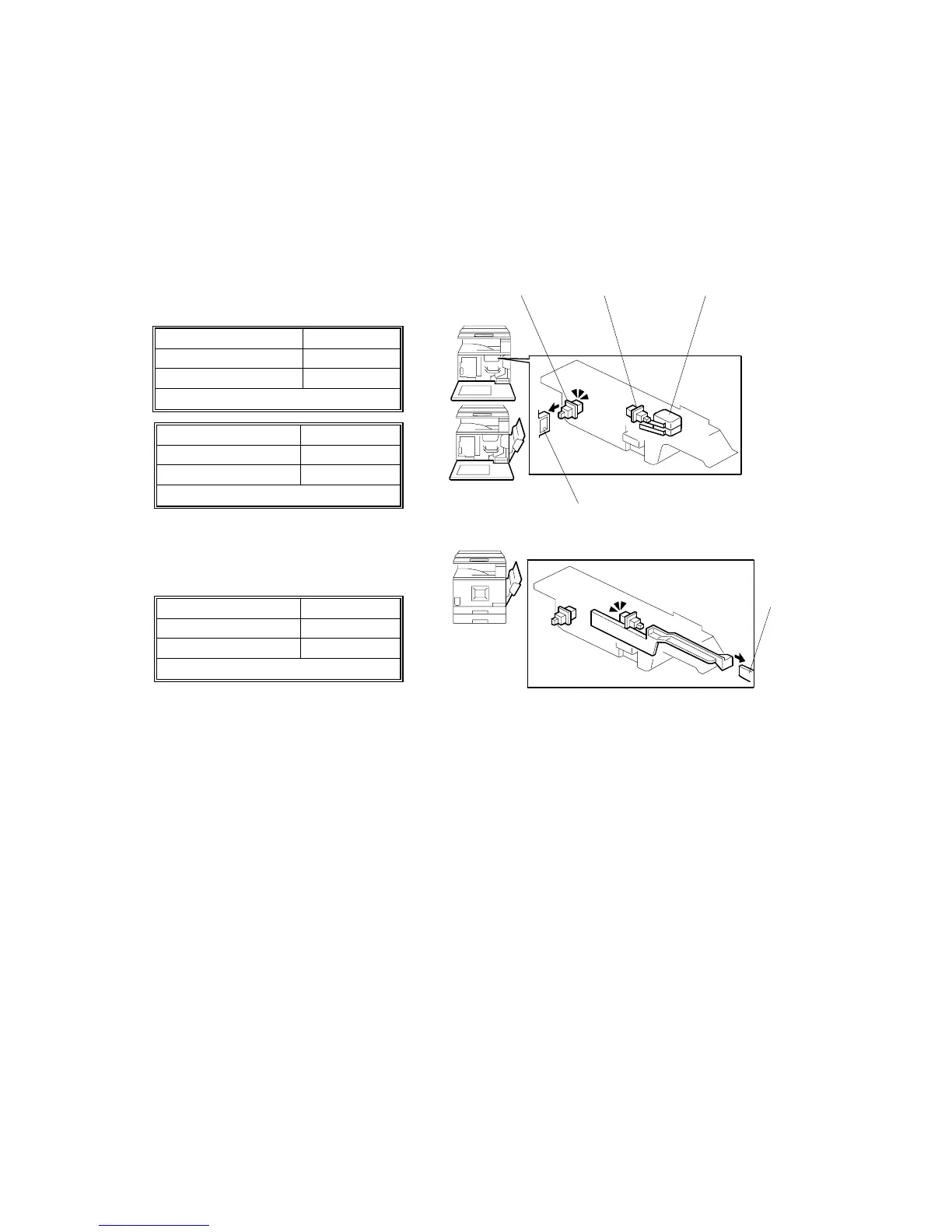
The front cover switch [A], right cover switch [B], and interlock switch [C] detect the
positions of the front and right covers. When either or both covers are open, the
message, “Open Cover”, appears with an illustration indicating which covers are
open.
The tables show the switch patterns and detected cover positions.
Front cover switch Off
Right cover switch On
Interlock switch Off
→
→→
→ Front cover open
Front cover switch Off
Right cover switch Off
Interlock switch Off
→
→→
→ Front and right covers open
Front cover switch On
Right cover switch Off
Interlock switch Off
→
→→
→ Right cover open
[A]: Front cover switch
[B]: Right cover switch
[C]: Interlock switch
[D]: Actuator (front cover)
[E]: Actuator (right cover)
B156D038.WMF
B156D039.WMF
[A] [B] [C]
[D]
[E]



 To Next Page