KEY COUNTER INSTALLATION 10 February 2005
1-64
1.17 KEY COUNTER INSTALLATION
!CAUTION
Unplug the main machine power cord before starting the following
procedure.
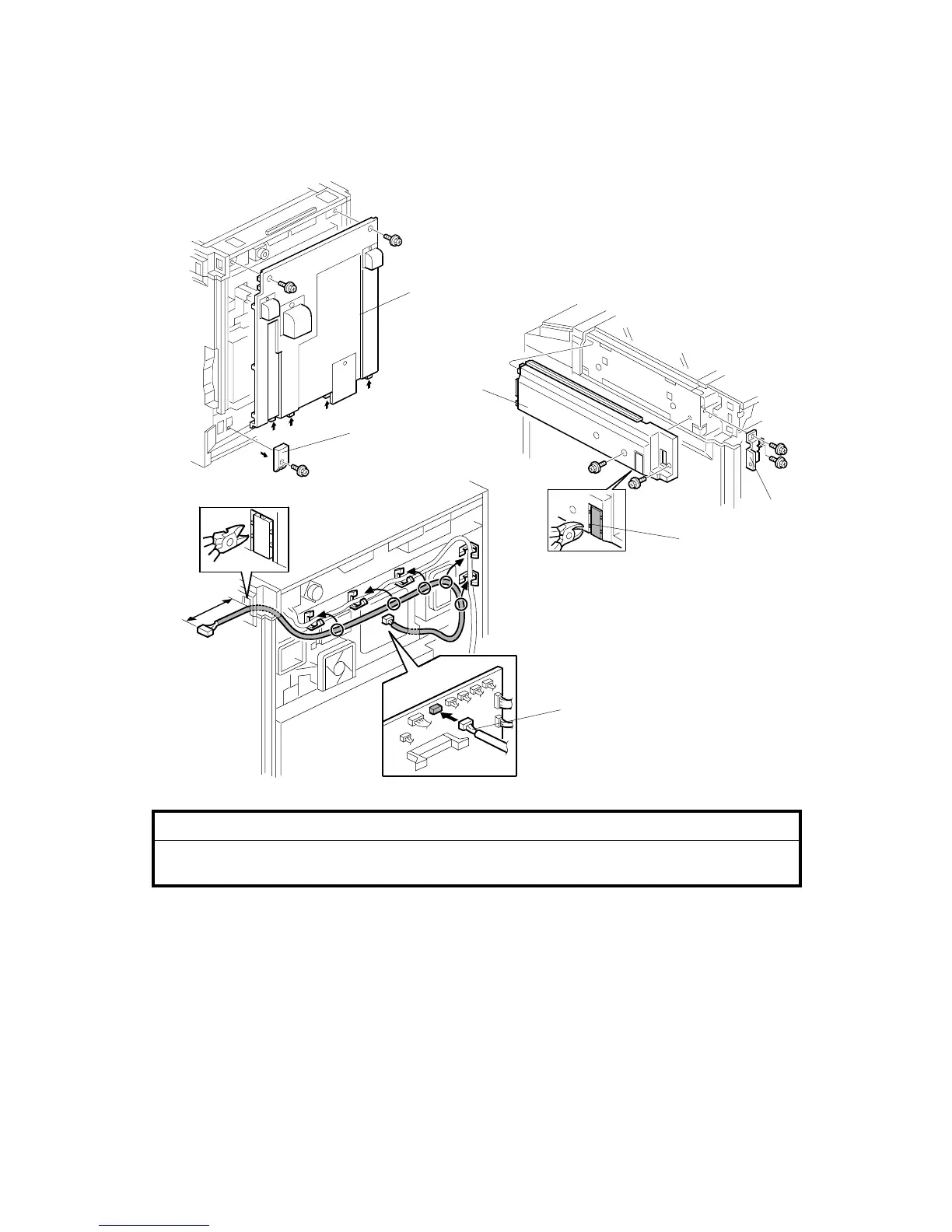
1. Remove the connector cover [A] (! x 1).
2. Remove the rear cover [B] (! x 2).
3. Remove the upper right cover [C] (! x 2).
4. Remove the cap [D].
5. Install the bracket [E] (! x 2).
6. Connect the cable [F] to the I/O board and route it as shown.
NOTE: If the cable is installed correctly, the length [G] is about 140 mm.
B156I520.WMF
B156I524.WMF
B156I552.WMF
[B]
[C]
[D]
[E]
[F]
[A]
[G]



 To Next Page