10 February 2005 KEY COUNTER INSTALLATION
1-65
Installation
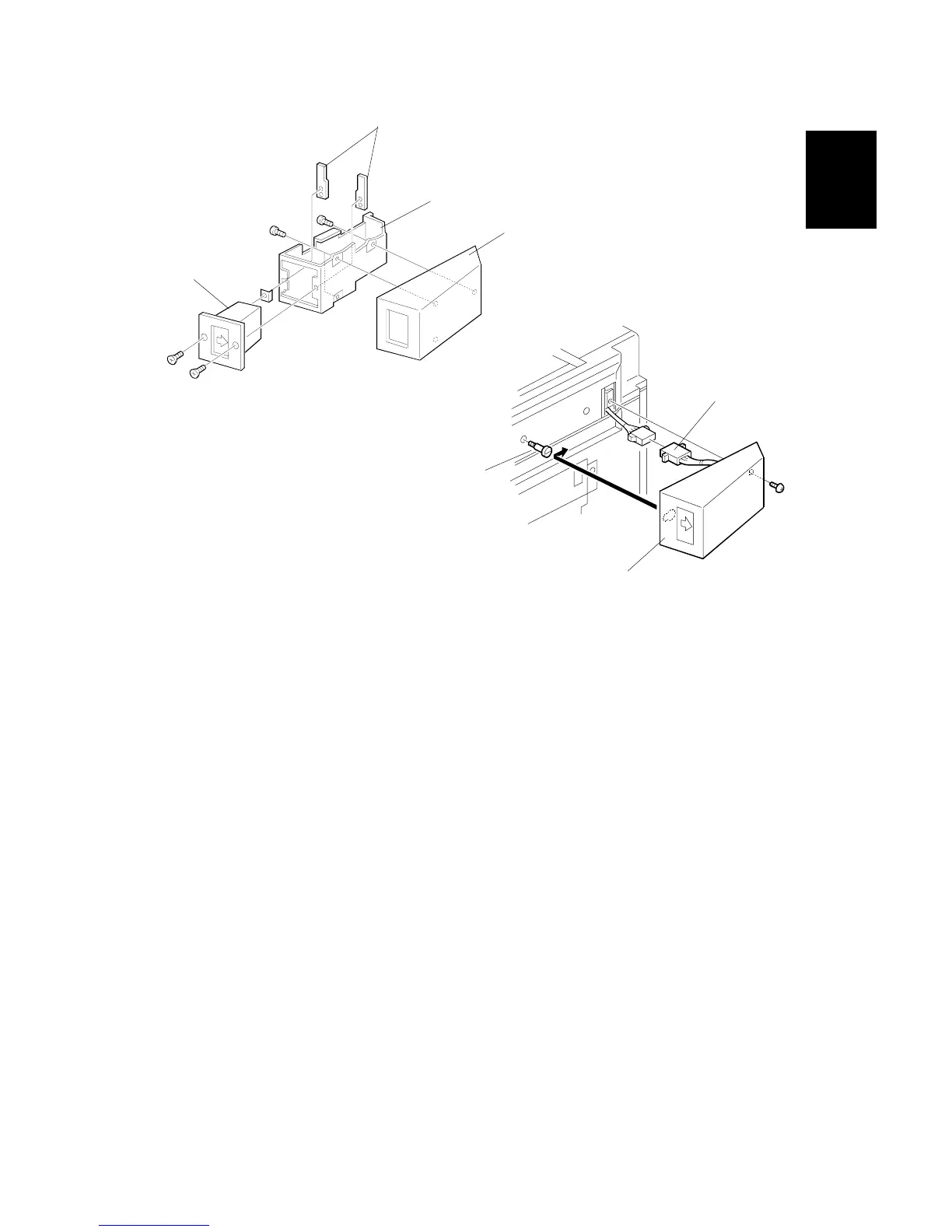
7. Hold the key counter plate nuts [A] on the inside of the key counter bracket [B]
and insert the key counter holder [C].
8. Secure the key counter holder to the bracket (! x 2).
9. Install the key counter cover [D] (! x 2).
10. Install the stepped screw [E].
11. Connect the cable [F].
12. Hook the key counter holder assembly [G] onto the stepped screw and secure
it (! x 1).
13. The restricted access control for the key counter is enabled by the Copier UP
mode.
B156I526.WMF
B156I527.WMF
[A]
[B]
[C]
[D]
[E]
[F]
[G]



 To Next Page