10 February 2005 FUSING/PAPER EXIT
3-39
Replacement
Adjustment
3.8.15 PAPER EXIT/OVERFLOW SENSORS
CAUTION
Turn off the main switch and wait until the paper exit unit cools down
before beginning any of the procedures in this section. The paper exit unit
can cause serious burns.
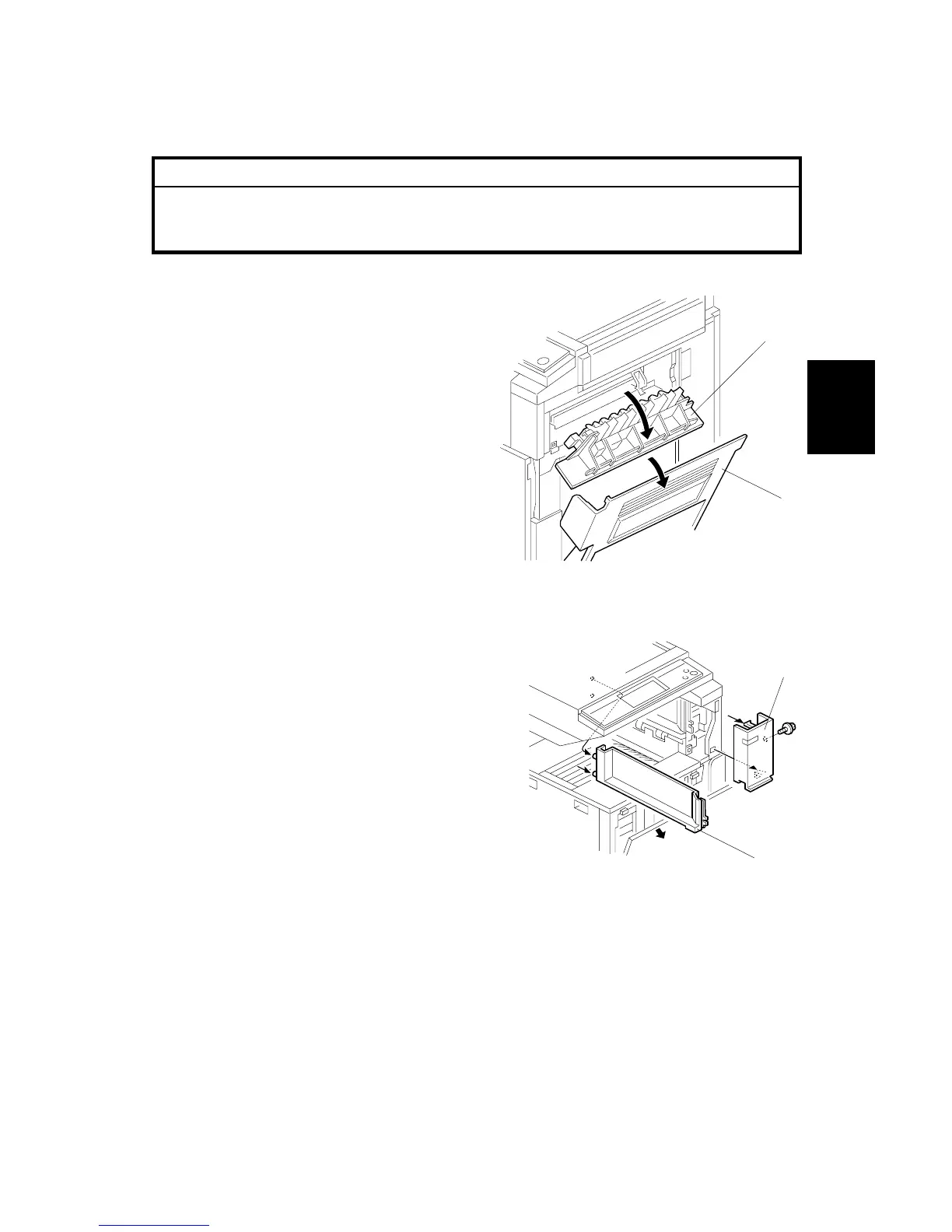
1. Open the right cover [A]
2. Upper right cover [B]
3. Open the front cover [C].
4. Upper front cover [D] ( x 1)
5. Paper exit upper cover [E]
B156R272.WMF
B156R273.WMF
[A]
[B]
[D]
[E]
[C]



 To Next Page