ELECTRICAL COMPONENTS 10 February 2005
3-50
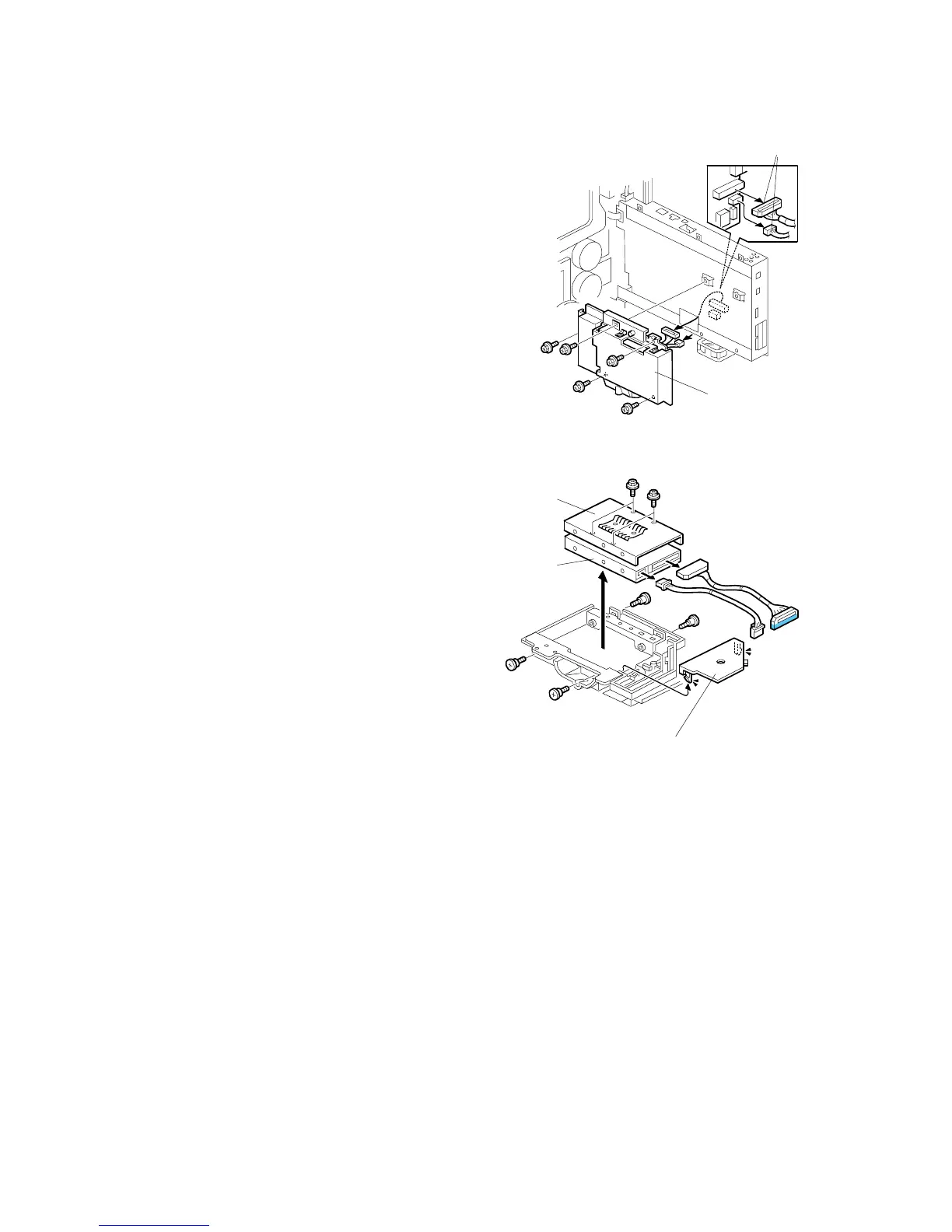
3.10.3 HDD
1. Controller box cover ( 3.10.2)
2. Disconnect the connectors [A] ( x 2).
3. Move the controller box, on its hinge, away
from the machine. (3.10.1)
4. HDD cover [B] ( x 5)
5. Harness cover [C]
6. HDD bracket [D] ( x 4)
7. HDD [E] ( x 4, x 2)
After replacing the hard disk, do SP5-853-
1 to download the preset stamp data from
the machine firmware to the new hard
disk. Then switch the machine off/on.
B156R823.WMF
B156R891.WMF
[B]
[A]
[C]
[D]
[E]



 To Next Page