DRIVE UNITS 10 February 2005
3-58
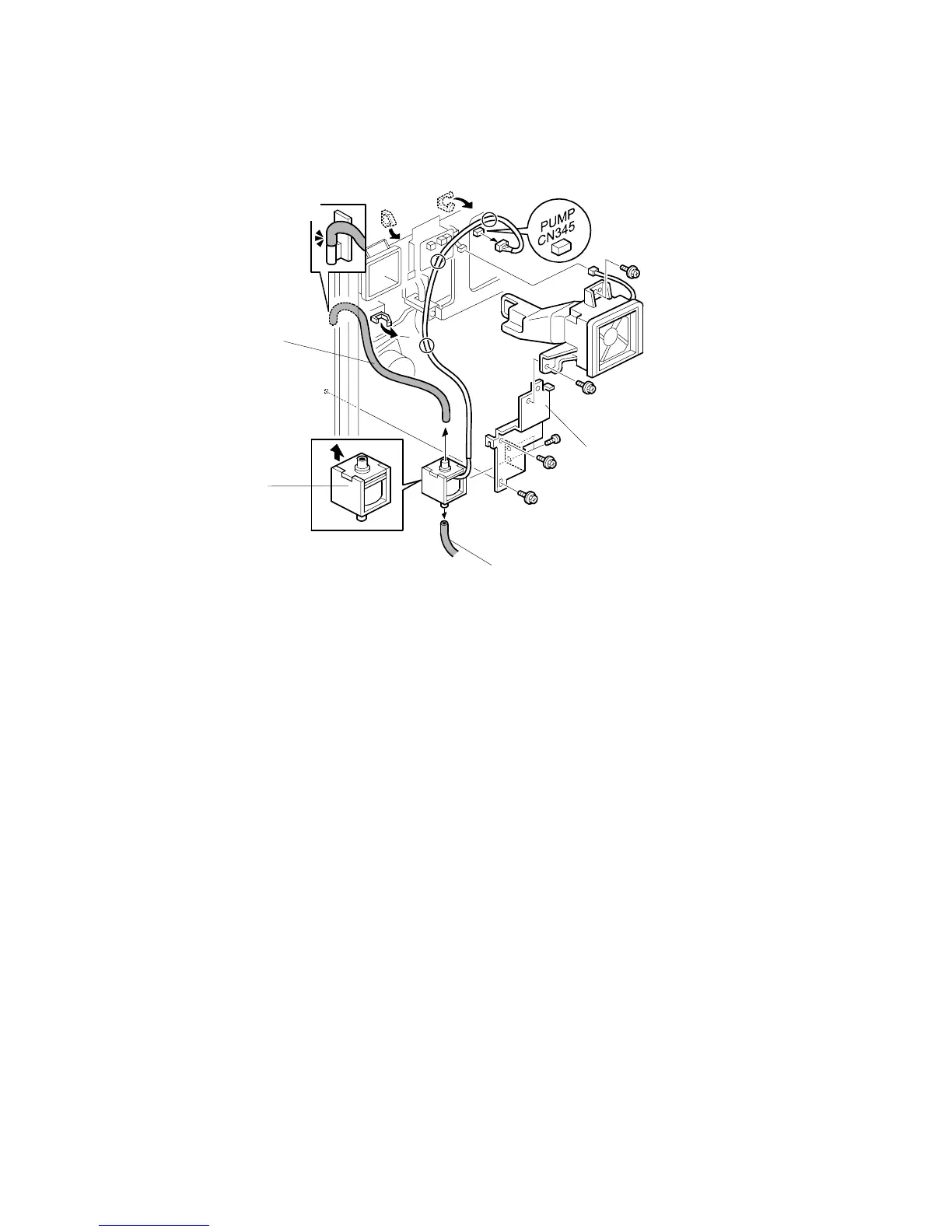
3.11.10 OIL PUMP
1. Move the controller box, on it hinge, away from the machine (3.10.1)
2. Pipes [A, B]
NOTE:
1) Keep a piece of waste cloth at hand. Oil may drip from the pipe.
2) When reinstalling the pump, make sure to attach the upper tube
correctly to the oil exit [C]. If not, oil may leak inside the machine.
3. I/O board cover ( 3.10.1)
4. Oil pump bracket [D] ( x 3, x 1)
5. Oil pump [E] ( x 2)
Install the correct way up. There are two tabs at the top of the pump.
B156R822.WMF
[A]
[B]
[C]
[D]
[E]



 To Next Page