10 February 2005 1 BIN TRAY UNIT (B480)
1-29
Installation
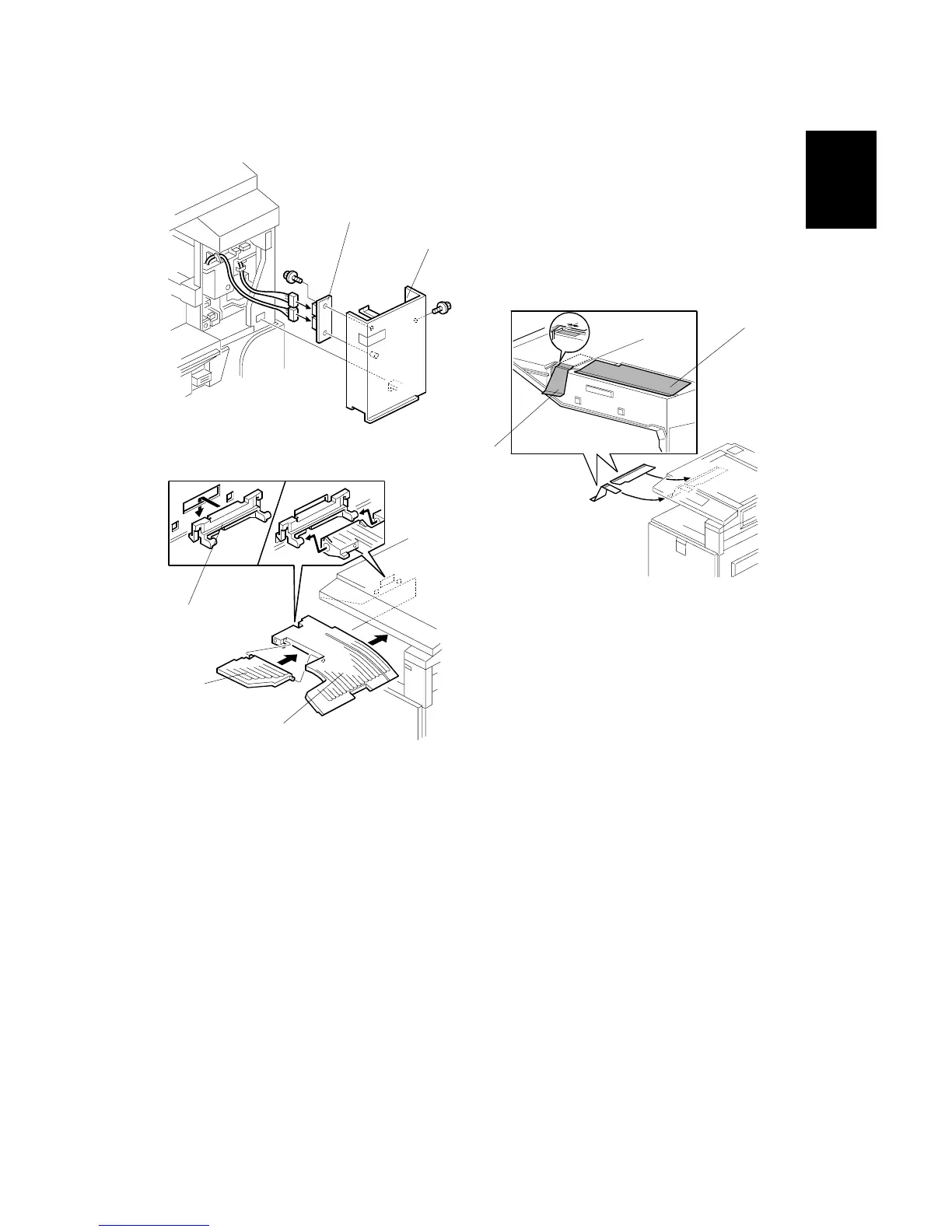
8. Install the LED board [A] on the front right cover (! x1).
9. Reinstall the front right cover [B] (" x2, ! x1).
10. Peel off the backing of the double-sided tape attached to the paper guide [C].
Then attach the paper guide to the underside of the scanner unit as shown.
11. Peel off the backing of the double-sided tape attached to the sub paper guide
[D]. Then attach the sub paper guide to the underside of the scanner unit as
shown.
12. Install the tray guide [E].
13. Install the tray [F].
14. Install the sub-tray [G].
15. Turn on the main power switch and check the 1-bin tray unit operation.
B480I109.WMF
B480I104.WMF
B480I106.WMF
[A]
[B]
[C]
[D]
[E]
[F]
[G]



 To Next Page