10 February 2005 PAPER TRAY UNIT (B456)
1-15
Installation
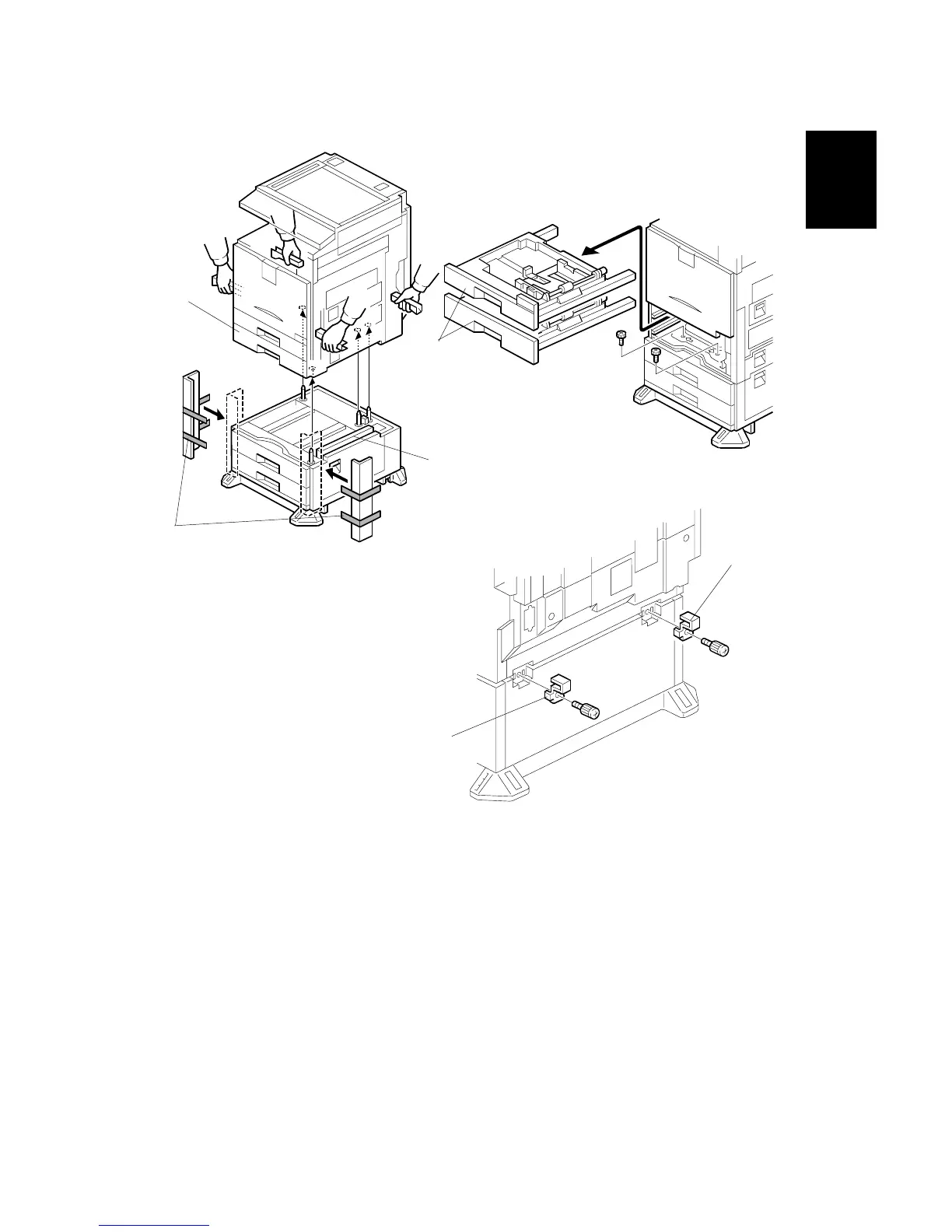
6. Attach the cardboard guides [A] to each side of the paper tray unit [B].
7. Set the copier [C] on the paper tray unit [B]. Use the cardboard guides.
8. Remove the cardboard guides from the paper tray unit.
9. Remove the paper trays [D] from the copier and secure the paper tray unit
(! x2).
10. Attach a securing bracket [E] to each side of the paper tray unit, as shown
(! x1 each).
B456I215.WMF
B456I106.WMF
B456I212.WMF
[A]
[B]
[D]
[E]
[E]
[C]



 To Next Page