10 February 2005 DUPLEX UNIT (B509)
1-37
Installation
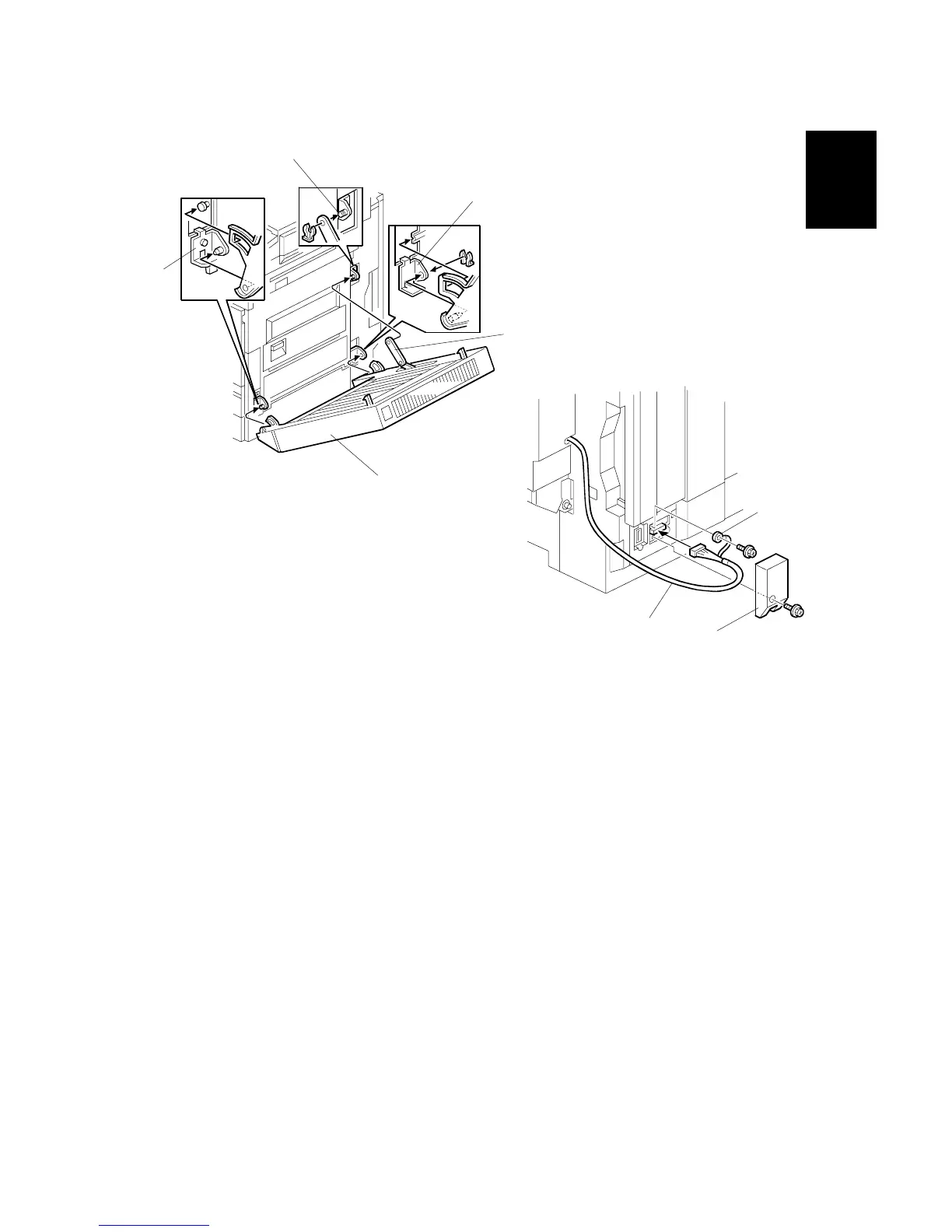
4. Set the duplex unit [A] on the brackets [B] (1 clip).
5. Attach the link [C] to the shaft [D] and secure it with the clip.
6. Remove the connector cover [E] (! x1).
7. Connect the cable [F] and secure the grounding wire [G] (! x1).
8. Install the connector cover.
9. Turn on the main power switch and check the duplex unit function.
B509I104.WMF
B509I105.WMF
[A]
[B]
[C]
[D]
[B]
[F]
[E]
[G]



 To Next Page