SCANNER UNIT 10 February 2005
3-6
9. Scanner I/O board ( 3.3.6)
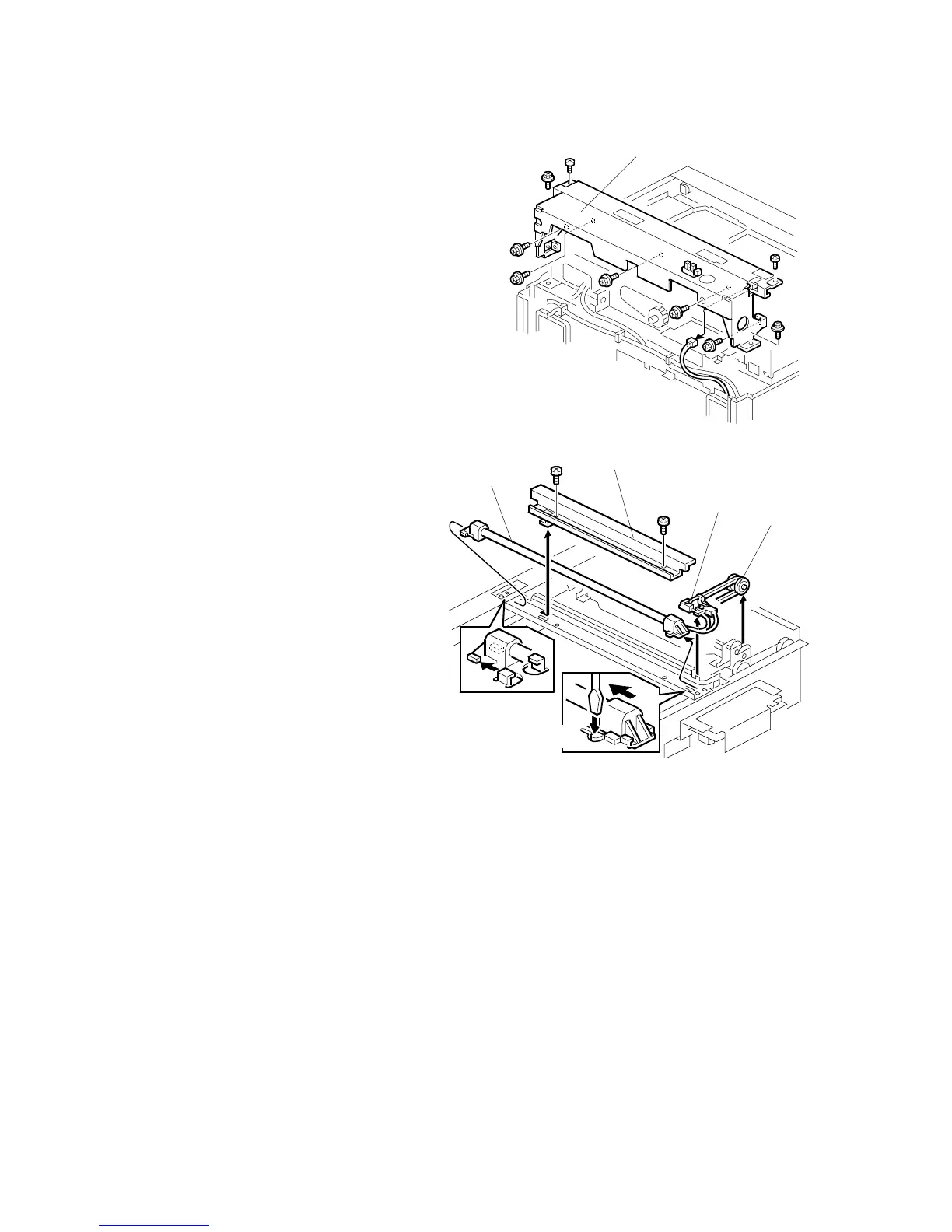
10. Rear frame with the rear rail frame [A]
( x 8, x 1)
11. Lamp guard [B] ( x 2)
12. Release the cable holder [C].
13. Pulley [D]
NOTE: Use caution not to
bend the pulley guides.
14. Push down the part [E]
15. Slide out the scanner lamp [F]
NOTE: After replacing the
scanner lamp, adjust
the scanner white level
( 3.14).
B156R103.WMF
B156R101.WMF
[B]
[F]
[D]
[E]
[C]
[A]



 To Next Page