2. MOUNTING
IMR02L04-E3
2-6
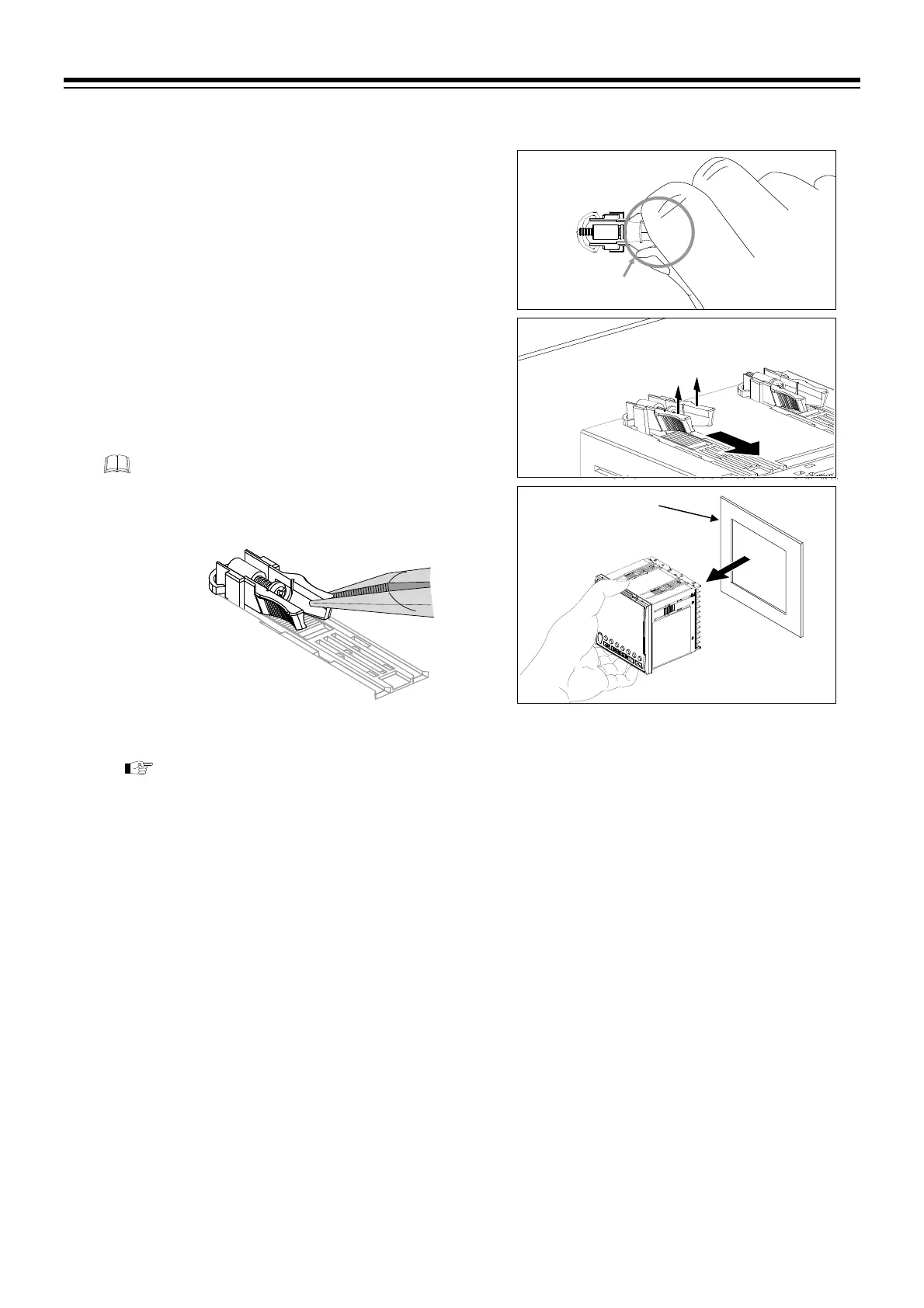
Removal procedures
1. Turn the power OFF.
2. Remove the wiring.
3. Loosen the screw of the mounting bracket.
4. Remove the mounting bracket by pulling up
(Fig. 2.7 [A]) and forward (Fig. 2.7 [B]) while
holding the rear (Fig. 2.6).
5. The other mounting bracket should be removed in
the same way as described in
3 and 4.
6. Pull out the instrument from the mounting cutout
while holding the front panel frame of this
instrument. (Fig. 2.8)
Use long-nose pliers to remove mounting
brackets from the instrument that is installed in
a narrow place or installed tightly in a vertical
position.
To remove by using a slotted screwdriver, refer to
Removal procedures by using slotted
(standard) screwdriver
of the PF900/PF901 Instruction Manual (IMR02L03-E) on the
CD-ROM.
[A]
[B]
Fig. 2.7
Panel
Fig. 2.8
Fig. 2.6
Rear of mounting
bracket



 To Next Page
 Loading...





