6. PROGRAM CONTROL
IMR02L04-E3
6-14
Wait release trigger selection [
Parameter setting mode: Wait memory group setting block
]
Select Wait release method.
Set “0” at the one place and “1” at hundred places set Wait function for each segment.
Parameter symbol Data range Factory set value
RE.TRG
00000
Zone wait 1 (the controller) [0: Invalidate, 1: Validate]
Zone wait 2 (all slave controllers) [0: Invalidate, 1: Validate]
Wait release by digital input (DI) [0: Invalidate, 1: Validate]
Unused
00001
The ten places is for slave controller of the Intercontroller communication.
Wait time-out set value [Parameter setting mode: Wait memory group setting block]
Set duration of Time-out for wait release by Time-out.
Parameter symbol Data range Factory set value
TM.oUT
From 0:00 to 500:00 (Hour: Minute), or
from 0:00 to 500:00 (Minute: Second)
0:00 (Hour: Minute or Minute: Second): Unused
0 hour 00 minute
Set time unit at F80.05 in the Engineering mode. Refer to 4.5.5 Engineering mode (P. 4-43).
6.7 Repeat and Pattern Link
Repeat function: Repeat the program entirely or partially for the number of Repeat times.
Segment repeat and Pattern repeat are available.
Pattern link: Link the program patterns.
6.7.1 Description of function
Segment repeat
Repeat segments being selected in the Program pattern for the number of Segment repeat time.
Set Start segment, End segment and Segment repeat time for each pattern.
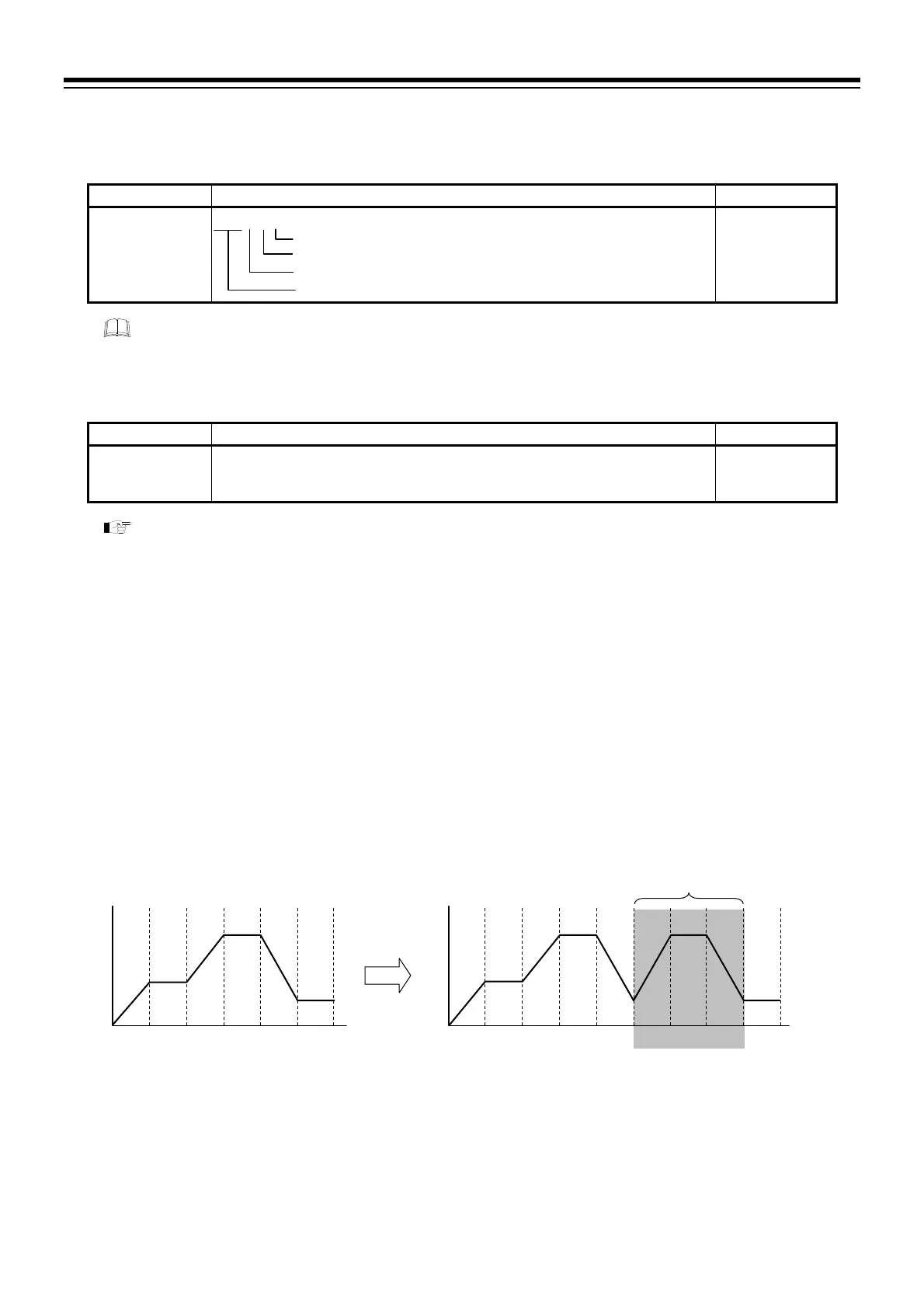
Example: When repeating segment 3 to 5 in the pattern below
1 2 3 4 5 6 12345 63 4 5
Pattern without Repeat Repeating segments from 3 to 5
(Segment repeat execution time: twice)
Segments repeated



 To Next Page
 Loading...





