P3 - Pakscan Master Station Technical Manual
100 of 136 Publication PUB059-002-00 Issue 06/15
The status screen displays for alarm indication cannot be linked to the
serial communications alarm handling.
Linking the port alarm operations is useful in dual redundant serial link
configurations between the master station and the host computer.
Controls
Save Settings : Saves the settings to the Pakscan 2 Loop option module. Until they are
saved, any alterations to the settings will not take effect.
To print out the settings use the Print Page button below the Master station Configuration section of
the screen.
Masterstation Configuration [Pakscan 3 Wireless]
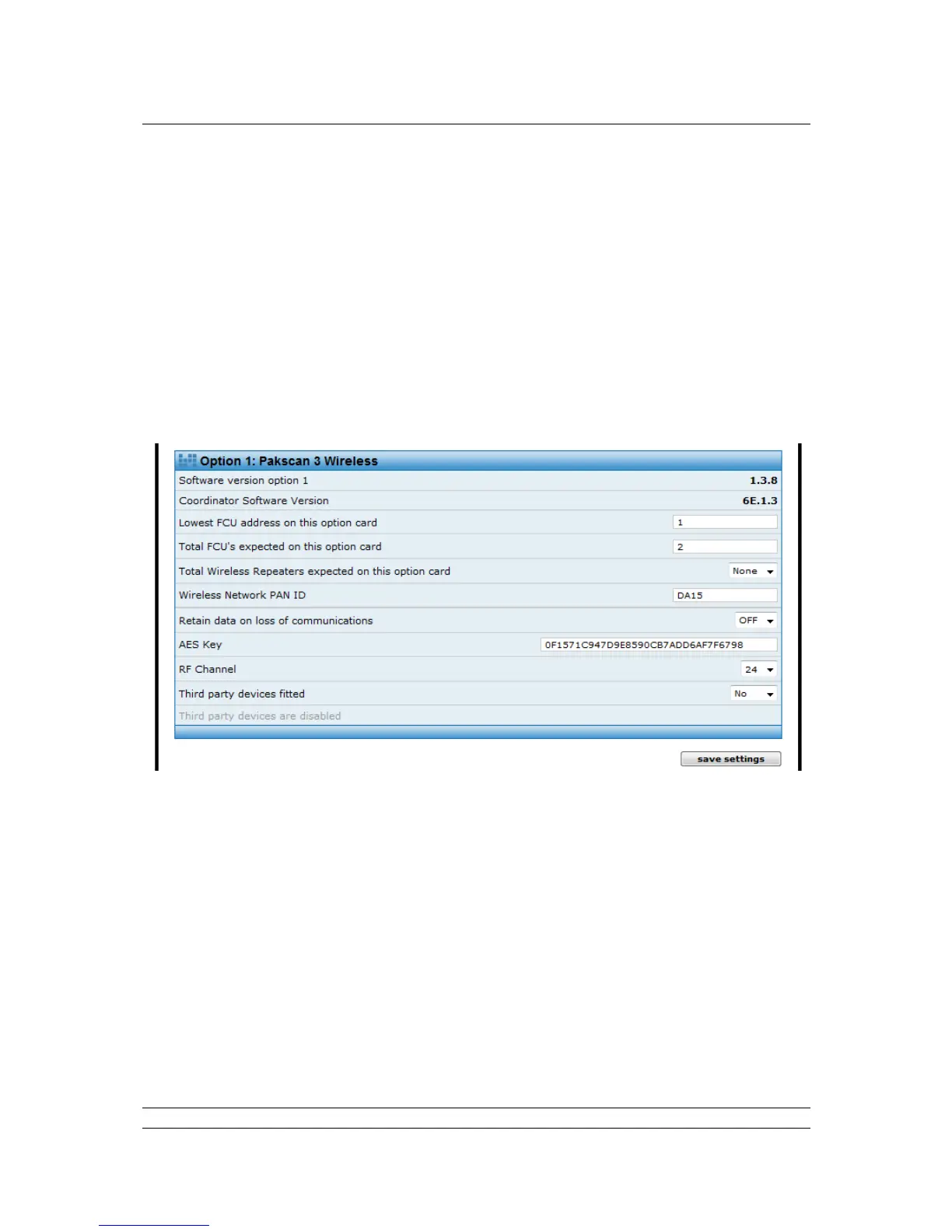
The Pakscan 3 Wireless option module controls the actuators and field units over a wireless network.
Fig 75: Master station configuration web page: Pakscan 3 Wireless
The version of software fitted to the Pakscan 3 option module. In hot
standby systems the modules on both the A and B side should have
the same version of software.
Coordinator
Software
version
The version of software fitted to the Pakscan 3 option module / P3W
coordinator, relating to the radio functions. In hot standby systems the
modules on both the A and B side should have the same version of
software.
Lowest FCU
address on
this card
This field indicates the starting address of the field units connected to
this option module. It is important to ensure that there is no overlap of
addresses between option modules. Where the wireless module is
the only module fitted the address can be ‘1’. If a wired option
network module is fitted, the wireless address should be a value
above the wired network limit. For example, where there are 180



 To Next Page