7. Internal Web pages
Issue 06/15 Publication PUB059-002-00 109 of 136
7.5.20 Time
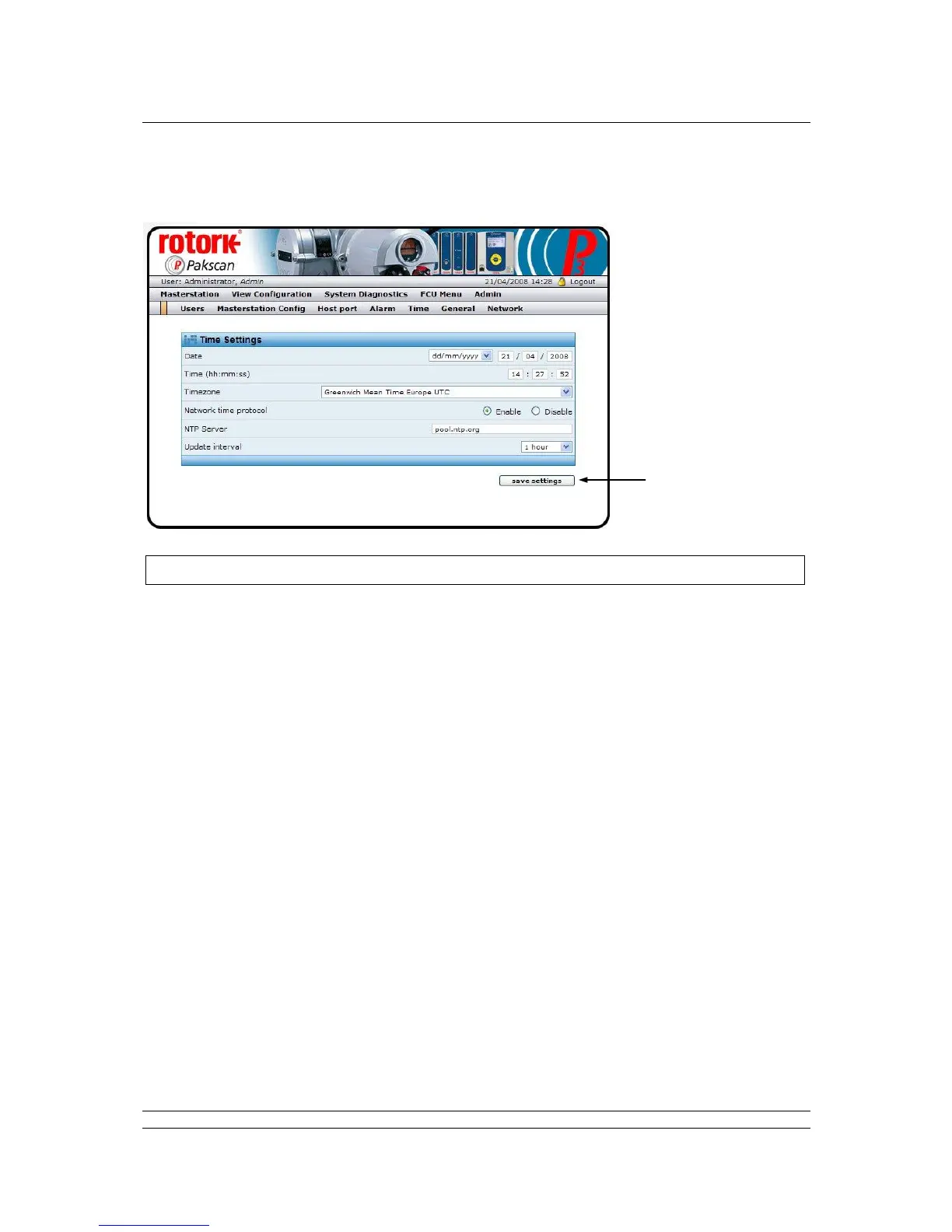
Fig 80: Time Settings web page
The master station keeps track of time and date in order to correctly mark events in the logs and to
timestamp the emails sent. The date can be in European or American format and the clock can be
synchronised with a network time server when an Internet connection is provided.
Time Settings
Date : The date can be displayed as Day/Month/Year or Month/Day/Year by
choosing from the drop-down box.
Time : Shows the current time. This can be altered by clicking in the box and
entering the new time (hr, min, sec) as required. If NTP has been set up
and enabled this will update automatically, otherwise the time can be
checked periodically and corrected here.
Timezone : Select the desired time zone from the drop-down box. A new time zone
entry requires that the master station reboots.
Network Time : NTP is a protocol designed to synchronize the clocks of computers over a
Protocol : network. If this feature is being used it needs to be ‘Enabled’ by selecting
the correct setting here.
NTP Server : The time server selected is pool.ntp.org which selects from a pool of time
server volunteers. Other NTP servers are available and can be used, in
which case the entry here should be altered.
Update Interval : This drop-down box allows the interval between time checks with the server
to be altered between 10 minutes and 2 hours.
Controls
Save Settings : Any changes are not implemented until the Save Settings button is clicked.
Changes to these settings will require a reboot of the system. The web
page will prompt this.



 To Next Page