P3 - Pakscan Master Station Technical Manual
90 of 136 Publication PUB059-002-00 Issue 06/15
7.5.15 Admin
Fig 68: Administrator Level
When logged in at Administrator level, the top of the screen menu list includes the Admin button.
Clicking on this button gives entry to the Administrator level screens.
7.5.16 Users
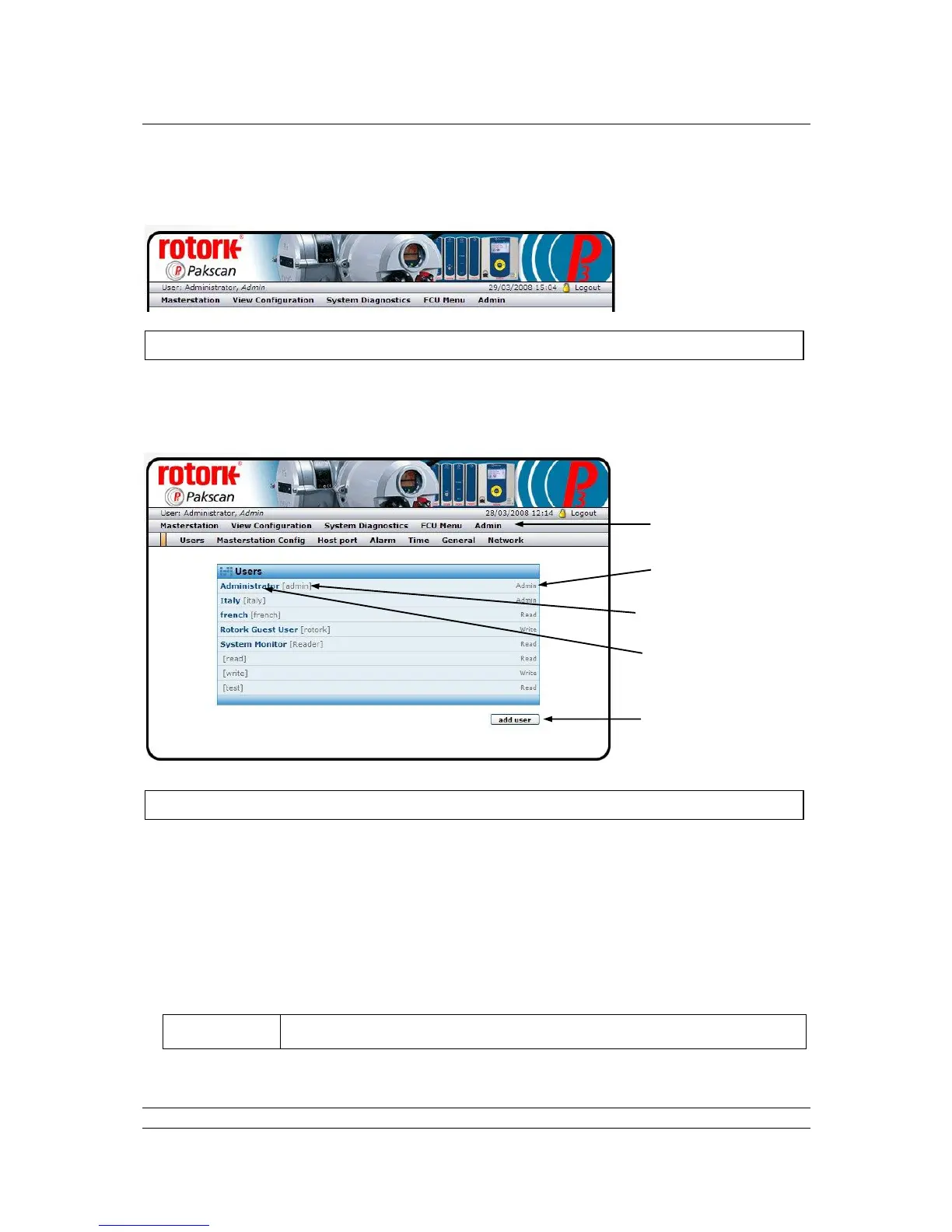
Fig 69: Users web page
The ‘Users’ screen shows all the users currently entered into the system. The actual user at any time
is shown on the top left of the menu bar.
Each user has a Name, a User ID, a User Level and a Password. When logging in to the system, to
gain entry, the User ID and Password are required. The screen shows the Name, User ID and User
Level; the password is not shown and cannot be revealed on any of the screens.
Every system includes a default User ID of ‘admin’ and Password of ‘admin’ on delivery, in order that
the system can be set up and commissioned. The user ID ‘admin’ cannot be removed, but the
Password should be changed as soon as possible to protect the system against unauthorised access.



 To Next Page