7. Internal Web pages
Issue 06/15 Publication PUB059-002-00 87 of 136
Identification
Tag name : Identification tag given for this device.
Address : Network address.
Type : Shows the identified device type as GPFCU - GP.
Network : The network to which this device is connected (Pakscan 2 for 2-wire loop).
Current Status
The real time status of the actuator is listed in this pane on the screen.
Digital # 1 to # 8 : Digital input signal status, Active or Inactive.
Loopback : Off or On.
Relay Type : Fleeting or Maintained outputs from the relays.
Alarm Status : No Alarm or Alarm.
Analogue Input 1 and 2
For the two analogue input channels a bar graph shows the current analogue input value
between 0 (closed) and 100% (open).
FCU Control web page Controls
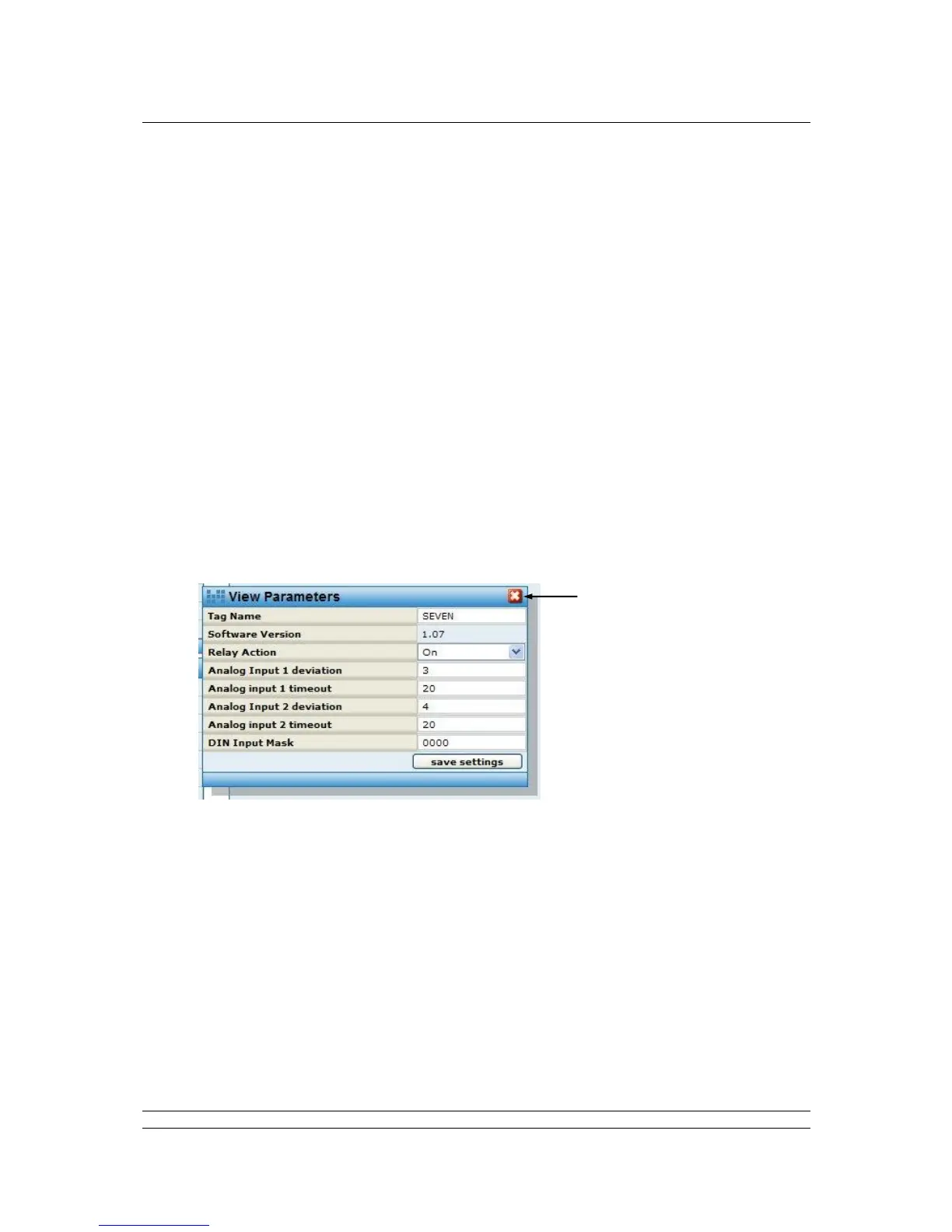
Parameters - Available to all user levels
Fig 65: GPFCU Parameters pop-up
Pop-up screen shows the settings for all the parameters relating to the general purpose field
control unit. For users with Administrator level rights, the values can be edited.
Controls
Save Settings : Edited fields may be saved, accessible by Administrator level users only.



 To Next Page