P3 - Pakscan Master Station Technical Manual
98 of 136 Publication PUB059-002-00 Issue 06/15
Masterstation Configuration [Pakscan 2 Loop]
The Pakscan 2 Loop option module controls the actuators and field units over a 2-wire cable wired in a
ring or loop, visiting each actuator in turn. The data signal is a modulated 20 mA current and the
system includes automatic cable failure protection and detection.
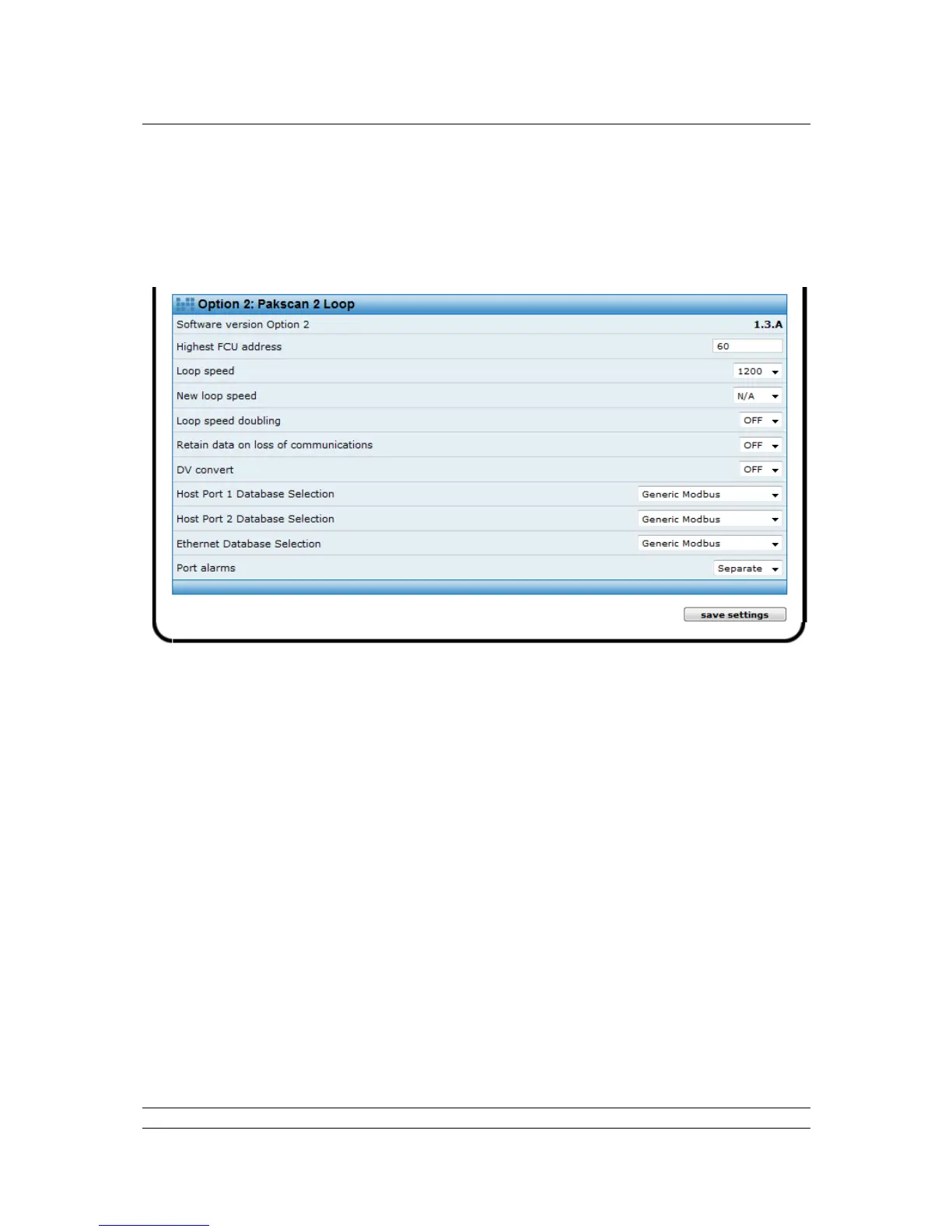
Fig 74: Master station configuration web page: Pakscan 2 Loop
Software Version : The version of software fitted to the Pakscan 2 Loop option module. In hot
standby systems the modules on both the A and B side should have the
same version of software.
Highest FCU : This text box contains the setting for the highest address used for an
actuator (or field unit) on the 2-wire loop. The Pakscan 2 Loop module polls
all field units from address 1 up to this highest address. The loop scan time
is minimised by restricting the polling to only those field units that should be
present and scanning up to the highest address. All the addresses in the
selected range should be used and gaps in the address range should be
avoided. Gaps or unused addresses cause the system to run more slowly
as the unused addresses are still checked. In addition, unused addresses
will generate a communication failure alarm.
Loop Speed : This shows the current loop scanning speed (loop baud rate) and the drop-
down box allows a desired loop speed to be selected. The choices are
2400, 1200, 600, 300 and 110 baud. When a new speed is entered it will
take effect as soon as the values are saved. The setting applies to the
Pakscan 2 Loop option module only and the actuators must be changed
individually.



 To Next Page