P3 - Pakscan Master Station Technical Manual
56 of 136 Publication PUB059-002-00 Issue 06/15
7.5 The Web Pages in Detail
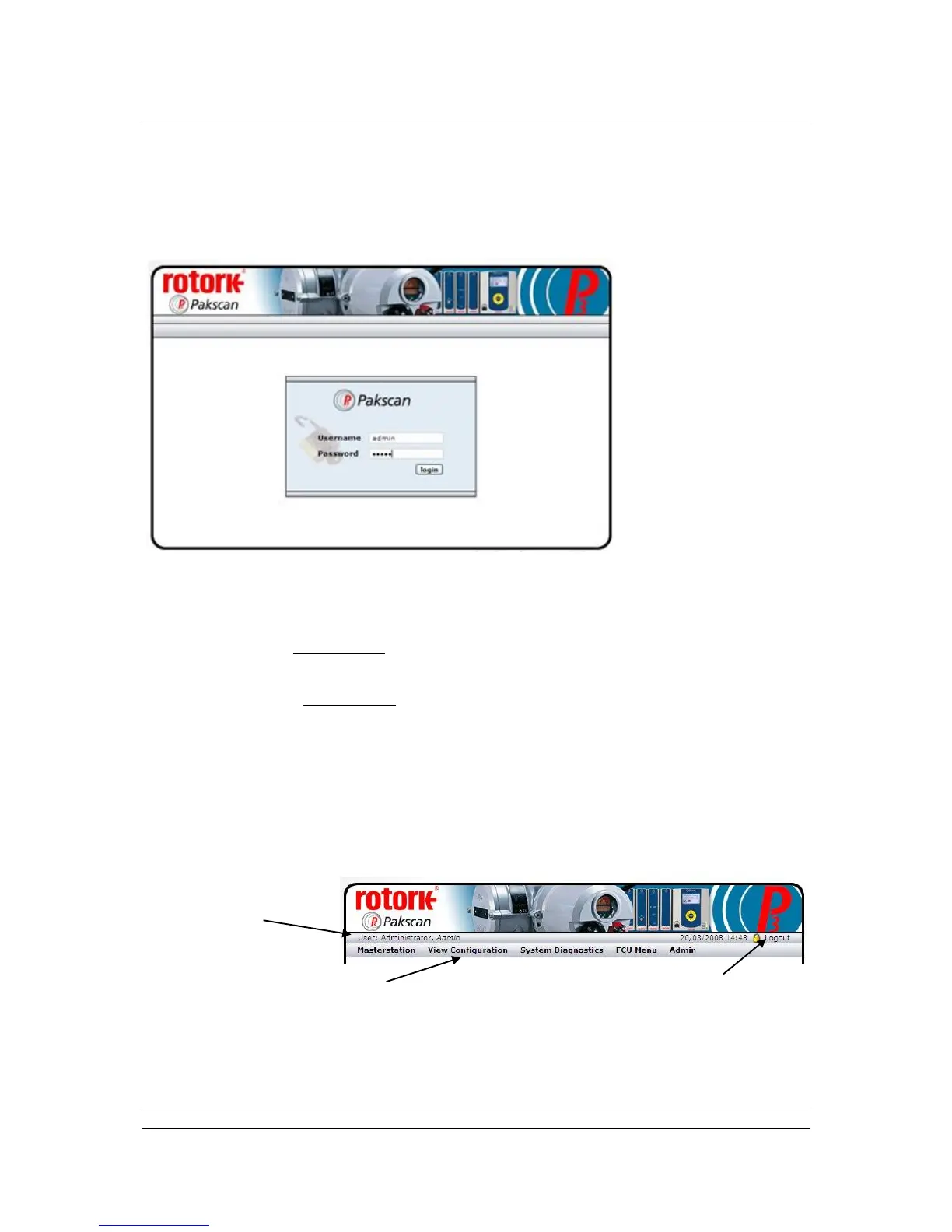
7.5.1 Log In Screen
Fig 36: Web page Log In Screen
The first screen is the Log In screen on which the user must enter a Username and Password.
Username - a case sensitive identification for an individual or group used to give access to
the system. User names are listed for administrators to see on the ‘Add User’ page.
Password - the case sensitive confirmation required before a username is accepted by the
system. Passwords are not listed on any page in the system and cannot be retrieved, even at
the administrator level.
Select the box with the mouse and enter the appropriate name or password, then click on the login
button. The system will move to the next page if the login is accepted. If it fails, the data is cleared
from the boxes and must be re-entered correctly in both boxes before access is granted.
The default user name is admin and default password is admin. The password should be altered as
soon as convenient to prevent unauthorised access to the system.
Fig 37: Web page Header Navigation
Menu of available screens to visit
(changes to blue when selected) for
Read and Write access levels



 To Next Page