P3 - Pakscan Master Station Technical Manual
128 of 136 Publication PUB059-002-00 Issue 06/15
9.2.3 Reports
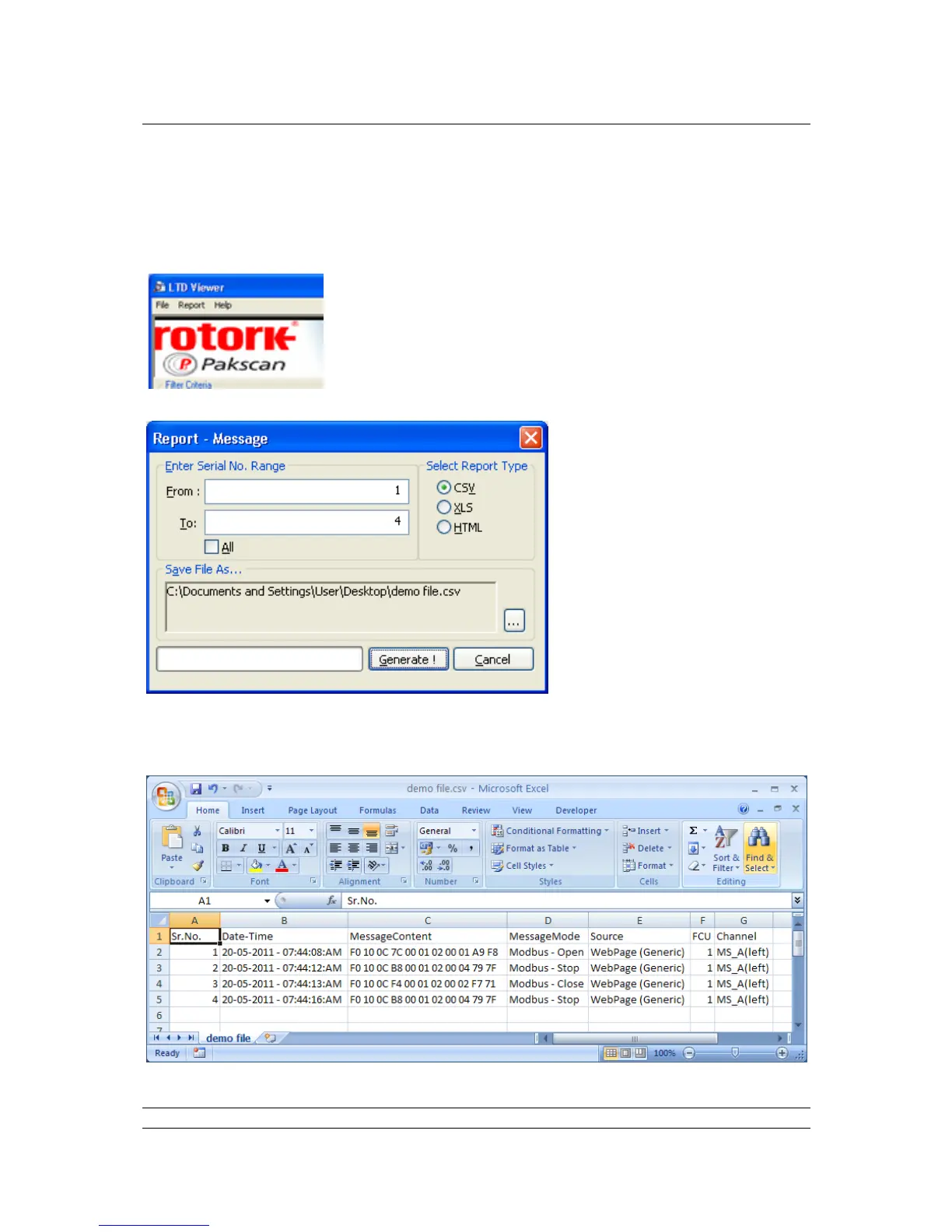
If the user requires a report of the data in CSV / xls or html format, select the ‘Report‘ menu item and
then ‘Messages’.
In the message box that appears
select the range of data that is
required – the range field uses the
serial numbers i.e. in the example
above there are only 4 lines of data
so the serial numbers for those are 1
to 4. Click the ‘All’ radio button for all
the data.
Select the format required and select
a file name.
Select the ‘Generate !’ button and a pop-up box will appear to indicate success of generation.
The data can then be viewed in the chosen format i.e. CSV:



 To Next Page