P3 - Pakscan Master Station Technical Manual
34 of 136 Publication PUB059-002-00 Issue 06/15
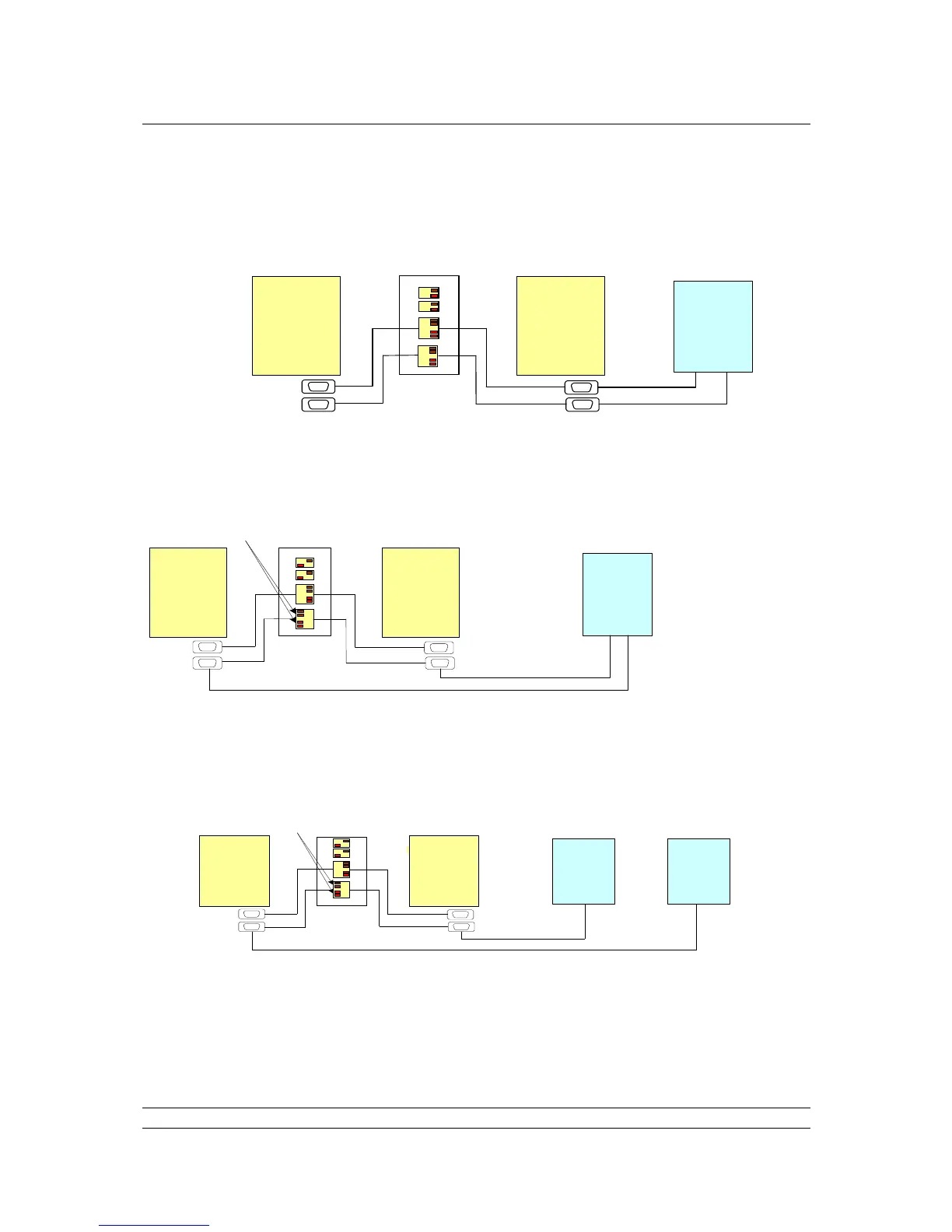
Typical Serial Host connections to the P3 master station and appropriate switch settings:
Hot Standby RS-485 communications
Hot Standby RS-485 Communications
A
B
PS
710
PS 710
Port 1
Port 2
Host
Port
2
Port 1
Ports 1 and 2 set to Cross-Connect
Port 1 & 2
Termination
on
Set same Address, baud rate and parity with
standby passive on both Port 1 and Port 2
RS-485
Communications between the Host and the master stations uses the Modbus protocol. Because the
Master A is cross-connected to Master B, they both share the same Modbus address. The standby
action must then be set to passive. Thus, the host can have two-way communications with the Primary
(Main ) module and the Standby module will only listen to the messages.
Hot Standby RS-232 Communications
A
B
PS 710 PS 710
Port 1
Port 2
Host
RS-232
Port 2 set to Not Cross-Connect
Port 2
Port 1
With RS-232, communications between the Host and Hot Standby master station must be point-to-
point. Multi-drop connection is not allowed, so separate cables must be run from the Host to each side
of the master station. Also, the Cross-Connect switch must be set to Not Cross-Connect. The standby
action must be set to active, so that the Host has full communications with Master A and Master B.
Note: only actuator commands sent to the Primary CPU Module will be actioned.
Hot Standby dual Host RS-232 or RS-485 communications
Fully dual-redundant system. Port 2 set to RS-232 or RS-485 to match Host communication
Fig 29: Hot Standby Serial Communications
A B
Port 1
Port 2
PS 710 PS 710
Port 1
Port 2
HostHost
1 2
RS-232 or
RS-485
Port 2 set to Not Cross-Connect



 To Next Page