P3 - Pakscan Master Station Technical Manual
80 of 136 Publication PUB059-002-00 Issue 06/15
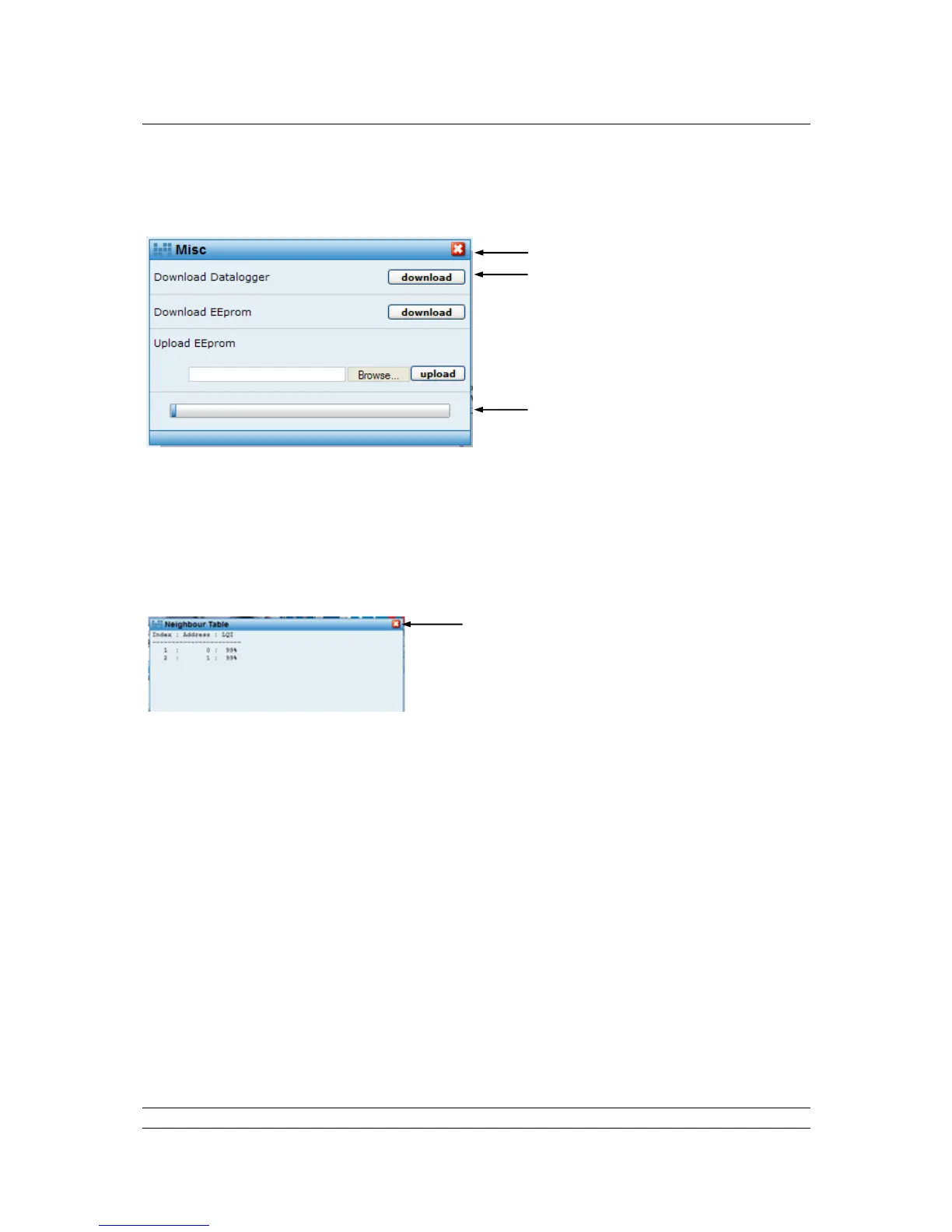
Misc (Wireless Field unit) – Downloads available to all user levels, Upload only available to
Admin user level
Fig 58: Wireless IQ / IQT Downloads pop-up
Pop-up screen with controls to extract the Actuator Datalogger and Actuator
Configuration files. It is also possible to load a configuration file to an actuator using this
facility, assuming Admin login. The files that this facility creates are for viewing with the
Rotork In-sight software, available on the Rotork web site.
Neighbour Table (Wireless Field unit) - Available to all user levels
Fig 59: Wireless Neighbour tables pop-up
Pop-up screen that shows, for the field unit selected, the wireless neighbours that it has.
It indicates the address of that neighbour and the Link Quality Index (LQI) of the signal
from the device to its neighbour. The LQI is represented as a percentage value and is a
good indication of signal quality and strength. A good signal would be in the range 93%
to 100%. A reasonable signal would be in the range 61% to 92%; reasonable means that
if environmental conditions deteriorate there is a greater potential for message retries and
message failure.
It should be noted that rain, humidity and fog have a negligible effect on the wireless
network. The greatest effect can be seen for heavy snow. By this, we mean snow that
has settled on and around the antenna, i.e. 2 inches of snow packed around the antenna
can cause a loss of about 10dBs.



 To Next Page