7. Internal Web pages
Issue 06/15 Publication PUB059-002-00 111 of 136
Update click on ‘update’.
Firmware Update : To update the firmware, browse to the location of the new file and click on
‘update’.
Upgrade Key : If a new key code has been purchased (to enhance the overall system
capabilities) the new code must be entered here. Type the code into the
box and click on ‘update’.
7.5.22 Network
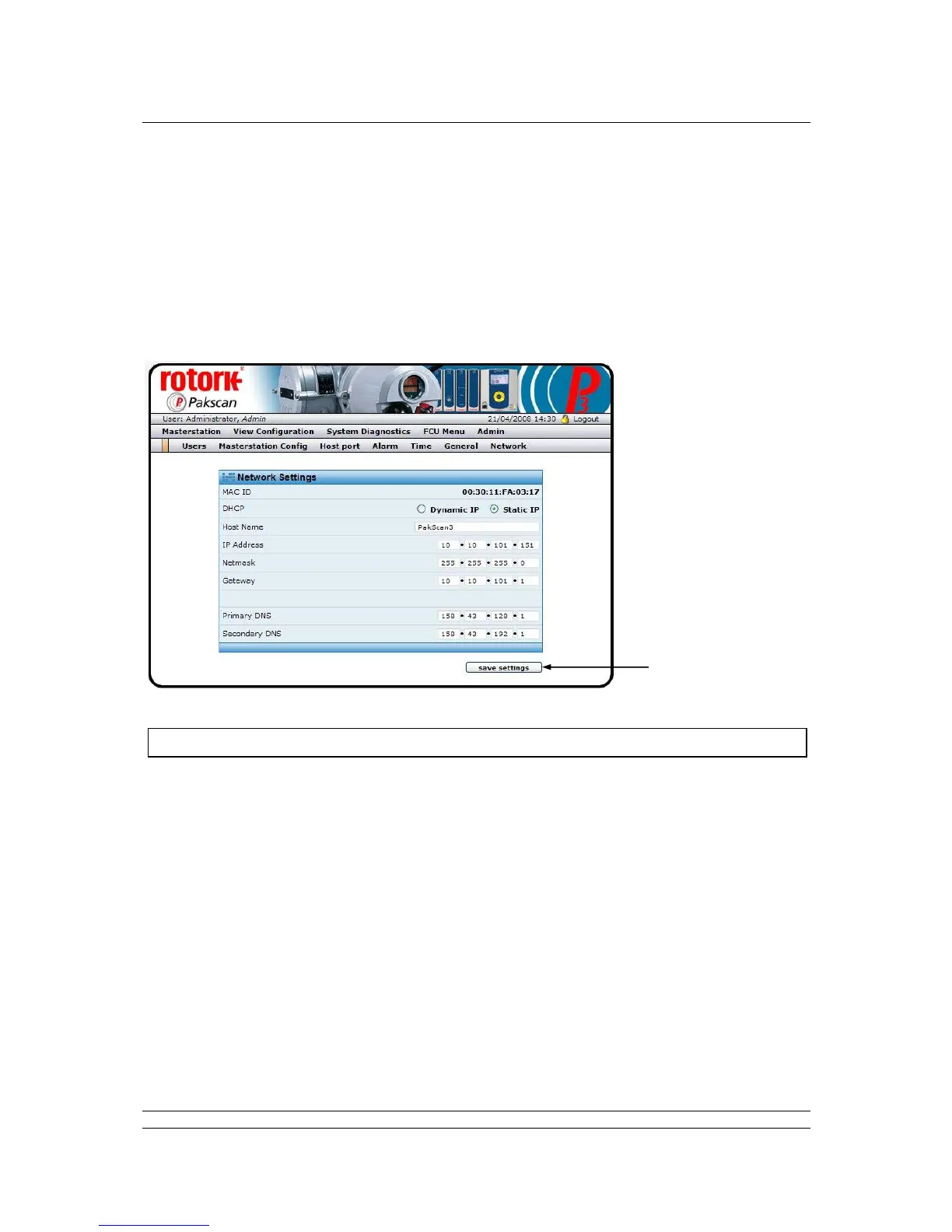
Fig 82: Ethernet Network Settings web page
In order to connect the master station to a network there are several settings and IP addresses that
must be set. If that network extends onto the internet then additional settings for the gateway and DNS
servers must also be added. This page allows these settings to be made.
Network Settings
MAC ID : The unique identifier for this hardware. The Media Access Control number
is embedded in the master station Ethernet port.
DHCP : The Dynamic Host Configuration Protocol setting allows the master station
to use a fixed (static) IP address or a dynamic address which it collects
from the server. In practice, a fixed Static IP is usually preferred.
Host Name : This is the identity of the basic module used in the system for reference on
the Ethernet highway. The default of Pakscan3 is generally acceptable and
need not be altered, even if several master stations are on the same
network.
IP Address : The Internet Protocol address that uniquely identifies this master station.
This will generally be allocated by the network system administrator.



 To Next Page