7. Internal Web pages
Issue 06/15 Publication PUB059-002-00 73 of 136
7.5.12 FCU Control – IQ / IQT Actuator
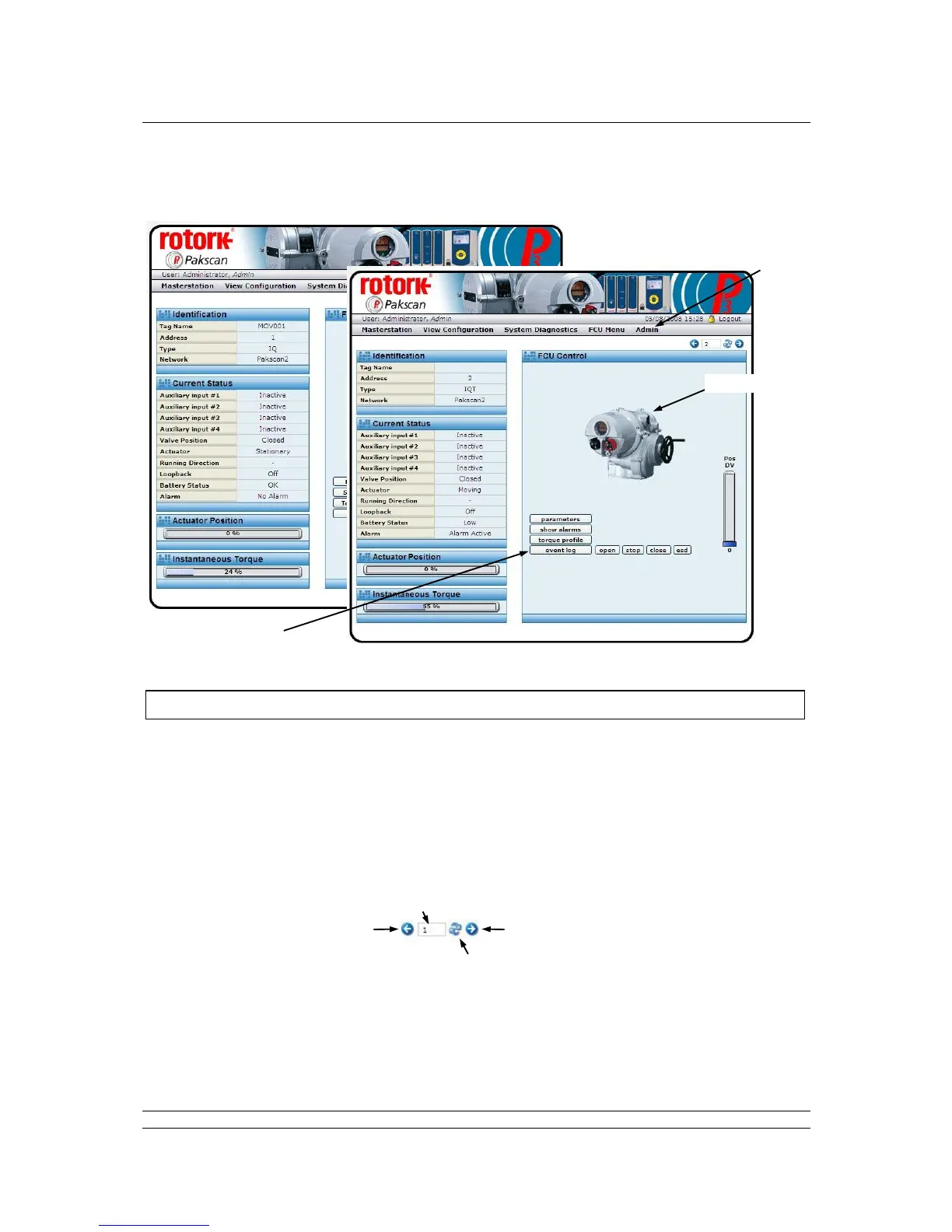
Fig 50: IQ and IQT actuator FCU Control web pages
The IQ and IQT control screens are similar and show a picture to identify the actual type of actuator at
this FCU address.
The FCU Control screen shows a control and status page for the selected field unit and actuator. The
screen has information relating to the device, its current condition and system parameters. It also
includes the ability to change the actuator’s position by means of the control buttons. When not in
communication the screen may still be visited, but the picture has a large red cross over it to show a
lack of communication.
Navigation
Navigation between the field units is either by returning to the previous screen, or by using the
navigation buttons on this screen. Entering an address directly in the ‘Address’ box and
clicking Refresh moves directly to the selected field unit.



 To Next Page