8. Making the System Work
Issue 06/15 Publication PUB059-002-00 119 of 136
8.3 Monitoring and Controlling the Actuators from the HMI or web pages
The web browser and HMI include the capability to control and monitor all the actuators on the
Pakscan network. This assumes the actuators are in remote mode and correct permissions have been
set up in the master station config web page – see section 7.5.17.
Using the web pages, go to FCU Menu to open the page showing all the connected actuators and
their status – see section 7.5.11.
This screen lists the FCUs in address order, their type and current condition. The FCU Control button
will bring up the page showing the information in more detail – see sections 7.5.12 onwards.
The actuator can be moved by the Open and Close buttons and any alarms present can be displayed
by clicking Show Alarms. The page will automatically refresh if the valve is moved. The buttons at
the top of the page can be used to move to the next or previous actuator on the network.
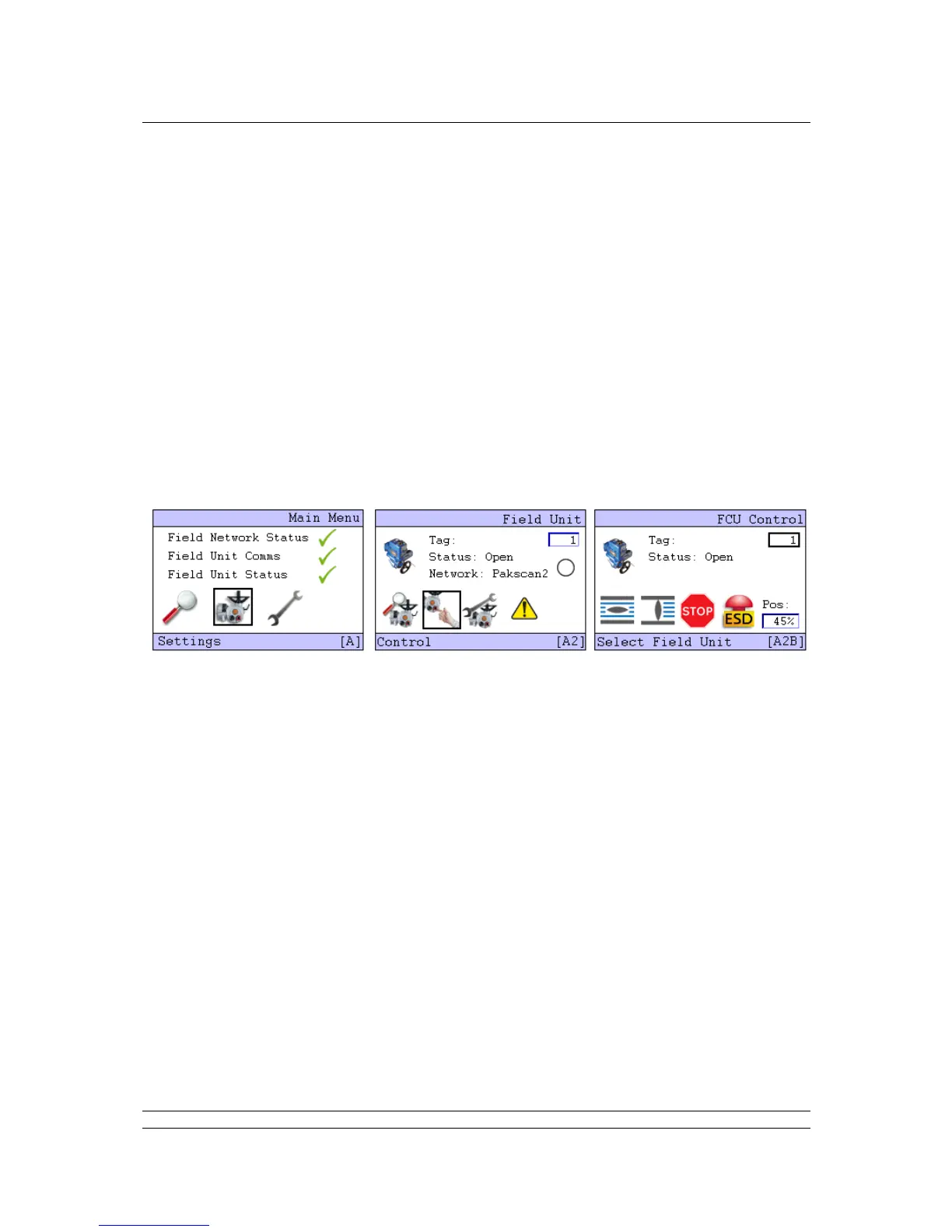
Control and monitoring can also be achieved using the master station keypad and screen. Select Field
Unit Menu and the connected field units will appear in turn.
Fig 83: Detailed Actuator Condition HMI pages
Once the system is running correctly, make a note of all the settings and field unit parameters for
future reference.
The Pakscan Current Loop network and associated actuators will now be available for the host DCS
or PLC to control and monitor the plant.



 To Next Page