7. Internal Web pages
Issue 06/15 Publication PUB059-002-00 53 of 136
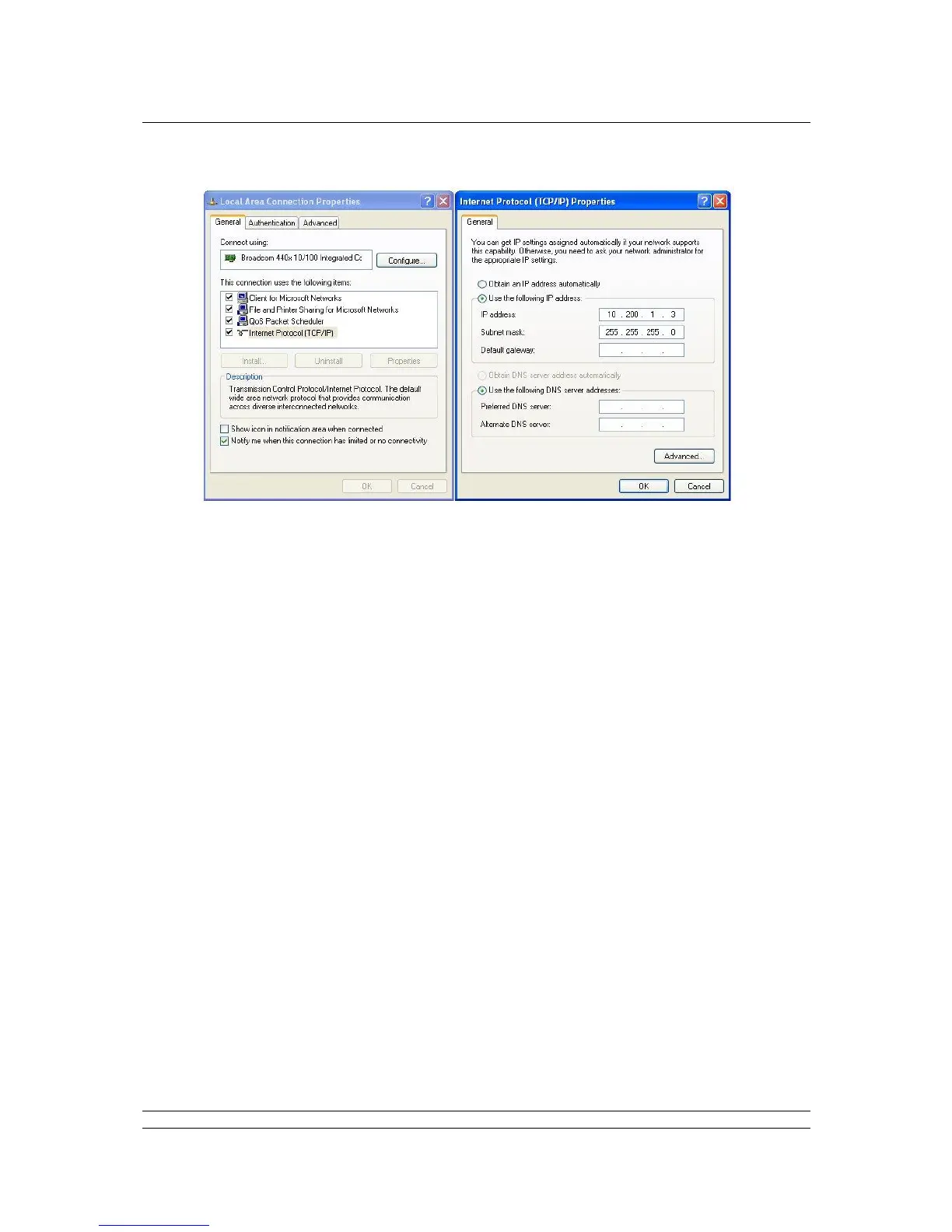
Fig 34: Changing the Network Connections TCP/IP Properties – Windows XP
Click OK on the ‘Local Area Connection Properties’ window and then close the status window.
Finally, close the ‘Network Connections’ window and the Control Panel.
It may be necessary to reboot the computer to be sure that the new settings take effect
correctly.
Connect the cable between the computer and the Pakscan master station.
Start the browser and enter the IP address of the master station. The default address is
10.200.1.1, so set the address to http://10.200.1.1. The browser will then access the master
station and bring up the opening page of the master station. In order to log in as a verified
user, enter the username of admin and the password admin.
Note: If the IP address of the master station has been changed from the defaults, then the settings
above will not work and will have to be modified to suit the actual settings.



 To Next Page