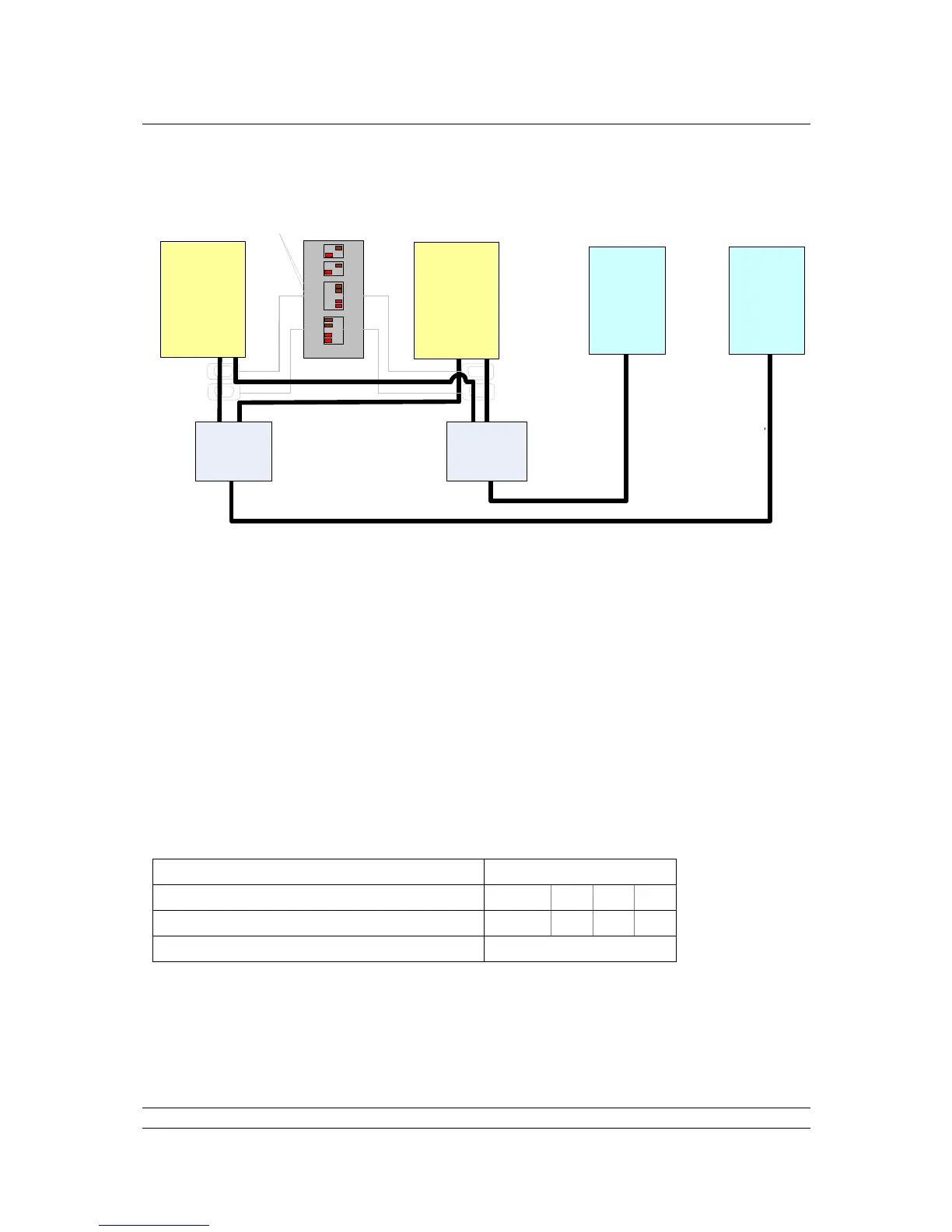
Fig 31: Hot Standby, Dual Redundant Ethernet Communications
For full Ethernet communications redundancy, use two Hosts and two managed Ethernet switches.
Managed Ethernet switches with rapid spanning tree protocol are required. This type of switch is able
to prevent Ethernet Storms, where messages are re-circulated continuously.
Ethernet communications between Hosts and master station are made using Port 3 and Port 4. In this
case, with two Hosts, Standby must be set to Passive. The IP addresses of Master A and Master B
can be set to be the same with Standby Passive, or different, with Standby Active.
The Pakscan P3 master station defaults to the same IP address on all ports. It is possible to change
the IP address for Master A and Master B independently, but all ports for each master will have the
same address. In a hot standby system, if the Copy IP Settings option is selected, both sides of the
master station will have the same IP address.
5.1 Default Ethernet Settings
The default Ethernet parameters set in each Pakscan 3 CPU Module are given below:
Changes to the IP address, Subnet Mask or clock settings will cause a re-boot of the CPU
module.
The master station uses the 192.168.1 subnet internally, therefore if it is required to set the external IP
address of the master station to a value within this range the internal address will need to be modified.
Contact your local technical support team for details.



 To Next Page