P3 - Pakscan Master Station Technical Manual
130 of 136 Publication PUB059-002-00 Issue 06/15
10. RESETTING THE MASTER STATION TO DEFAULT VALUES
This section details how to reset a P3 master station CPU module to default settings using the
hardwired link which is on a circuit board in the CPU.
If the CPU module is part of a hot standby unit and control of the network is required during
this process, use the key switch to force the ‘other’ side of the master station to be the primary
unit.
Isolate the power to the master CPU module that requires defaulting.
Remove all connectors plugged into the CPU module.
Remove the CPU module. For this operation the module removal tool supplied with the
master station should be used to detach the master station from the back plane. The module
is then removed by pulling it down and out from the back plane, then unhooking the hooks at
the base of the module from the back plane.
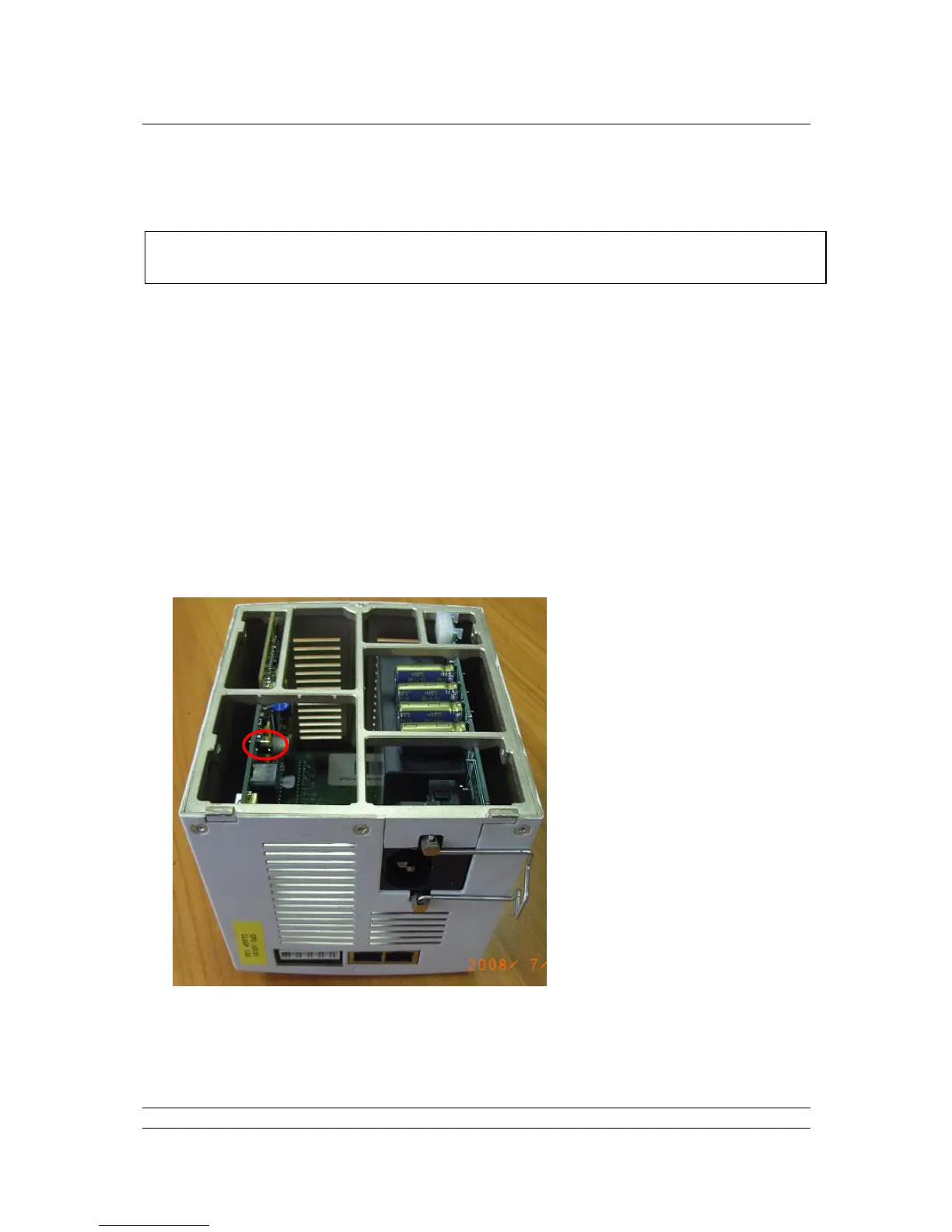
When removed, the default link is visible from the underside of the module, shown circled red
in the picture below:
The ‘handbag’ link will be across the 2 pins (of the 3 pin connector) furthest from the edge of
the board.



 To Next Page