10. Resetting the Master Station to Default values
Issue 06/15 Publication PUB059-002-00 131 of 136
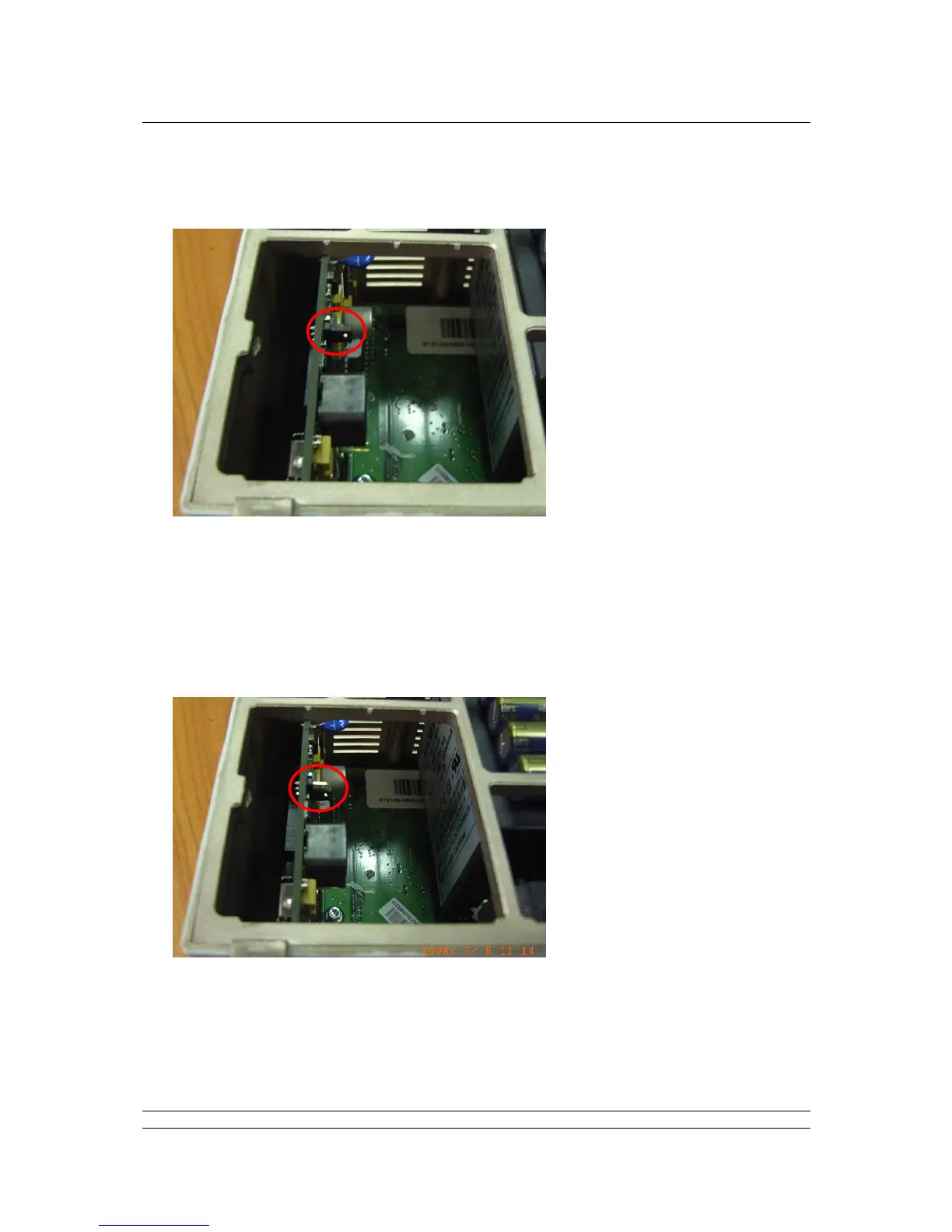
Carefully move the handbag link to the position shown below, such that it is linking the 2 pins
closest to the edge of the board:
Replace the module on the master station back plane and power up the module. Note: for a
hot standby system, if the copy settings have been enabled, when you replace the module you
may find that the module re-boots more than once whilst the settings are copied across from
the primary unit. Leave the unit powered-on for at least 5 minutes.
Isolate the power to the same master module again.
Remove the master CPU module and return the link to the standard position, as shown below
– It is imperative that this is done:
Replace the CPU module on the master station backplane and power up the module.
If the system is a hot standby, reset the switch to the auto position.



 To Next Page