5. Configuring Ethernet Communications
Issue 06/15 Publication PUB059-002-00 35 of 136
5. CONFIGURING ETHERNET COMMUNICATIONS
Pakscan 3 master stations come complete with two Ethernet ports for connection to host systems. A
third Ethernet port is also available for connection to a computer for configuration purposes. The
master station is ready to use with Ethernet and Modbus TCP protocol for the host to access data and
control the actuators on the field network. The IP address is factory set to the default value and can be
changed during set up of the master station.
The Pakscan master station defaults to the same IP address on both ports, and can use the same
address on the A and B master stations. It is possible to change the IP address on either master
station, but ports 3 and 4 of each CPU Module always have the same address.
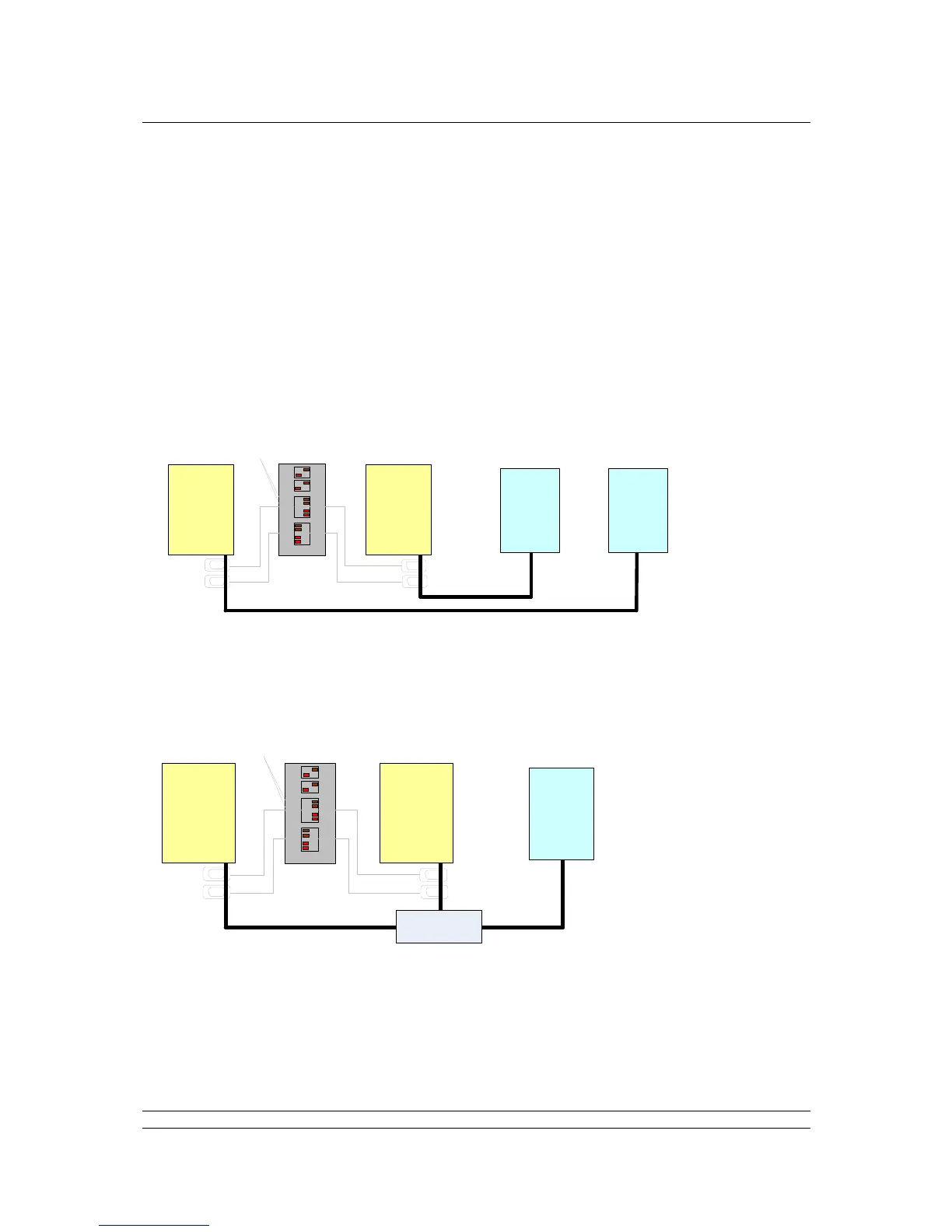
Hot Standby Ethernet communications
Ethernet comms between Hosts and master station are made using Port 3 or Port 4. The Cross-
Connect switches can be in either position, or set appropriately for any additional serial comms. In this
case, with two Hosts, Standby must be set to Active. The IP address of Master A and Master B can
be set to be the same or different, with Standby Active.
Where an Ethernet switch is used to connect a Host to the hot standby master station and the IP
address is set the same for Master A and B, then Standby must be set to Passive.
Fig 30: Hot Standby Ethernet Communications
Hot Standby Redundant Host, Redundant Ethernet communications



 To Next Page