7. Internal Web pages
Issue 06/15 Publication PUB059-002-00 57 of 136
7.5.2 Master Station
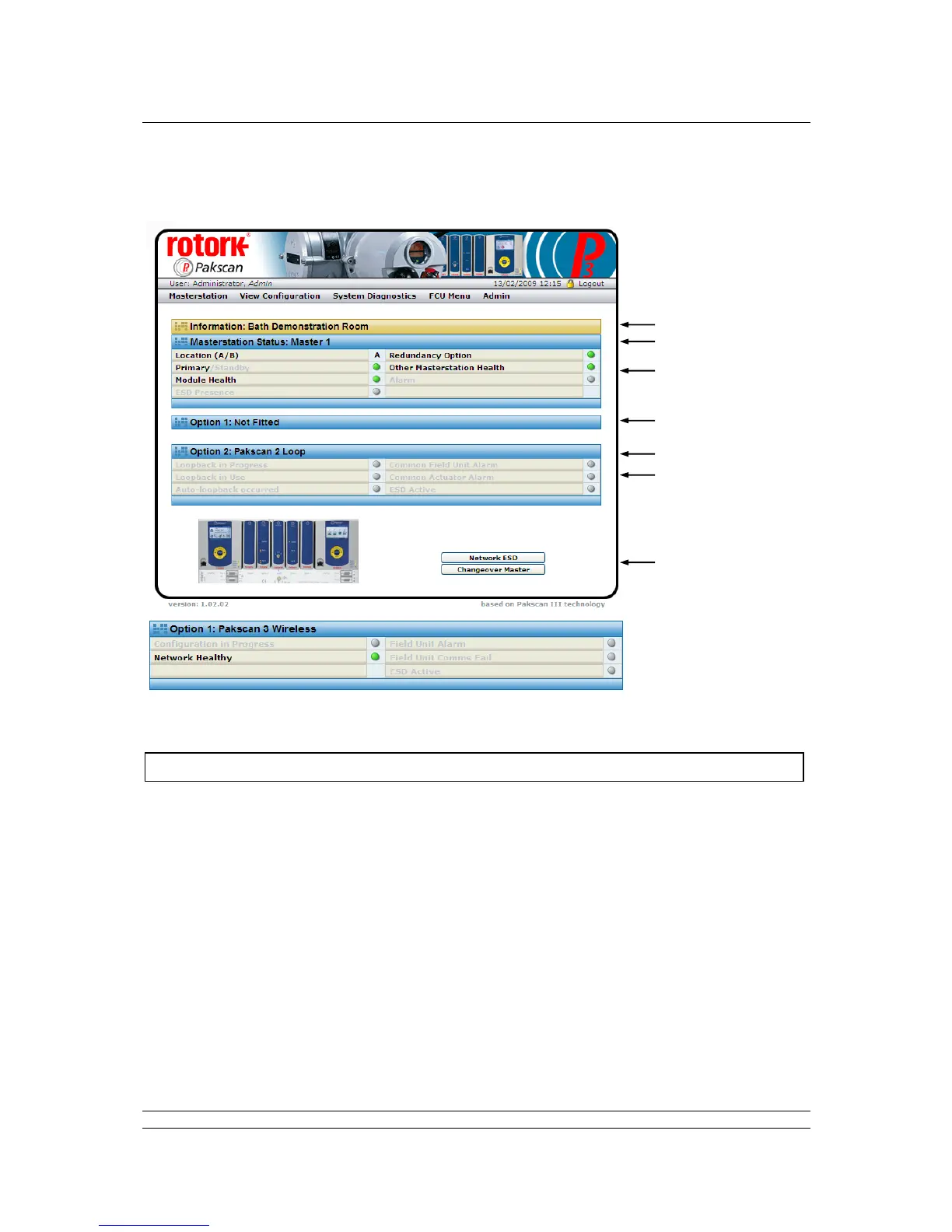
Fig 38: Master Station Overview web page and Option 1 data, if a Wireless module is fitted
This screen reports the current status of the master station and the option modules fitted. The picture
shows the master station, single or hot standby version. The green, orange and red lights show the
condition of the associated parameter. Greyed out text and lights are not applicable or else in a safe
(normal) condition.
Master station CPU Module
Site name : The name of the site where the system is located, as entered during
configuration.
Tag name : The master station tag, as entered during configuration.
Status
Location A/B : Indicates the CPU module currently in communication over the Ethernet.



 To Next Page