6.3 Setting the Current Loop Option Module Parameters
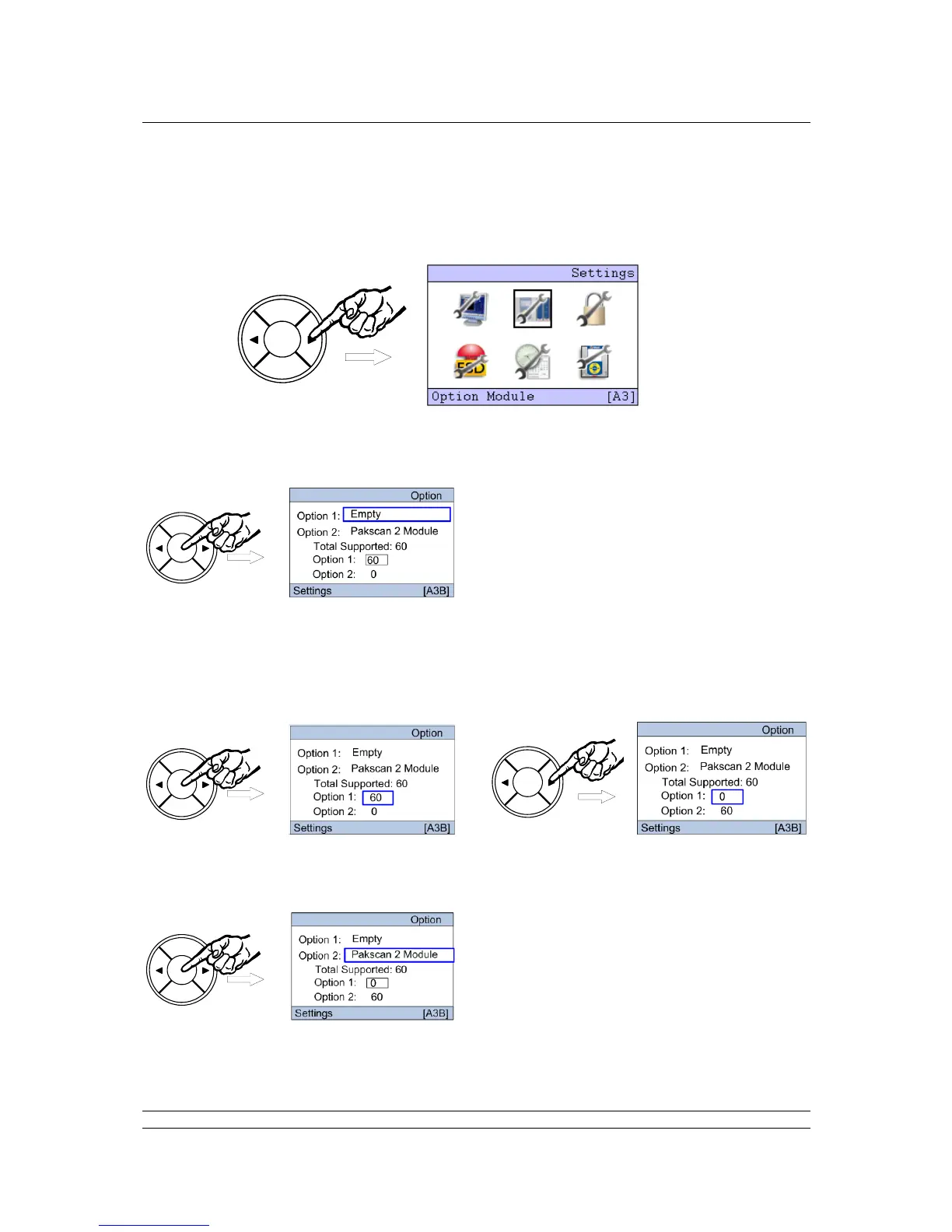
On the ‘Settings’ menu, select the Option Module Icon by pressing the right arrow key () followed by
the ENTER key.
The Option choice screen appears where the module to be set can be selected. Firstly we need to
ensure that the field units are correctly assigned to the field network chosen. The selection box by the
‘Option 1’ text should be highlighted by pressing the right arrow key twice ().
Pressing ENTER enables changes to be made using the left () or right () arrow key, press the
ENTER key to make a change to the value. This box will increment in steps of 60. In a wired only
network all available field units should be allocated to the Pakscan 2 module. Once the number is
correct, press ENTER once more
To make changes to the Pakscan 2 Current Loop module settings, highlight Option 2 by using the left
() or right () arrow key.



 To Next Page