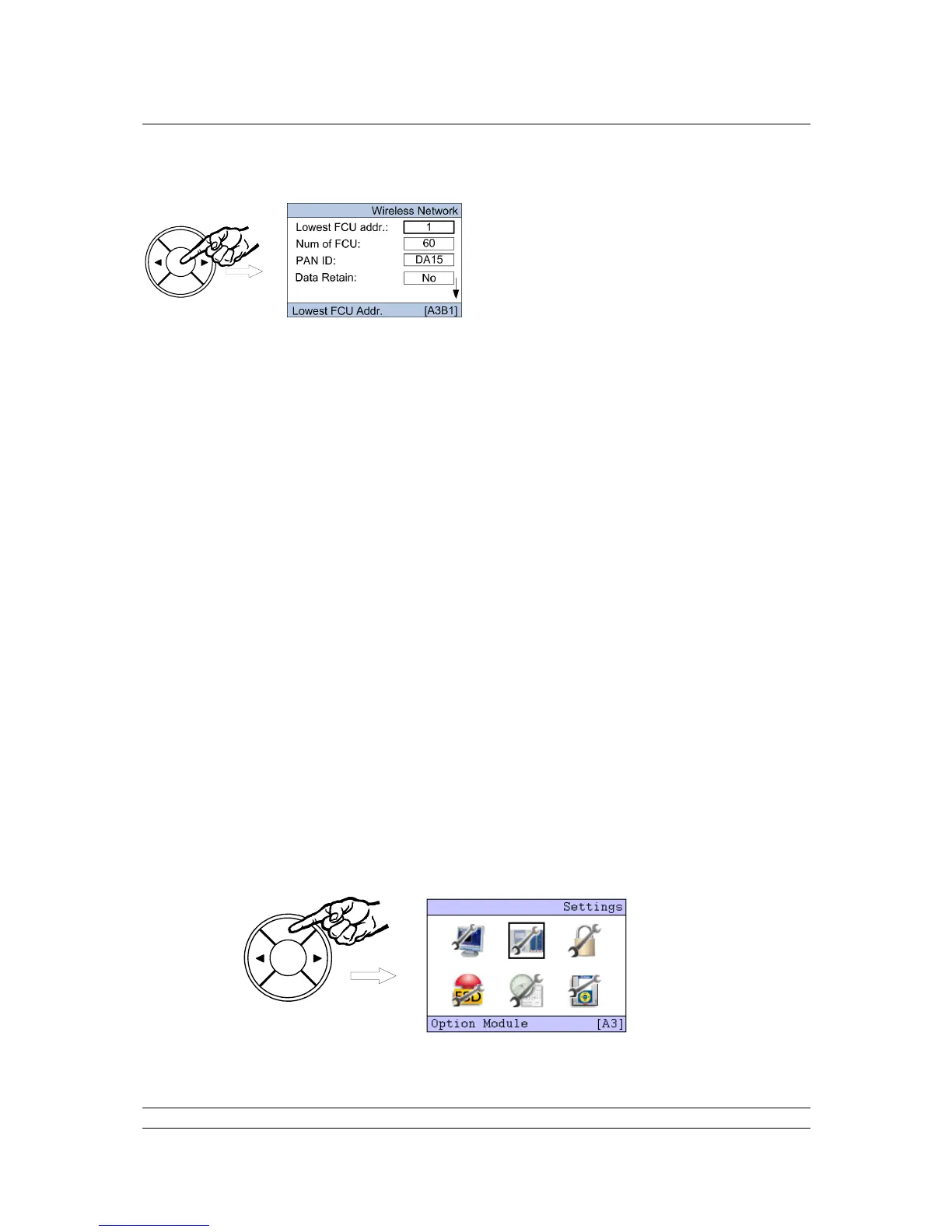
Press ENTER and the screen will return to the settings screen and the Lowest FCU addr. will be
highlighted. Press ENTER once more to select this parameter and the current value begins to flash.
Use the arrow keys ( or ) to change the value shown until the desired figure appears, then press
ENTER and the new value will be set. The arrow keys can be used to navigate to other settings, and
the NEXT button goes to the second setting page and the Network Reset function.
Set Lowest FCU addr. to the lowest address used for a Wireless field device. This will be
where the addressing starts from.
Set the Num of FCU to the actual number of Field units in the network. The field units will be
numbered from the lowest FCU address contiguously for the Number for field units fitted.
Set the PAN ID to a value different from the default. This should be noted as this needs to be
set in all the individual field units.
Data Retain set to ‘Off’ clears all the field unit data if communication is lost. Some host
systems want the data to be retained, in which case set the parameter to ‘On’.
Set the AES key to something different from the default. This should be noted as this needs
to be set in all the individual field units.
The most suitable channel for the system will have been selected during the site survey. This
setting should be set to that value.
Set the number of P3W repeaters used in the system – P3W repeaters may be required in the
system to ensure redundancy or for improved communications.
The network can be reset from the second page. This will need to be done if network changes have
been made and these are required to be uploaded to all field units. Note that changes to network
parameters will only be loaded to those devices currently communicating on the network.
When the settings are as required, use the BACK key to return to the top Settings menu.



 To Next Page