The port type is determined by the DIP switch settings on the main chassis behind the PS710 CPU
module and the setting is reflected in the message on the screen. If the port is set to RS-485 and
cross connected, the description changes to show these settings. This is particularly useful when
determining the settings already in place. Select the option to be changed by using the arrow keys (
or ), then ENTER (the PIN screen may appear before a change can be made). Once the PIN is
entered, the value of the parameter can be altered by the arrow keys ( or ). The speed can be
varied from 2400 to 115,200 and the parity may be Odd, Even, Zero or None. Once the value is as
required, press ENTER to set the value.
When the parameters are all as required, press BACK to return to the Host Settings screen, then
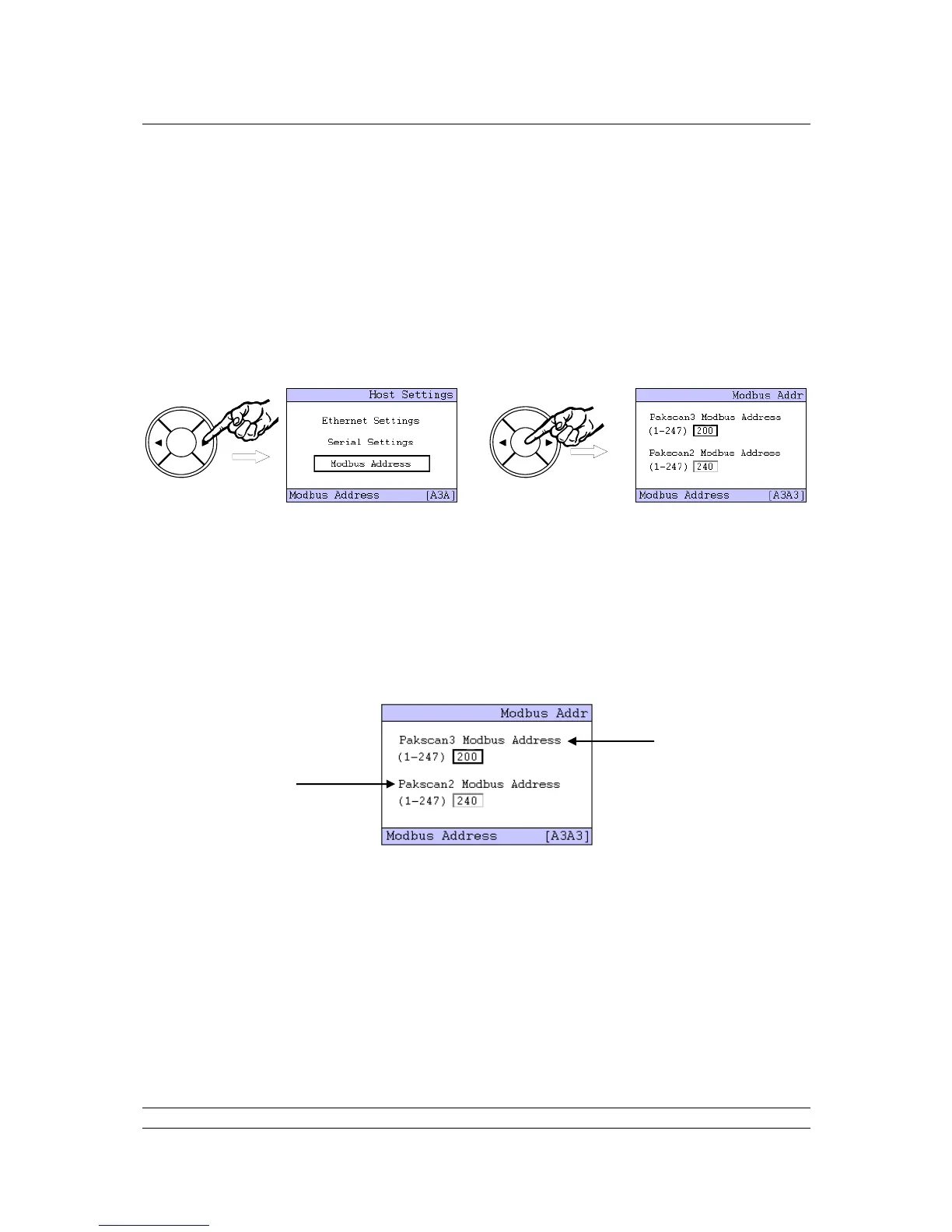
select the Modbus Address using the arrow keys ( or ) and press ENTER.
The Pakscan 3 Modbus address is for accessing the Wireless database.
The Pakscan 2 Modbus address is for accessing the Wired (current loop) database.
The Pakscan 2 and Pakscan 3 Modbus addresses MUST NOT be the same value.
The Modbus address for the communication to the actuators on the Pakscan 2 current loop (via the
module in option 2 slot) is altered in the lower window. It is recommended that this is altered to a value
other than the generic Modbus default address of 247 and the master Station defaults to ensure that
any new stations introduced do not conflict with this address.
The address is changed by first selecting it with the arrow keys, then pressing ENTER (if the PIN
requires entry the prompt page then appears). Use the arrow keys to change the number to the new
value, and then press ENTER once more. The new address becomes active once the screen has
been changed to a new one.
The Pakscan 3 wireless Modbus address is modified in the same way.



 To Next Page