Sam4POS Operators Manual v2.33 Appendix • 263
Gratuity Entry
The processor must allow “By Record” operations (Tokenization) for this operation.
Gratuities (Tips) indicated by the customer on the payment draft must be entered at the ECR before the batch is
closed. Tips that were not entered at the time of the transaction, are entered using the Gratuity Entry selection on
the EFT OPERATION function key menu, or from the Gratuity Entry selection on the EFT OPERATION menu
accessed from the Program Mode / Device menu selections.
The tip entered here replaces any previous tip entered for the same transaction.
Tips cannot be edited/added to Debit transactions after the sale.
No TIP entry is allowed for GIFT Card transactions. Tips must be entered using a PLU prior to
finalization with a Gift Card
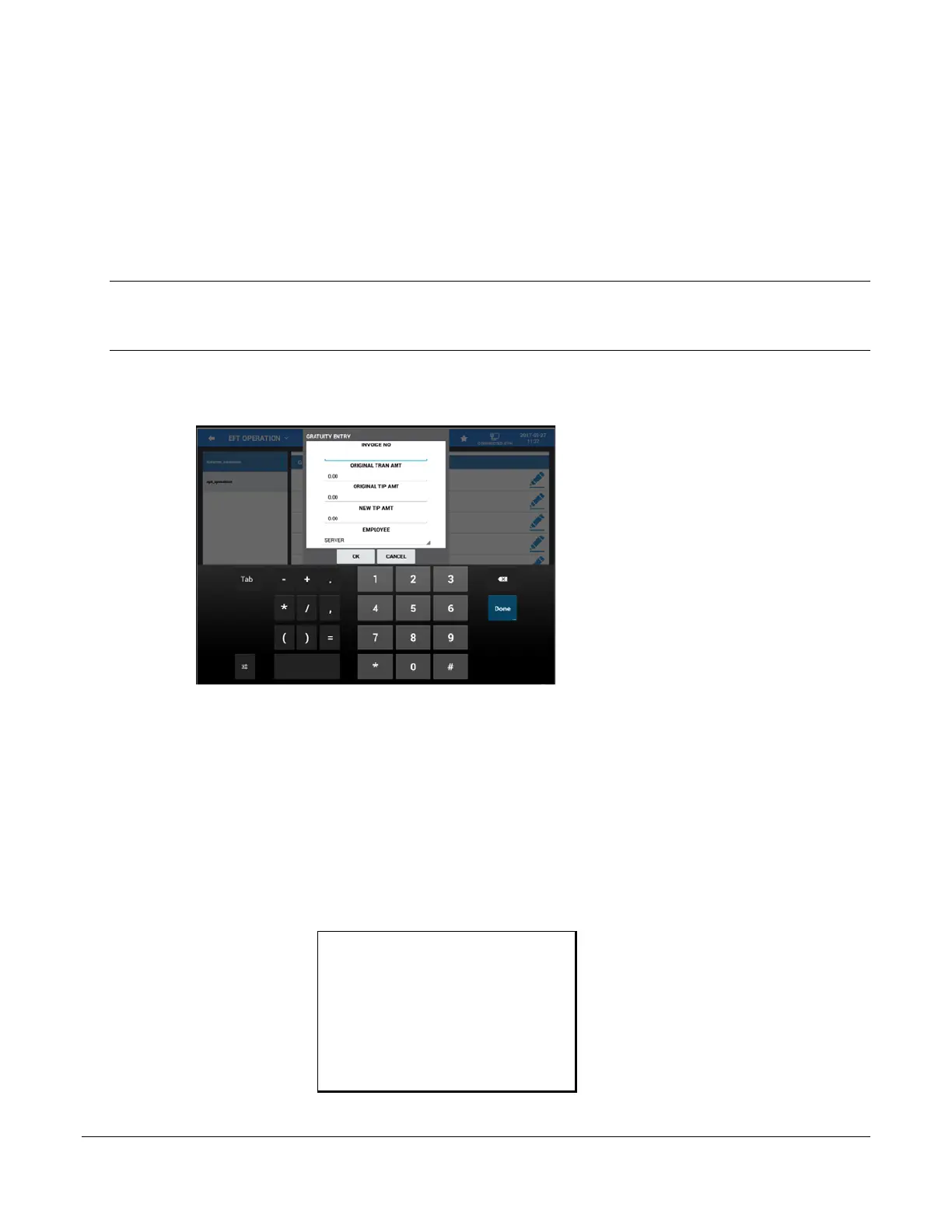
1. Select GRATUITY ENTRY from the EFT OPERATION function key menu in the Register Mode or
from the EFT OPERATION menu in the Program Mode – Device menu selections. The Gratuity Entry
dialog displays:
2. Fill the fields:
Invoice No (5-digit entry; enter leading zeros as needed)
Original Transaction Amount
Original Tip Amount
New TIP Amount
Employee
This information must exactly match the information for the transaction record. The message “WORKING”
displays until the record is updated, select OK when approved. If the information entered does not exactly match
the transaction record in the batch, the tip update will be declined.
Sample Gratuity (TIP) Chit:
SAM4POS TERMINAL
2017-10-2017 10:44 WED
SALE AMOUNT: 3.14
TIP AMOUNT: $1.00
INVOICE: 00033
REFERENCE: 1002
RECORD:00030
- - - - - - - - - - - - - - - - - - - -
NO. 00000153 REG# POS-1 EMPLOYEE



 To Next Page