250
•
Program Maintenance Sam4POS Operators Manual v2.33
Add New Customer
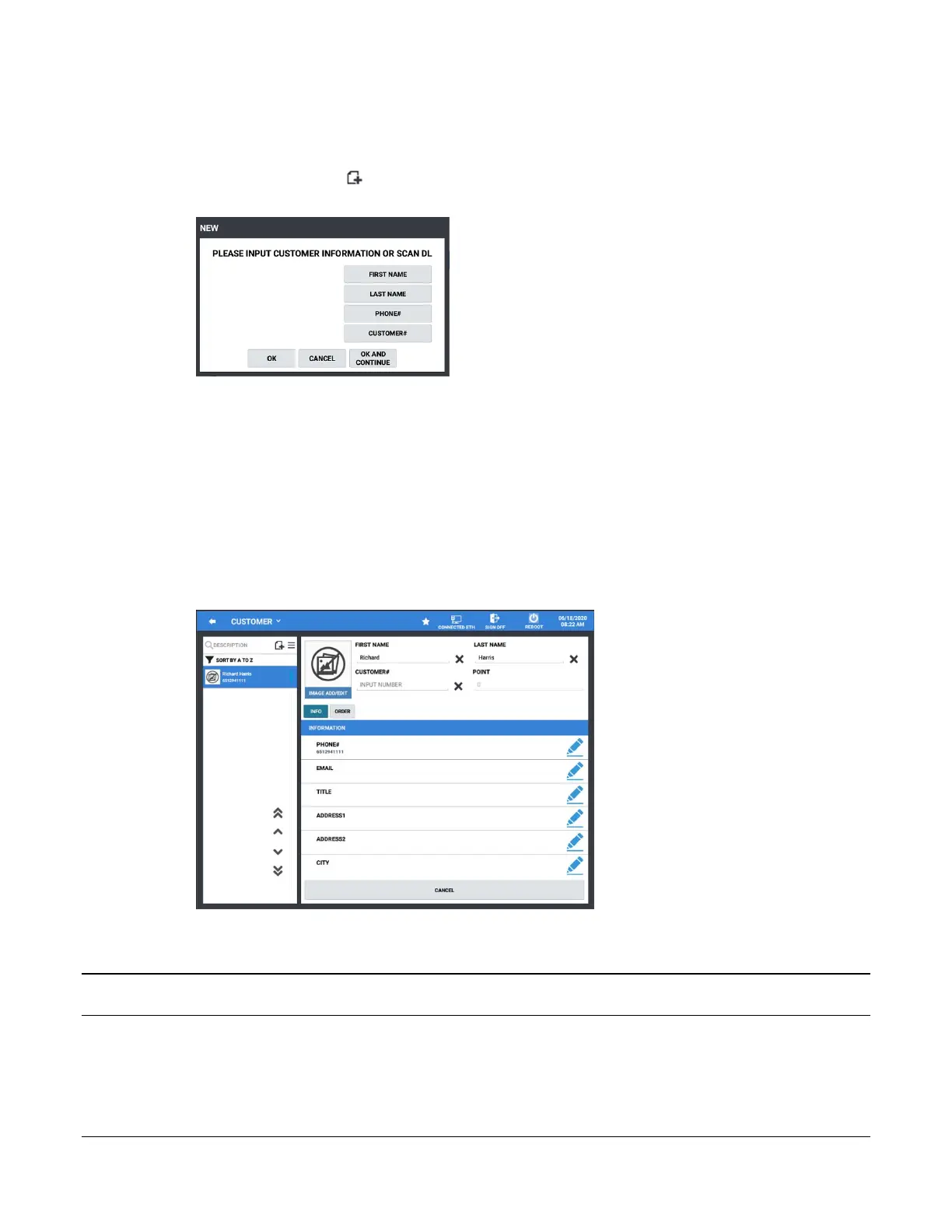
1. Select CUSTOMER from the CUSTOMER category menu screen to display the Customer file.
2. Press the add record icon to add a customer to the database, the NEW customer entry dialog will
display:
3. Type in the customer information:
a. Input First Name: Up to 30 characters
b. Input Last Name: Up to 30 characters
c. Input Phone #: Up to 19 characters
d. Enter a Customer #: Up to 19 characters
4. Press OK to add the new recipe or press OK AND CONTINUE to add another customer. Pressing
CANCEL will exit without adding the customer. Pressing the X at the end of each field will clear the
current entry.
5. The new customer will be added to the list:
6. When the customer is added, additional entry fields are available. Enter addition data as necessary.
Note: New customers can be added from the register mode at the time of the sale as well by pressing the
DELIVERY key. Then follow the procedure from step 2 above.



 To Next Page