72
•
Basic Operations Sam4POS Operators Manual v2.33
Split Item (Single Item)
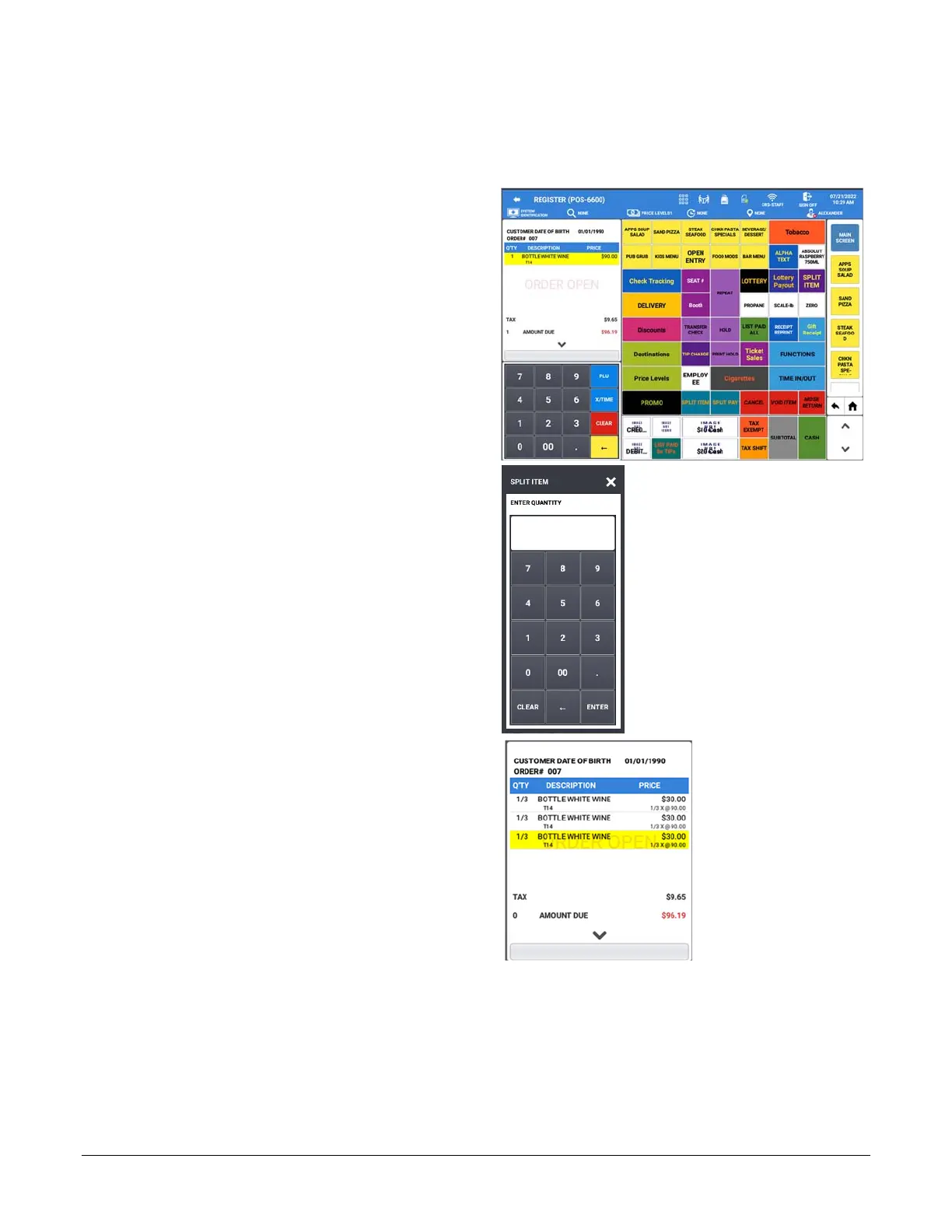
Sometime a customer may want to split the cost of a certain item, such as an expensive bottle of wine. The SPLIT
ITEM key can be used to split the cost of the item into equal portions.
1. Select the item in the sale you wish to split.
2. Touch SPLIT ITEM to split the items; The
SPLIT ITEM dialog displays:
3. Enter the number of portions you want to split
the item; press ENTER.
4. The selected item is split off
In the Example, the Bottle White Wine was
split into 3 portions.
5. You can then assign each of the split items to
individual seats for payment.



 To Next Page