Sam4POS Operators Manual v2.33 Basic Operations • 51
Clock Out for Break
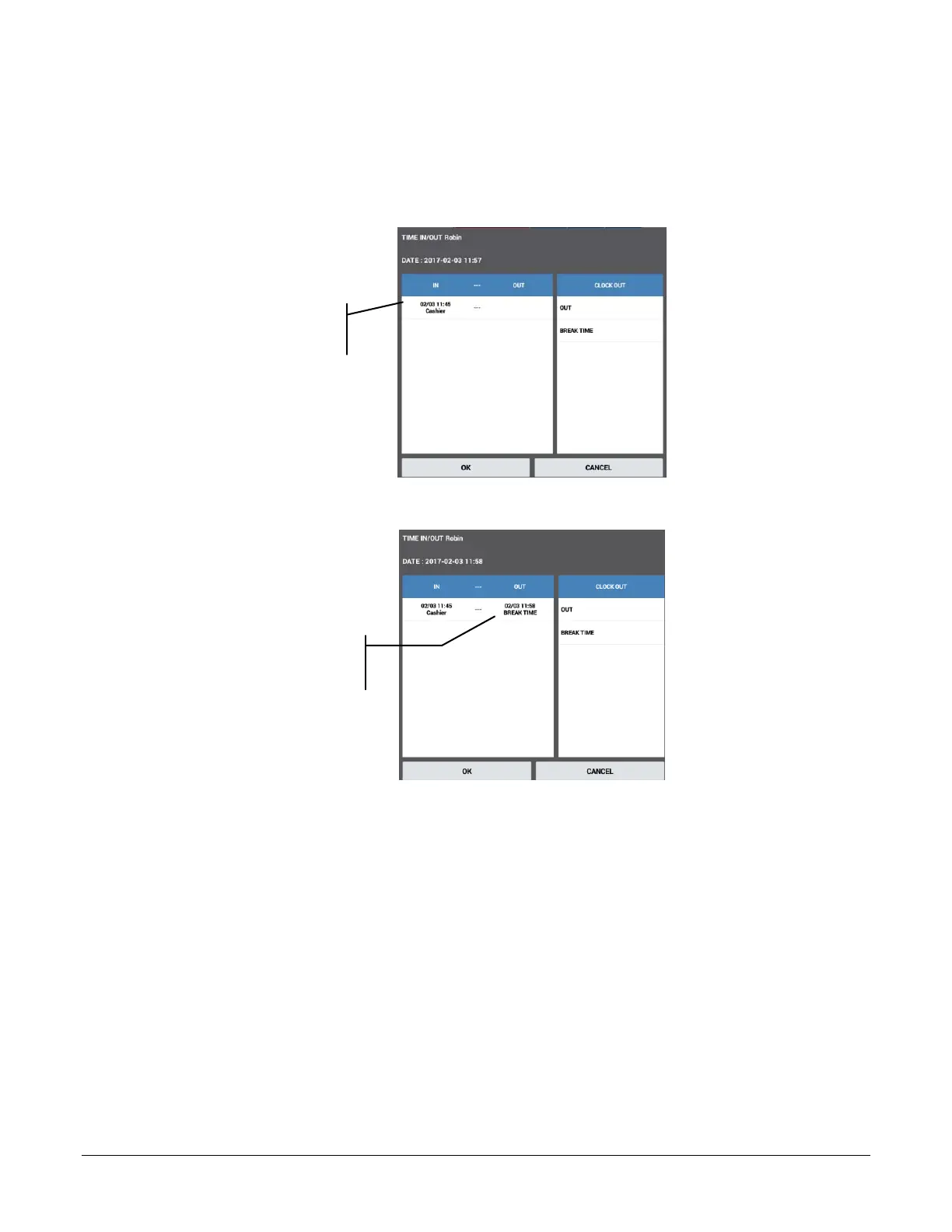
If breaks are allowed via time keeping options:
1. Enter the employee clock in code and touch the TIME IN/OUT function key to display the clock in/out
window:
Clock in time for the
day is displayed.
2. Touch the BREAK TIME key.
Clock out time for the
break time is displayed.
3. Touch OK to complete the clock out for break.
Clock In from Break
1. Enter the employee clock in code and touch the TIME IN/OUT function key to display the clock in/out
window:
2. Touch the job code button for the job you are performing to clock in.
3. Touch OK to complete the clock in.
Clock Out for Day
1. Enter the employee clock in code and touch the CLOCK IN/OUT function key to display the clock in/out
window:
2. Touch the OUT key.
3. Touch OK to complete the clock in.



 To Next Page