Sam4POS Operators Manual v2.33 Basic Operations • 63
Manual Tare Weight Entry
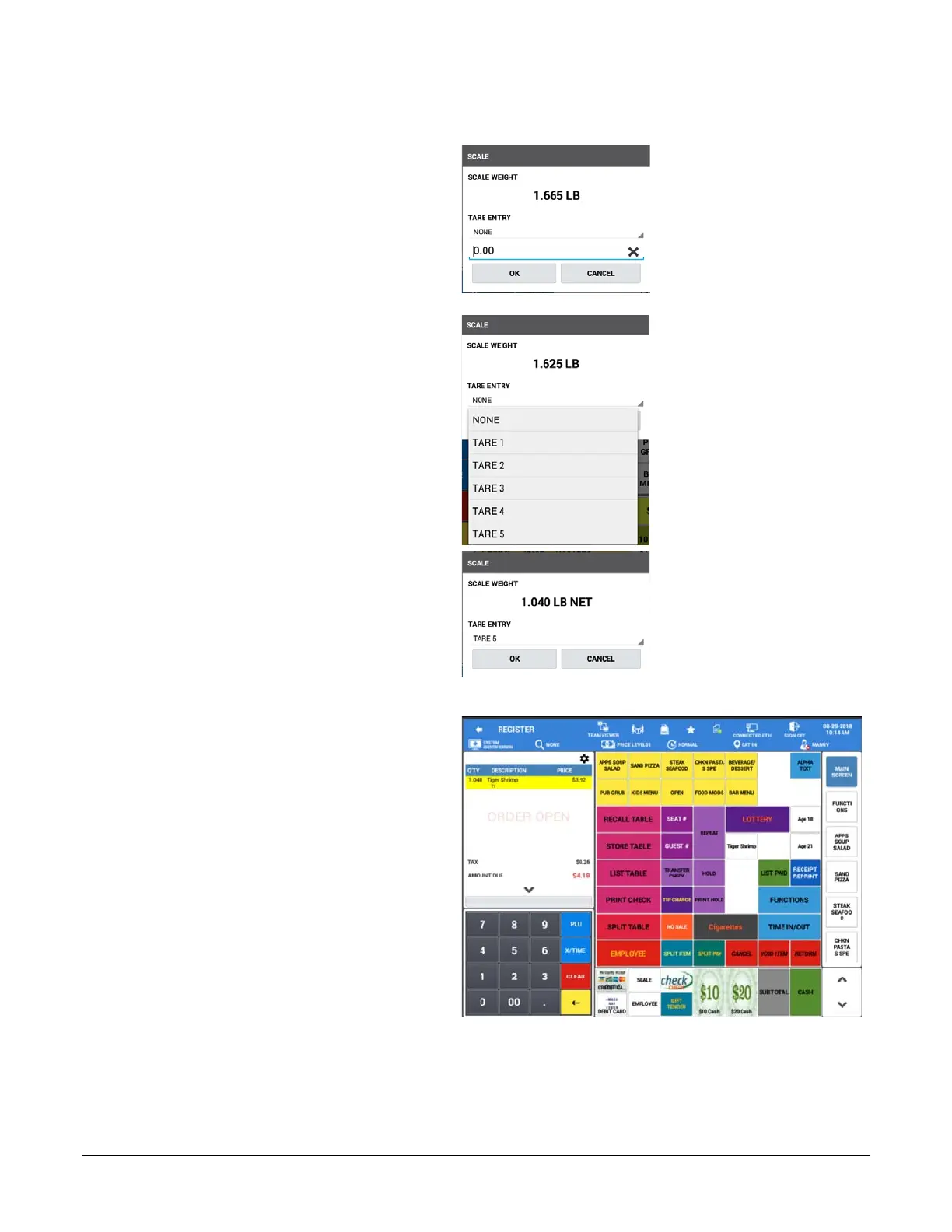
1. Place the item in the container on the
scale.
2. Touch the SCALE key to display the
weight.
3. Touch the TARE ENTRY drop down:
4. Select the appropriate Tare from the
list; the weight displays minus the tare:
5. Press OK.
6. Register the open or preset scalable
PLU; the item is added to the sale.



 To Next Page