Sam4POS Operators Manual v2.33 Appendix • 271
Backup Program
It is a good practice to back up the program data from the ECR after all the programming is completed or edited
and the equipment has been tested for proper operation.
The database menu, in the program mode system menu selections, provides access to the database backup
operations for the current program files.
Database Backup
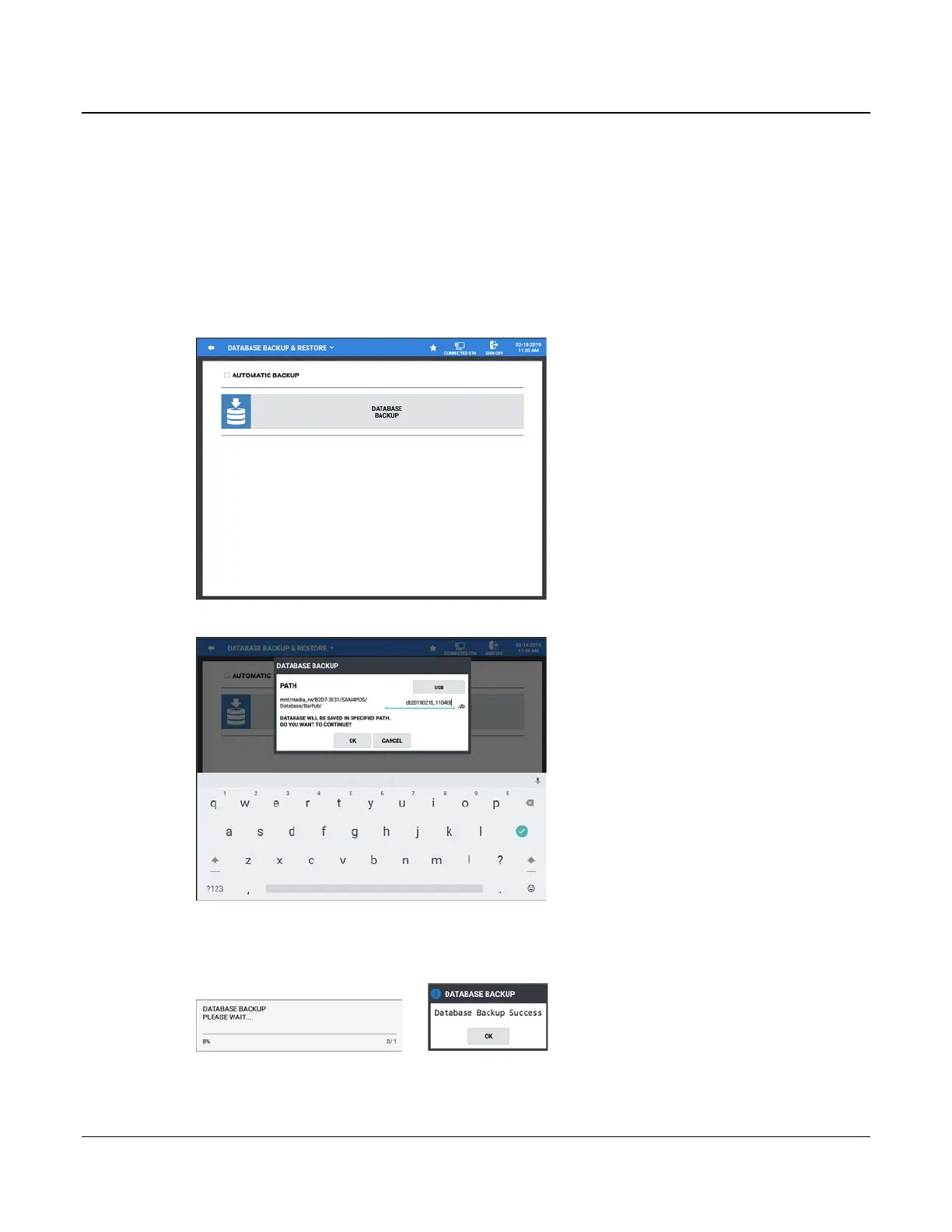
1. From the PROGRAM MODE, touch SYSTEM, then select DATABASE. The Database Backup &
Restore screen displays.
2. Press the DATABASE BACKUP to open the DATABASE BACKUP dialog.
3. Select the device you wish to back up to. PATH selections are: USB, Internal SD Card, External SD Card.
4. Press OK to back up the current database. The progress dialog displays during the process; When the
backup has completed, the confirmation, ‘Database Backup Success’ displays briefly.
5. Press OK.



 To Next Page
 Loading...

