Sam4POS Operators Manual v2.33 Appendix • 261
Void Sales by Record Number
Void Return By Record Number
Note: This operation will not correct ECR sales total but will remove the transaction from the batch.
1. From the main PROGRAM MODE menu screen, select DEVICE, then touch EFT OPERATION.
2. Select Datacap_Operation from the selections.
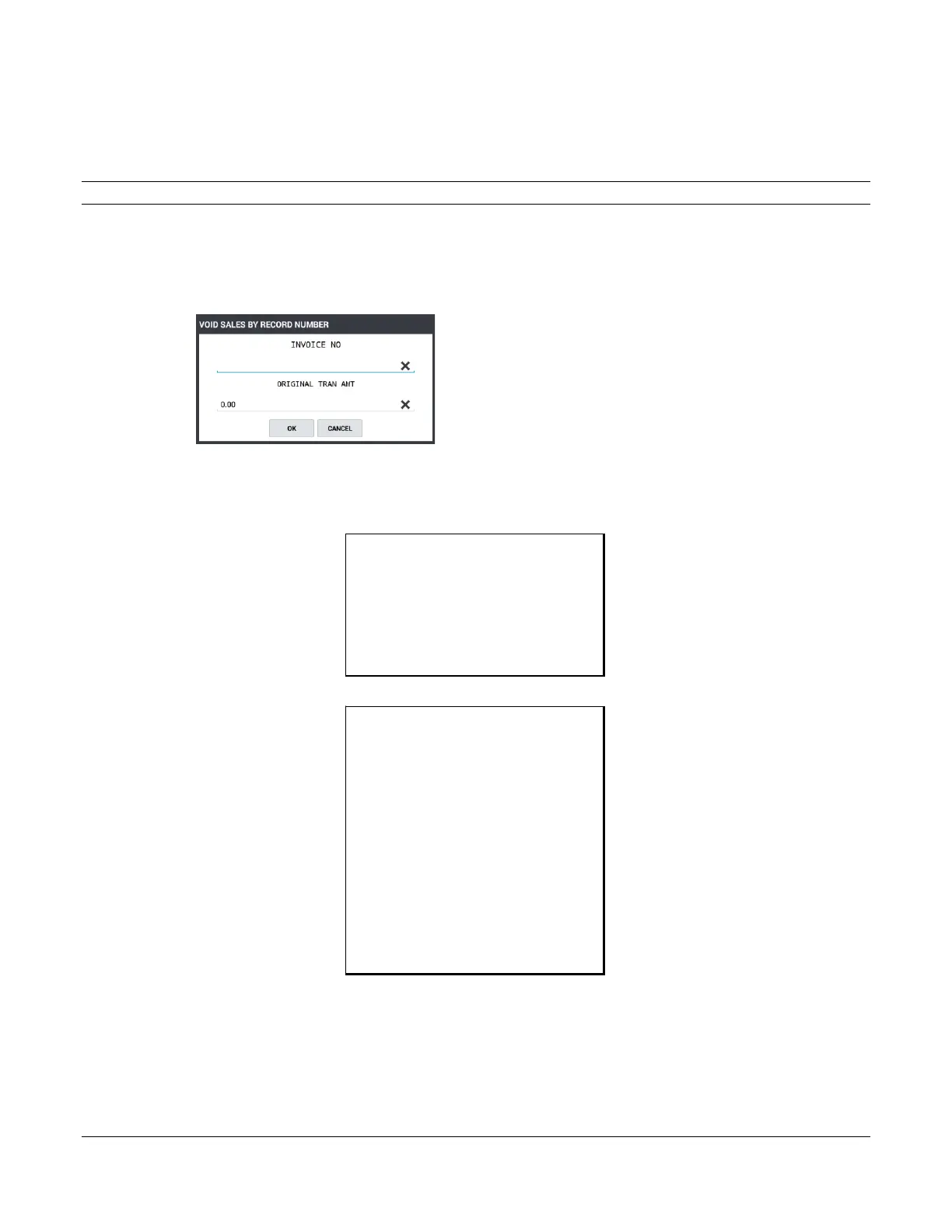
3. Select VOID SALES BY RECORD NUMBER; The register will display the Void Sales By Record
Number entry dialog:
4. At the prompt, enter the transaction Invoice number.
5. At the prompt, enter the Original transaction amount.
6. The message “WORKING” displays until the void is completed. The receipt and merchant voucher print:
SAM4POS TERMINAL
2017-10-17 THU
VOID SALE
CARD: ************0010
VOID AMOUNT: $2.01
INVOICE: 00038
REFERENCE: 1005
NO.000023 REG# POS-1 MANAGER
SAM4POS TERMINAL
2017-10-17 THU
VOID SALE
CARD: ************0010
VOID AMOUNT: $2.01
INVOICE: 00038
REFERENCE: 1005
APPROVED – THANK YOU
I AGREE TO PAY THE ABOVE TOTAL AMOUNT
ACCOURDING TO CARD ISSURE AGREEMENT
(MERCHANT AGREEMENT IF CREDIT VOUCHER)
x_______________________________________
Merchant Signature
NO.000023 REG# POS-1 MANAGER



 To Next Page