238 • Program Maintenance Sam4POS Operators Manual v2.33
Quick PLU
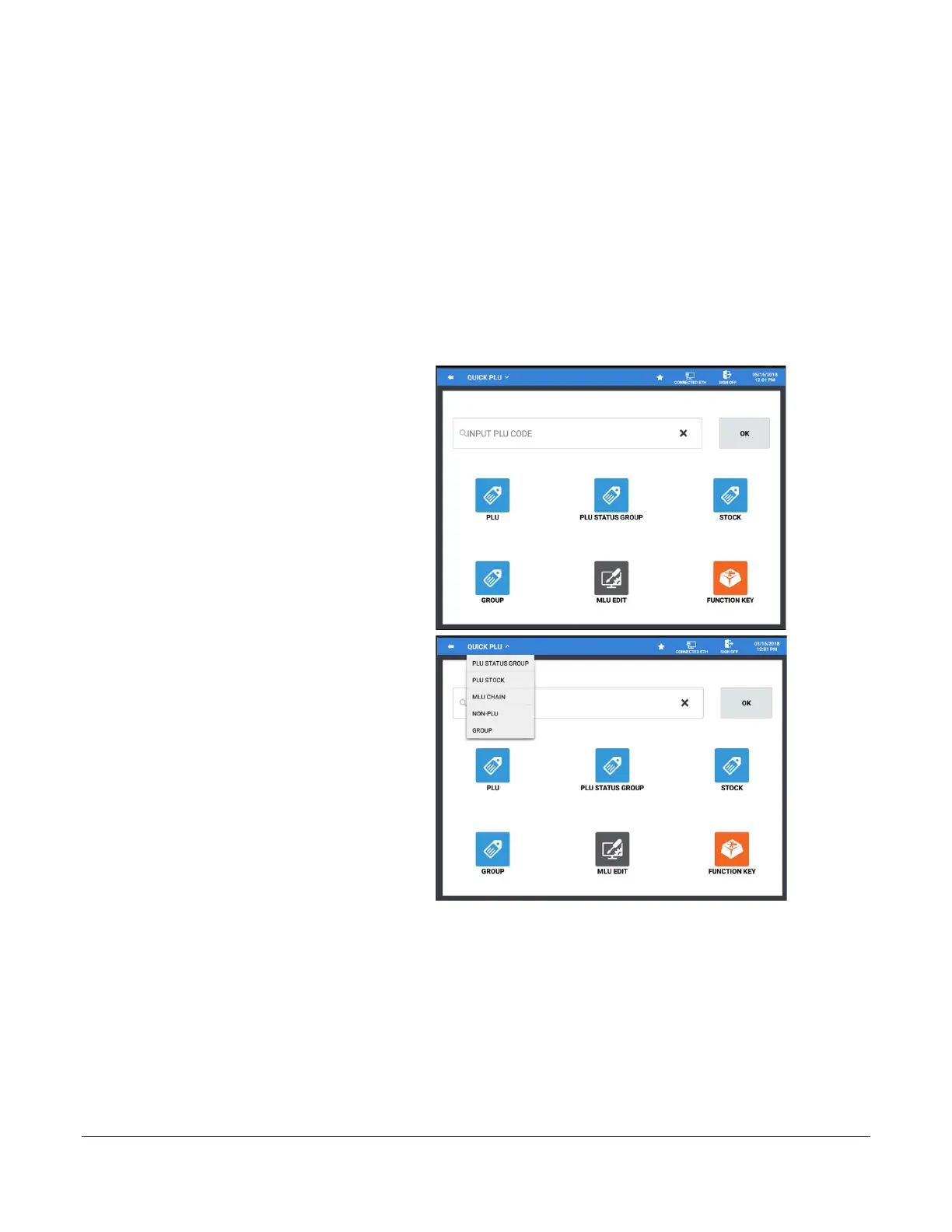
The Quick PLU menu provides another means to quickly access the programming for a specific PLU or add new
PLU’s to the database. Six quick access program areas are provided, PLU, PLU Status Group, Stock, Group, MLU
Edit, and Function Key. Select one of these categories to go directly to the programming maintenance screen for
that category.
We can also enter the PLU code for a specific item to go to the programming for that specific PLU or add new
PLU’s to the database.
Quick PLU - Edit Existing PLU
1. From the PROGRAM MODE main
menu screen select PLU then select
Quick PLU. The main Quick PLU
selection screen is displayed:
2. Select a category from the available
selections to go to the programming
screen for that category. Alternately,
you can press the Quick PLU sub
menu to select a category as shown:
• PLU Status Group
• PLU Stock
• MLU Chain
• Non-PLU
• Group



 To Next Page
 Loading...

