Sam4POS Operators Manual v2.33 Report Mode
•
171
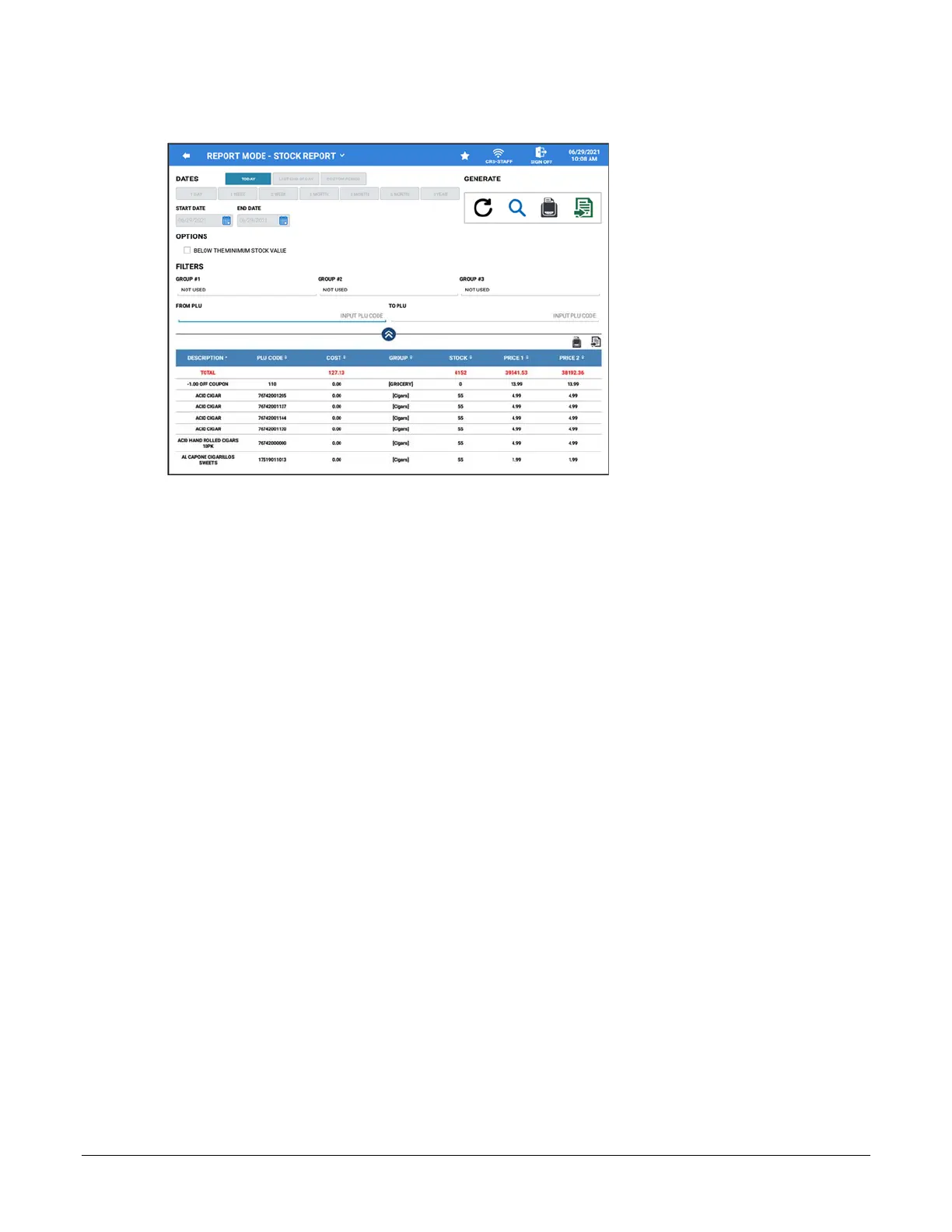
Stock Report
DATES
Only the TODAY selection is available, all other date selections are grayed out.
OPTIONS
Below The Minimum Stock Value – When selected, the generated report will display only info for PLU’s that
are below the minimum stock level as set on the PLU.
FILTERS
Group #1, Group #2, Group #3 – Select specific Groups assigned on PLU group assignment #1, #2, #3
From PLU \ To PLU – Select a PLU or PLU range for the report if desired
GENERATE
Refresh, Zoom, Report View, Export
REPORT DATA
Item Description – PLU Code – Cost – Group – Stock – Price 1 – Price 2



 To Next Page