168
•
Report Mode Sam4POS Operators Manual v2.33
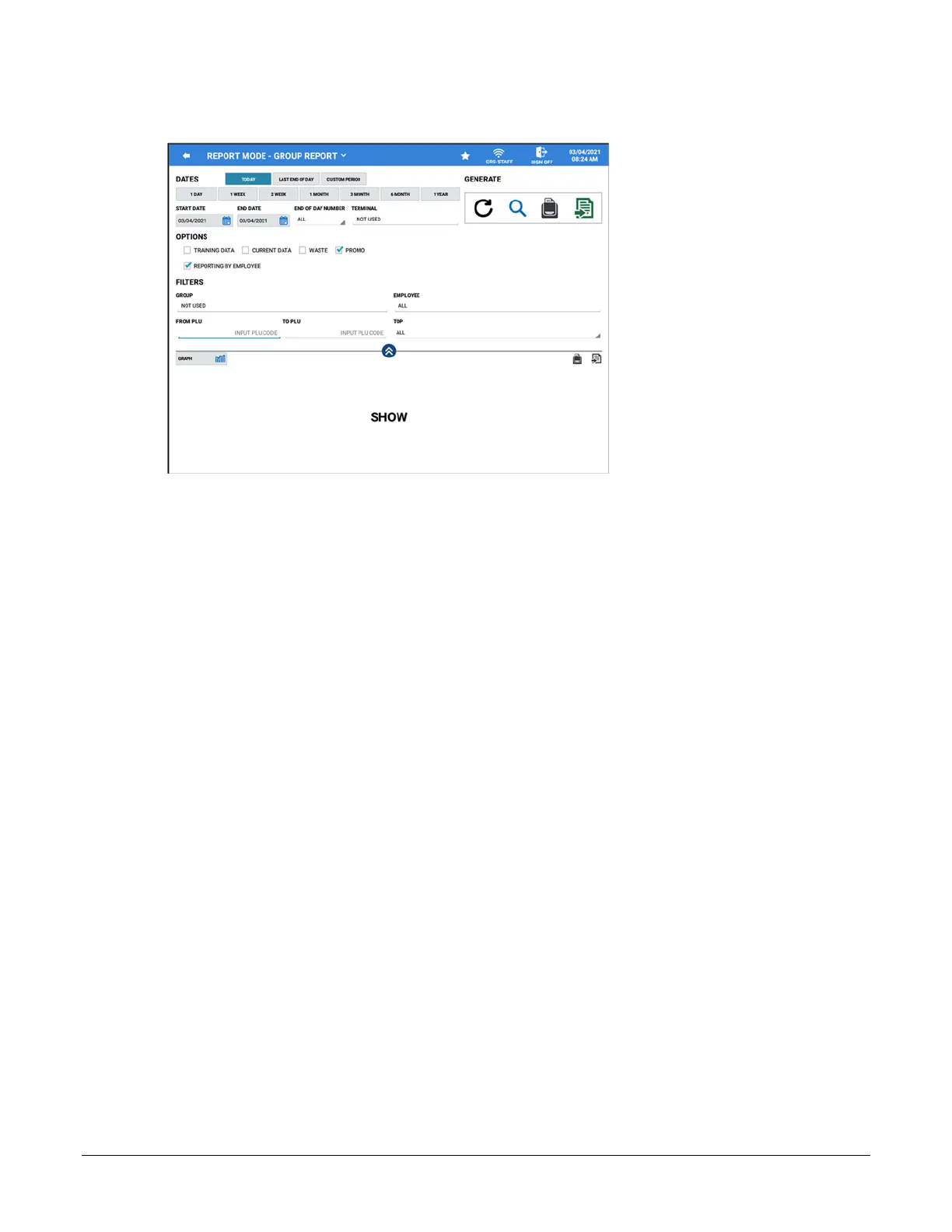
Group Report
DATES
Date selections include: Today, Last End of Day, Custom Period
1 DAY, 1 WEEK, 2 WEEK, 1 MONTH, 3 MONTH, 6 MONTH, 1 YEAR
Additional selections in the Dates area are:
START DATE and END DATE
END OF DAY NUMBER and TERMINAL SELECTION
Not Used (indicates there is no filter selected), My Terminal, select Specific Terminal(s) or Select All
OPTIONS
Training Data, Current Data, Waste, Promo
Reporting By Employee
NOTE: Option selections limit the report to display just the specified option selection data.
FILTERS
Group – Select a specific Group or Groups to view
Employee – Choose ALL or selected Employees
From PLU \ To PLU – Select a PLU or PLU range for the report if desired
TOP – Choose to display the Top 5, 10, 20, 30, 50, 100 or ALL PLU’s
Additionally, the Group Report data can be displayed as a List report or in a Graph format.
GENERATE
Refresh, Zoom, Report View, Export
REPORT DATA
Description – Promo – Waste – Usage – Count – Total – Amount Ratio



 To Next Page