Sam4POS Operators Manual v2.33 Report Mode
•
185
EJ Report
To utilize the EJ Report it must first be enabled in the Program Mode\ Options\ Options\ Report Options. The EJ report
is a useful tool for searching, reviewing and reprinting previously closed transactions and operations. The EJ report can
be set to save data to a USB drive or to internal storage. Refer to the Report Option settings in the Sam4pos
Programming Manual for all EJ option selections and definitions.
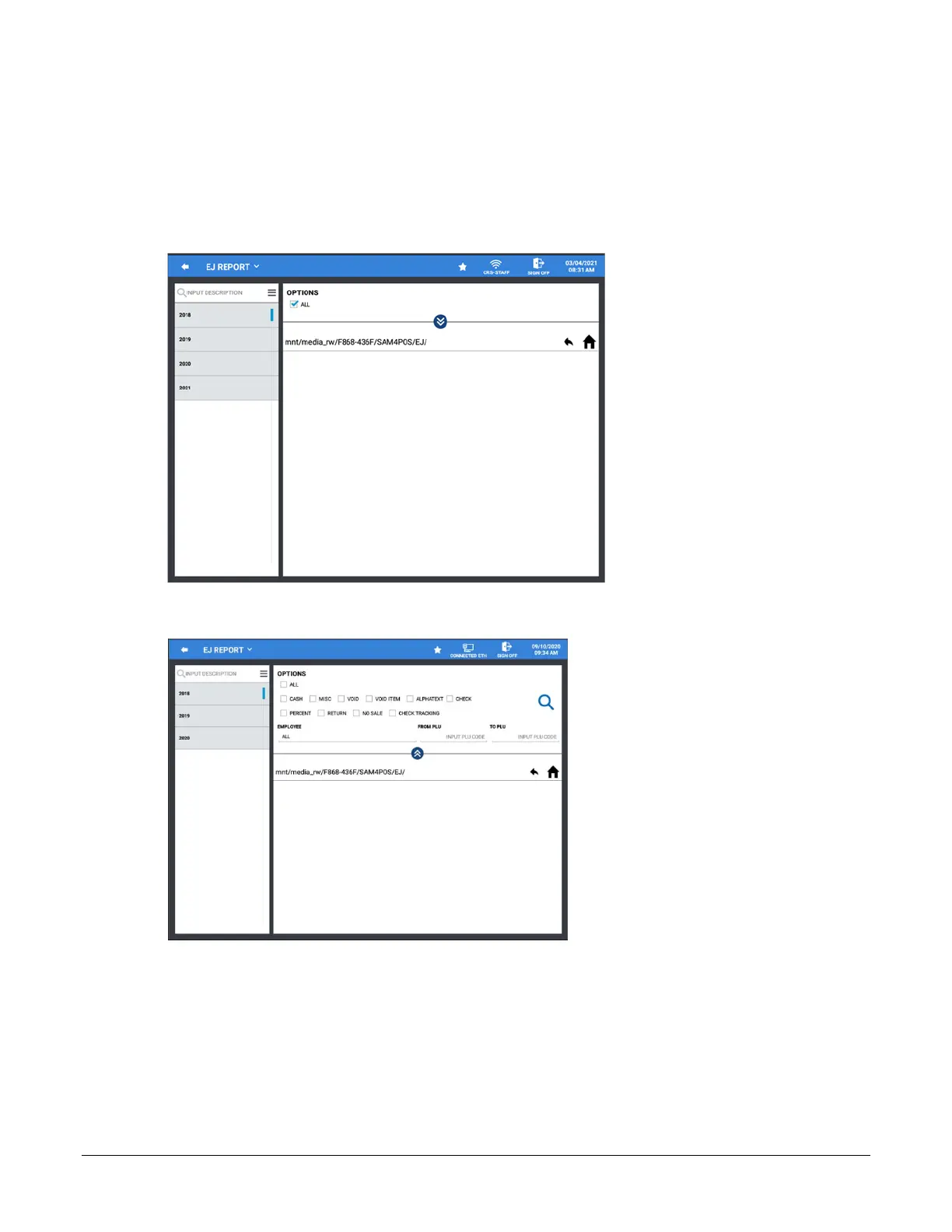
1. From the Report Mode, select the EJ Report from the Detailed Reports menu.
2. You have Options selections on the EJ report to view specific transaction types. Unchecking the ALL
selection in the Options area to view the option selections.
3. Choose the Options for the transaction data you wish to filter for:
All
Cash, Misc, Void, Void Item, Alpha Text, Check, Percent, Return, No Sale, Check Tracking
Employee: All or select specific employee(s)
PLU Range
4. EJ Reports are sorted by Year / Month / Date / Transaction. Simply press the desired selection to expand.



 To Next Page