186 • Report Mode Sam4POS Operators Manual v2.33
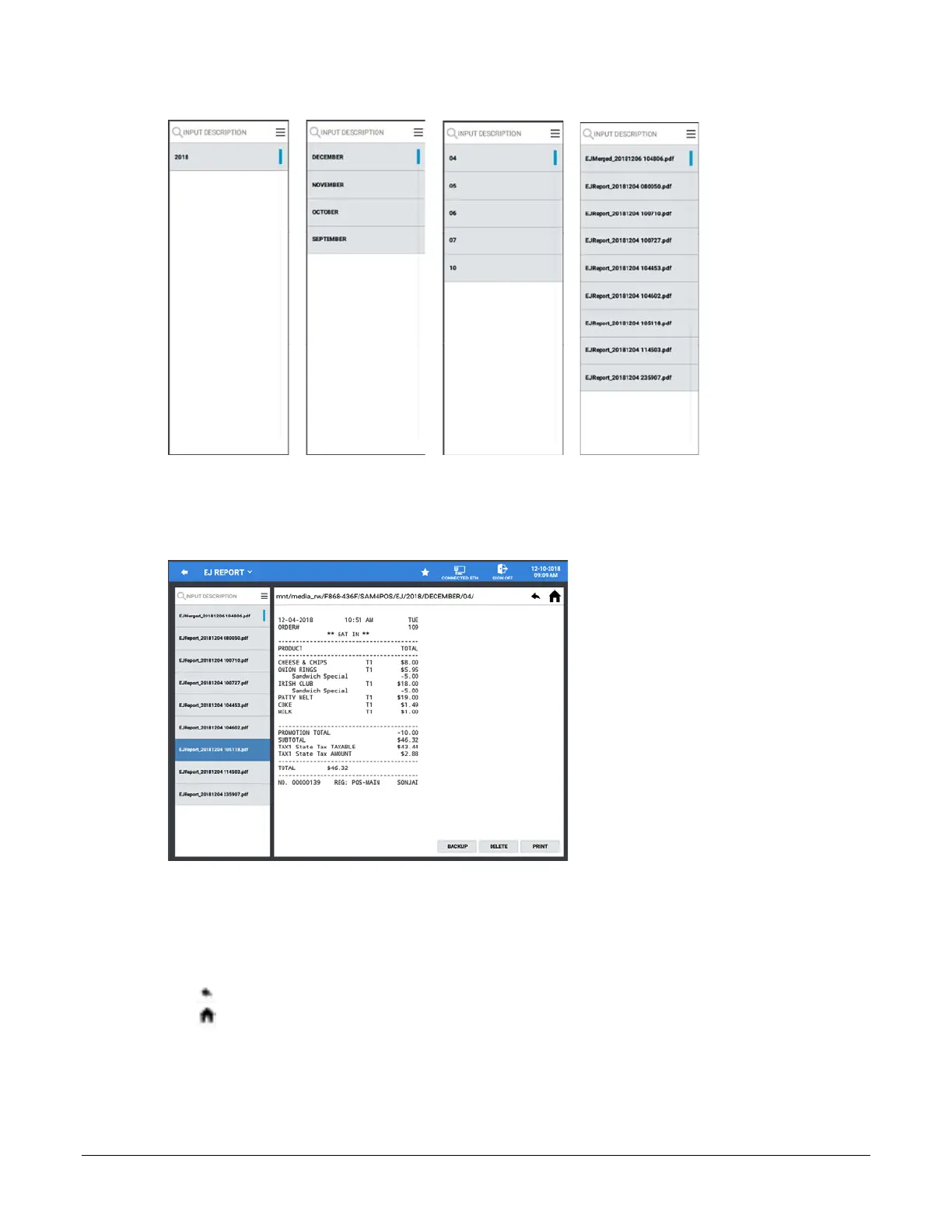
Select Year Select Month Select Date Select Transaction
5. The transactions that correspond to your filter selections will be listed; When a transaction is selected, the
transaction detail is displayed:
6. With the selected transaction displayed: you can Backup, Delete, or Print the transaction.
Backup – Backs up the transaction to the memory device
Delete – Will delete the selected transaction
Print – Prints the transaction to the receipt printer
7. The EJ Report file path is displayed at the top of the display; the navigation icons can be used to:
go back one level on the memory device
go to the root of the memory device
8. With the selected transaction displayed: you can Backup, Delete, or Print the transaction.
Backup – Backs up the transaction to the memory device
Delete – Will delete the selected transaction
Print – Prints the transaction to the receipt printer



 To Next Page